Cool – thank you so much!!!
A
afb
@afb
Posts
-
float physics - Gentle float: button disappears (only desktop) & stutters (only mobile, tablet) -
float physics - Gentle float: button disappears (only desktop) & stutters (only mobile, tablet)Hi Armin, can you check this one last time? Otherwise I need to delete it on tablet & mobile. thank you !!
See here: the stuttering yellow float physics element (button)...
https://www.annette-fischer.com/work/
https://www.annette-fischer.com/about/ -
float physics - Gentle float: button disappears (only desktop) & stutters (only mobile, tablet)Hi Armin, thanks so much.
See here: the yellow element...
https://www.annette-fischer.com/work/
https://www.annette-fischer.com/about/ -
float physics - Gentle float: button disappears (only desktop) & stutters (only mobile, tablet)Hi Armin, my laytheme is updated. The stuttering - when scrolling - still exists on mobile devices, all browsers... thanks for checking
-
website Performance & webGLAnimationAbout the Float Physics Element: It's a back and forth. Sometimes they show up, sometimes they don't. I checked again right now and in Safari and Chrome (each mobile version) they don t show up. see screenshot.
My bigger issue is the performance: with an empty cache and a reopened website it takes 5 sec until the intro WebGL animation comes up. That's too long...
Is this because of a lay theme loading set up of the general website?
Is the reason the number of images that are used in the WebGL animation?
Is the reason the set up of the WebGL animation?
Thanks Armin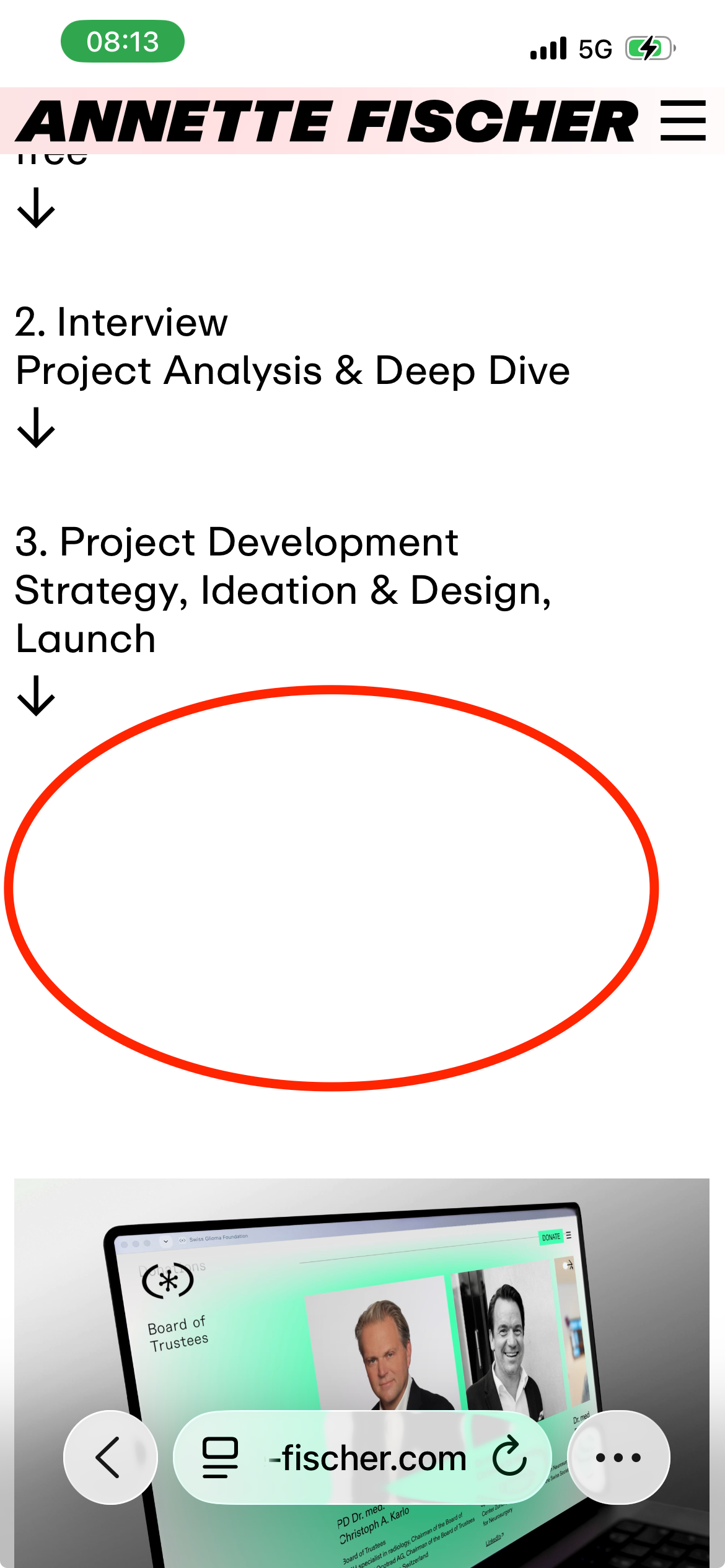
-
footer – misbehaviour sites vs projectsAwesome! Changed it, fixed it! Solved.
(Maybe too many buttons for me ;-)) -
float physics - Gentle float: button disappears (only desktop) & stutters (only mobile, tablet)Hello Armin, the stuttering on mobile and tablet (firefox, safari, chrome). Desktop is still fine... thanks for the effort...
-
website Performance & webGLAnimationHi Armin, I use WebGLAnimation on my website for the intro on HOME and the footer. Please see here: https://www.annette-fischer.com
– Since I use it the performance of the site is quite slow (check: empty cache and open website).
– Also the float physic elements don t show up on home.
– also: website stutters while scrollingDo you know what the reason for this delay is?
Thanks so much! Love the new tools! -
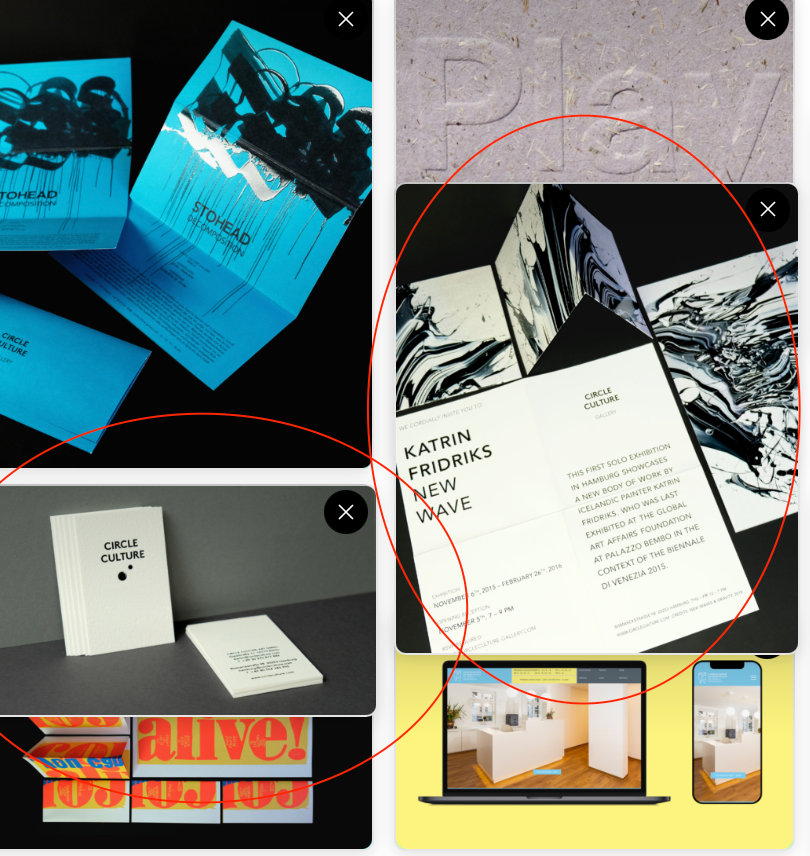
Row-Hintergrund WebGL-Animation bearbeiten – Drag&drop frozerow-hintergrund webgl-animation bearbeiten (in SafarI) – when drag&drop selected images the dragged images freeze and stack in the pop up..
-
footer – misbehaviour sites vs projectsUpdate: changed the layout, but problem of linked button not behaving like it should is still existent... thank you Armin...
-
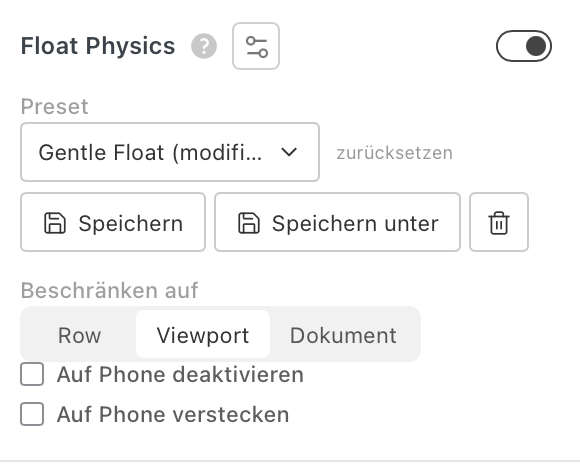
Float physics element: suggestion – hide behind footerHi Armin, a suggestion: would it be possible that you can put an option for "float physics elements": see screenshot: elements are set/limited to "VIEWPORT" BUT would it be possible to hide them once user scrolls/ reaches the footer area? Means new option would i.e. be: "hide behind footer"
Thank you so much!
-
footer – misbehaviour sites vs projectsHi Armin, me again :)
The footer links behave correctly on all sites (Seiten), but NOT on the project (Projekt) pages.
Same behavior for desktop/tablet/mobile & every browser.These are my footer settings:
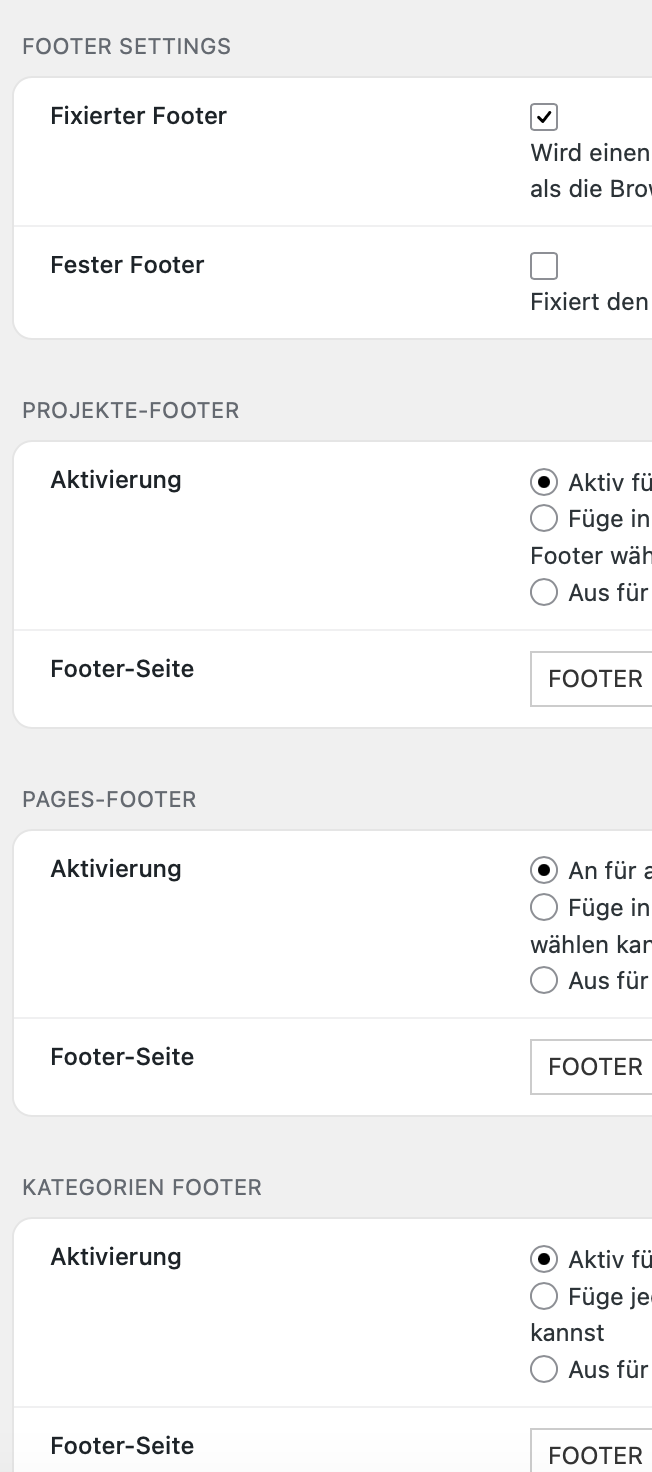
Footer desktop/tablet looks the same.
Footer mobile has just a different background.Same footer links for all devices:
The buttons are linked to a calendar and my email and work fine on the sites like HOME, ABOUT, WORK, test here: https://www.annette-fischer.comBUT
when I am on a project detail page, the links behave differently
test here: https://www.annette-fischer.com/swiss-glioma-foundation/WHY? :-)
thanks
-
Browser - colorI know :-) but lets do it anyway, right :-) gracias!
-
Float physic element: open link in new tabupdated lay theme... now it works.. mille grazie!
-
Float physic element: open link in new tabHi Armin, suggestion – is it possible to insert an option to add a link to a "float physics element" AND "open the link in a new tab"? for now I selected the whole element > right mouse click and > add link... is there another option? :-) thank you!!
-
LigaturesHi Armin, ligatures are turned off in "text formats" but are visible in the layout. :-)
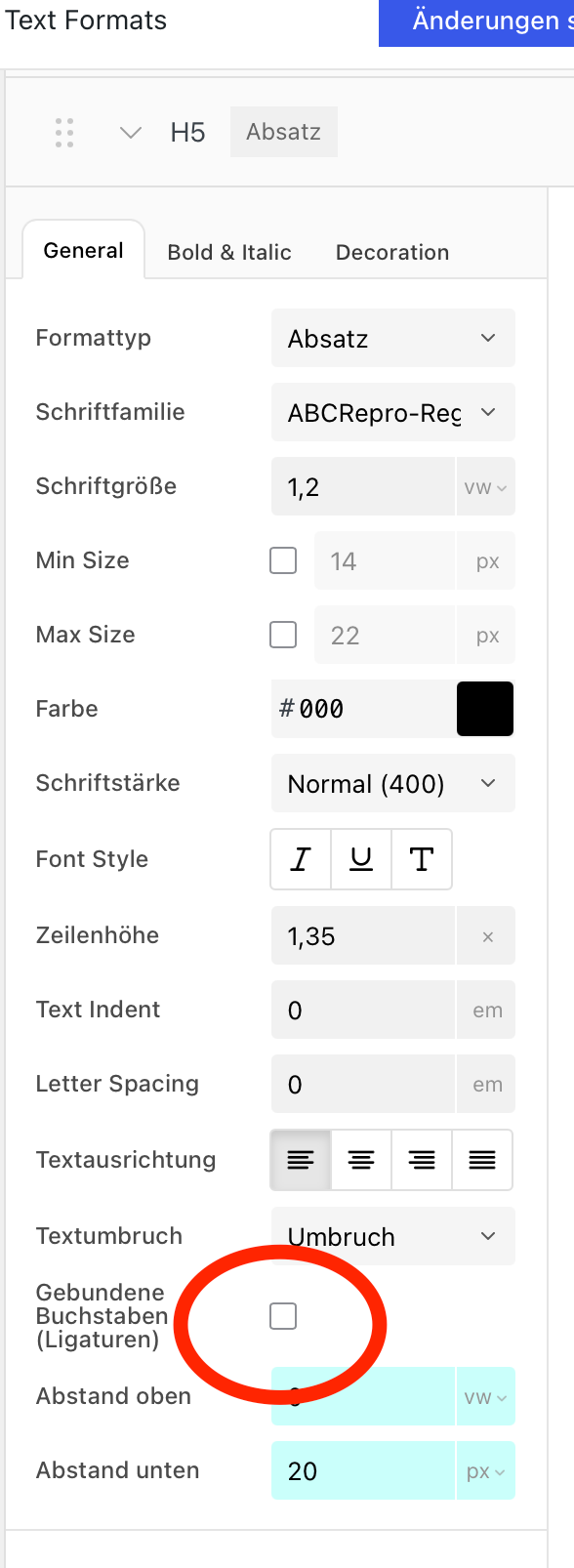 . Please see screenshots.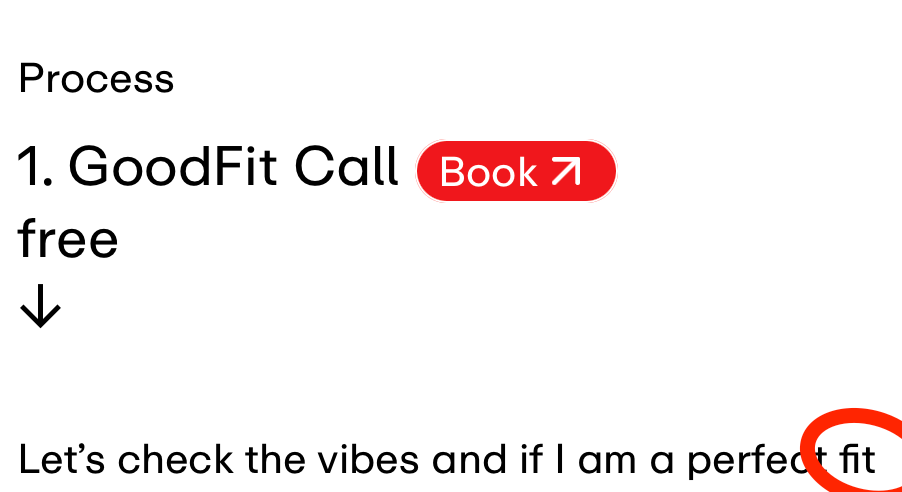
-
Browser - colorHi Armin, is it possible with lay theme to set a color for the header of the browser?
See screenshot e.g. Spiegel.de
:-) thanks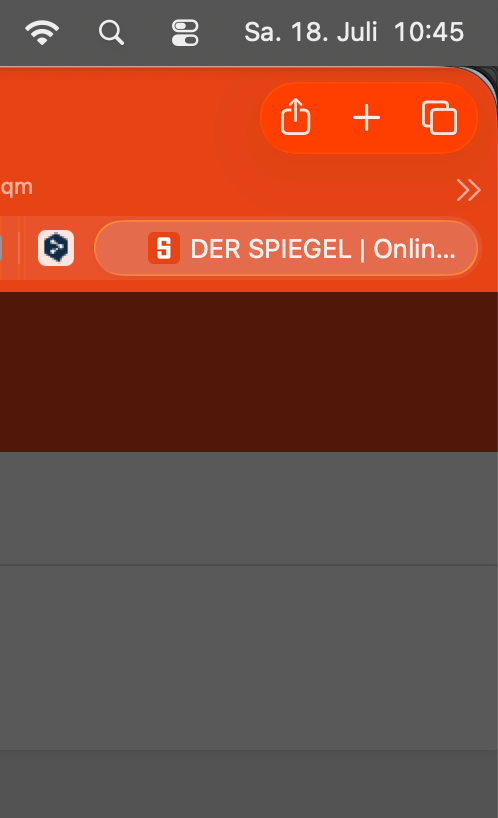
-
Accordion & float physicsHi Armin,
i integrated the accordion in one row. In the next row there are 3 float physics elements. Now when I open one accordion element (try nr 2 in my layout) the content pushes the next row obviously down. But: as you can see when I open the accordion the floating elements are overlapping the next row (an image) and it appears that the distance from the lower end of the accordion content box to the next row is very big. Is there a way to fix those 2 things!
Scroll down a tiny bit here to see: https://www.annette-fischer.com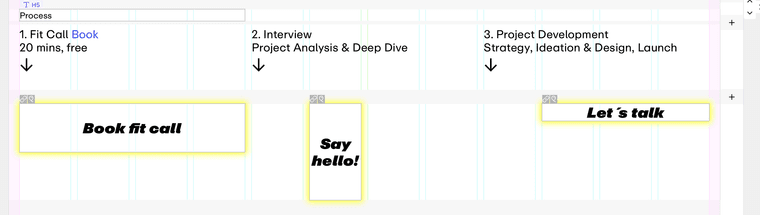
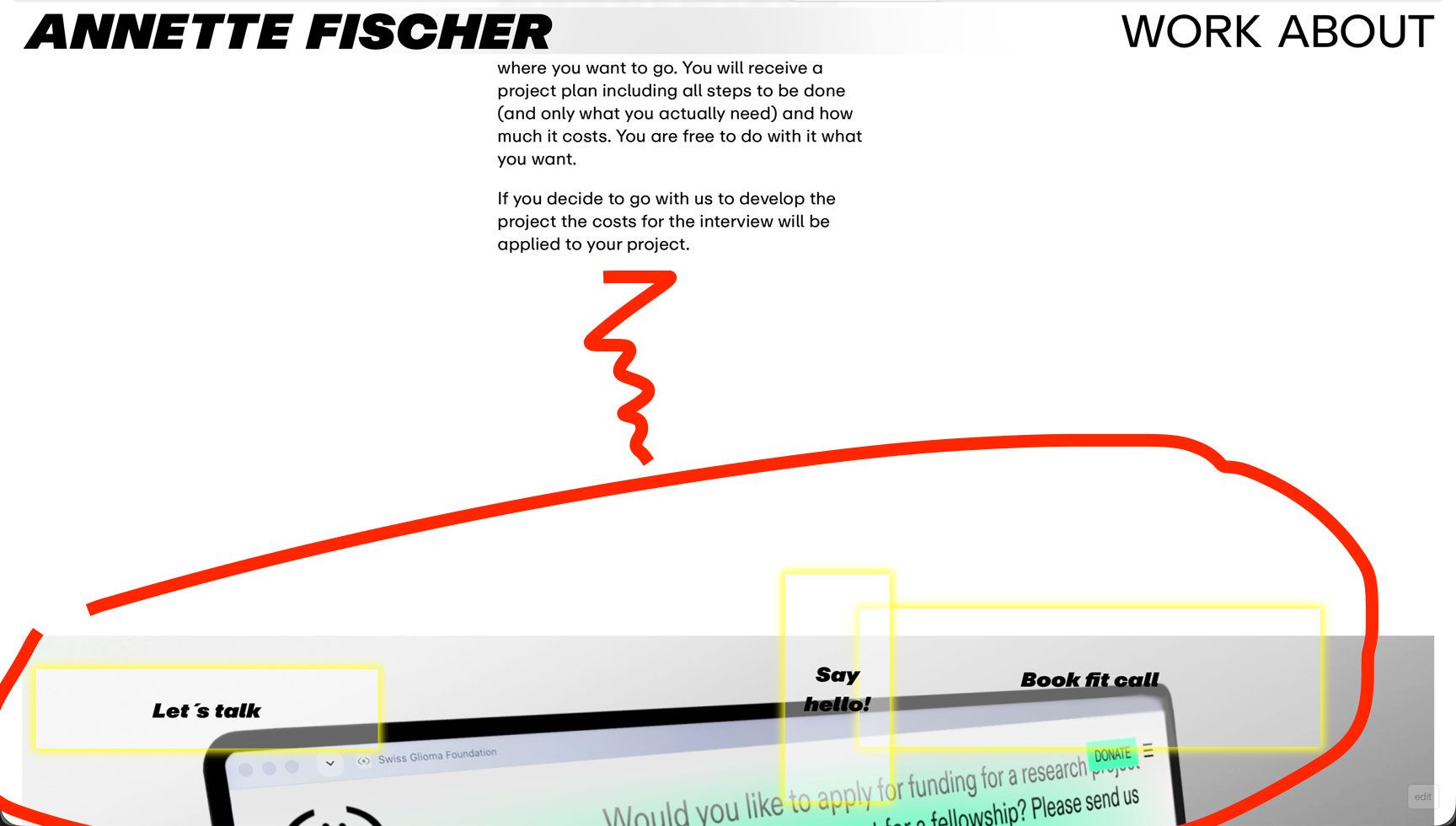
thanks so much.
A -
Mobile version – Second project thumbnailI use a different approach for my project thumbnails for desktop and mobile devices, see here: https://www.annette-fischer.com/work/
I had a look at the thumbnail grid and think this layout can`t be done with it.See current custom layout:
I wanna decide if I use 1 landscape format image per row
OR
2 portrait formats next to each other per row.
OR
if I wanna insert a custom "animated logo" (linked to the project by individual set link):-)
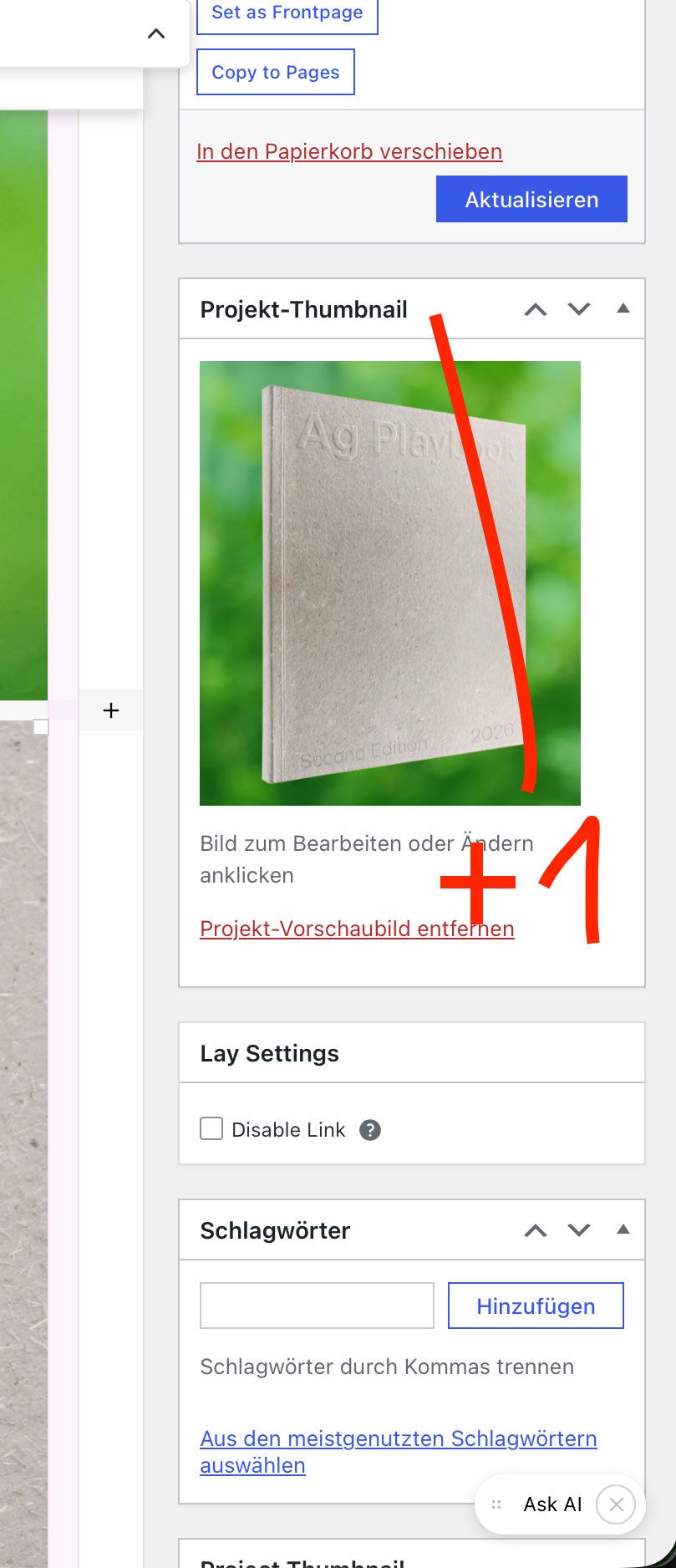
On the desktop version e.g. my thumbnail for project #1 image is landscape format OR e.g. custom made linked animated logos work fine, BUT on the mobile device I wish I could insert a (different!) second thumbnail for project #1 but in portrait (or my own image ratio) format. Different ratio won´t do it cause the "sweet spot" of the image won t always be the best and I might wanna change/select my own detail/close-up OR maybe another motif.
So to answer your question:
I d like (see screenshot) another option to put a second thumbnail here. Would be awesome. This might would come of course as well with another option for the thumbnail mouse over for this second thumbnail.(also I guess when I first used lay theme the thumbnail grid was not there yet?? hahah ;-))
thanks for this smooth conversation & problem solving!
-
float physics - Gentle float: button disappears (only desktop) & stutters (only mobile, tablet)Thanks so much Armin!
The floating element is now at the very top = problem solved.
The stuttering seems to be gone as well... (firefox, safari, chrome) = problem solved.