hey, so i tried to install an older version of the carusel, but it was not working at all.
so i thought: ok, maybe i’m going to use >project thumbnail< to link to my projects (and not the carusel), but the error persists, which means one project is loading from the bottom... strange huh?
H
hannesmalo
@hannesmalo
Posts
-
project page starts at the bottom -
project page starts at the bottomhey, thanks for responding.
no i've never used anchor links and i just realised, that by clicking on the links here in the forum it’s working as supposed to. but it’s not working when navigating from carusel (thumbnail) to the page: https://www.hannesmilan.de/graphic-design/
(it’s the 5th and 9th thumbnail) from top. -
project page starts at the bottomdear fellow lay-themers,
maybe this has been posted before – i couldn’t find something comparable.
there’s a strange thing happening when i link to projects on my page. some of them start from the bottom, some – as wanted – start from the top and i cannot find the reason why.
when i say in the link >open in new tab< the project pages starts from the top thought. i’m using the carusel plugin and link function to place thumbnails.
also i changed browsers, deleted cache, deactivated plugins and updated everything.
after a bit of research i tried to put a custom code in head section, but no success.<script> document.addEventListener('DOMContentLoaded', function() { window.scrollTo(0, 0); }); window.onload = function() { window.scrollTo(0, 0); }; </script>maybe some has encountered the same problem or has a solution for me?
the concerning project pages are:https://www.hannesmilan.de/bureau-badass/
https://www.hannesmilan.de/make-love-work/best,
hannes -
No gridder anymore in desktop view / update 4.7.5@littlegestalt Thanks a lot, that was a great hint. It’s working again!
-
No gridder anymore in desktop view / update 4.7.5@arminunruh
Thanks for your fast help. I’m using 4.7.7 now but the problem is still occuring. Any ideas on that? -
No gridder anymore in desktop view / update 4.7.5Hello Armin,
I just updated Lay Theme to 4.7.5 and obviously didn’t backup.
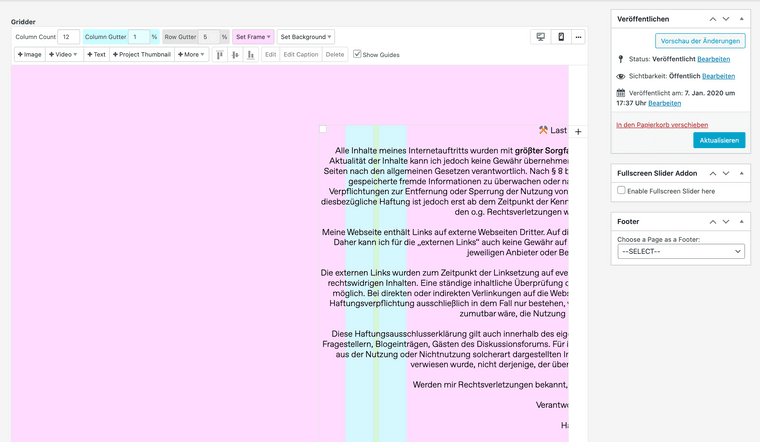
Now the excisting gridder in desktop view is completely messed up, not in phone layout thought.Do you have an idea, what has happend there? Please find a screenshot attached.
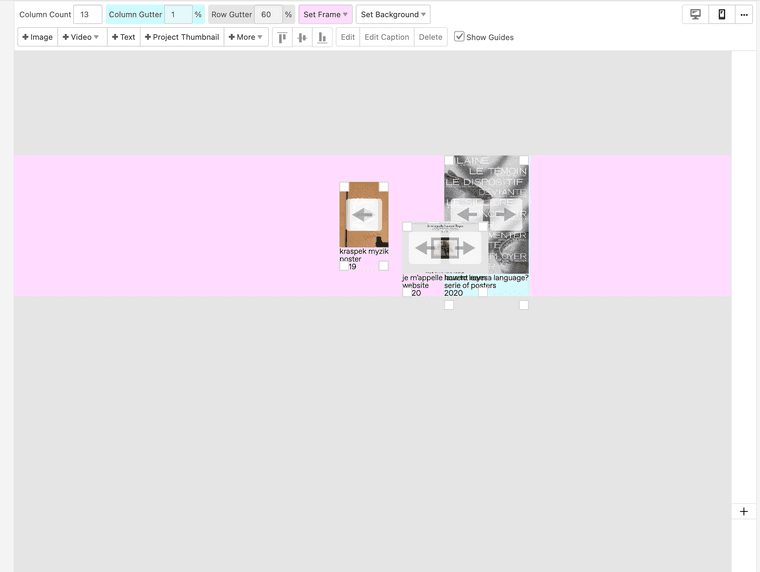
You can find my website here
Thanks in advance for your help!
Hannes -
Website with hidden menuHey there and thanks for the great working Lay Theme !
I’m really happy with my website, because it’s easy to adjust things really precisely. Before I used to have my website on squarespace and it was a real prison. You couldn‘t change hardly anything, without paying shitloads of money to use custom css.So I decided to hide my menu a bit, because I think its nice when people not just look at images and scroll endlessly down, rather taking their time and read a little bit of text ;)
Have fun and thank you Marius & Armin for your work !
-
Links in carousel are messed upYes, it works ! Thank you guys a lot !
-
Links in carousel are messed upHey Marius,
thanks for your fast answer !
In fact, I’ve deleted a lot of plugins today, because I didn’t used them anymore. But none of them was working with the appereance of links or the carousel add-on.I’m using the current version 5.4.1 of Wordpress and LayTheme 3.2.9 as well, like written above. JS codes are deleted as well. Problem remains.
So it’s strange, I’ve tried to put a carusel with an linked image on all my sites and somthing always makes those weird links.

I don’t get it.
-
Links in carousel are messed upHello dear people,
I’ve a strange problem with my carousel-addon since updating Laytheme to 3.2.9; updating the carousel add-on to version 1.6.1; adding SSL to my domain and updating php to version 7.3 (maybe that was too much at once)
So I’m using carousels a lot as animated project thumbnails. I used to link all images, so when you click them, they guide you into the project. See here :
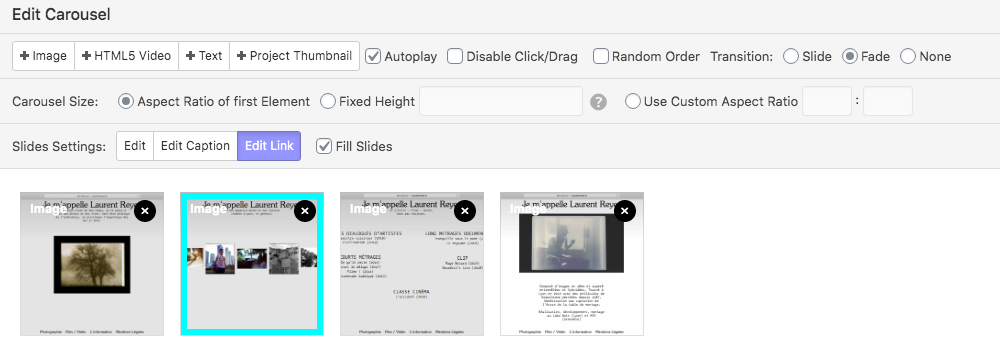
Now they’re not linked anymore, they just do the slide effect and when I want to set up a new link, it doesn’t change anything. When hovering on it, you’ll get weird link previews (with Chrome in the left corner), like : www.alls for a project of me, which is usally set up to : www.hannesmilan.de/four-walls See here
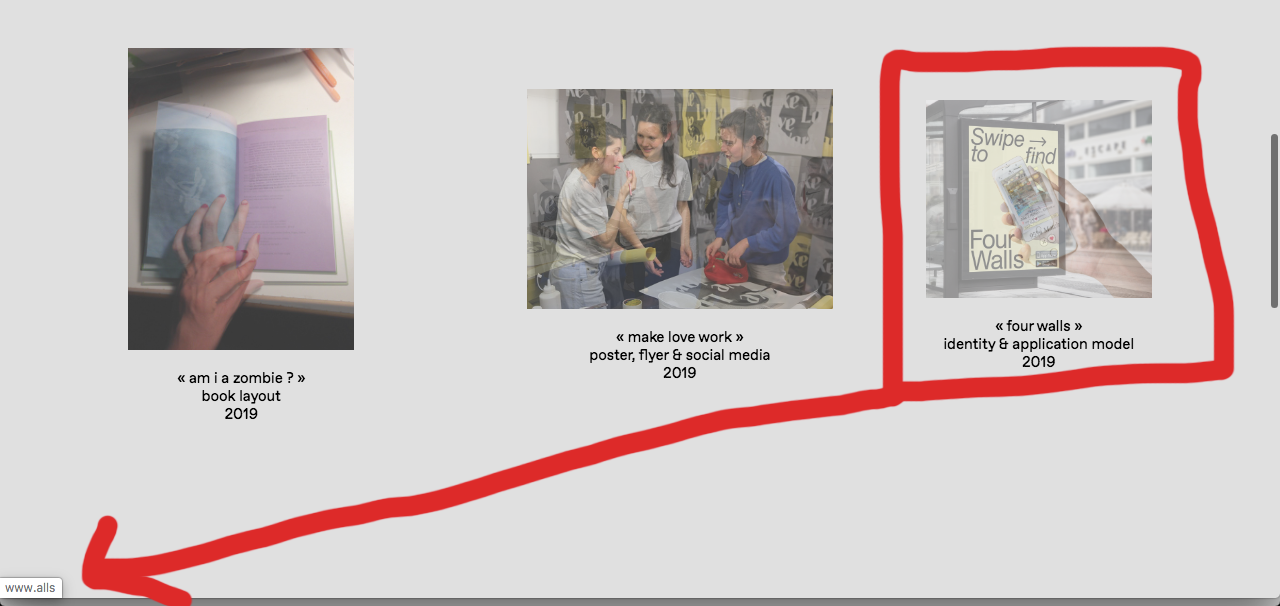
So it seems to me, that something messed something up. Does anyone know what can cause that ?
Things I’ve tried :
- Checked and reseted every linked image in the carousels
- Checked other links; they're fine, every project-thumbnail works
- Changing PHP version of my website back to 7.2
- Checked different browsers
That’s pretty much it. Unfortunately I don’t understand a lot of PHP, so I can’t imagine if the error is because of the update.
I’m using Chrome Version 80.0.3987.106 and you’ll find the thumbnails at www.hannesmilan.de/graphic
Thanks for your help !
Hannes
-
Help with jquery wScratchHello dear forum,
I'm trying to install the Scratch Pad Plugin on my website, like seeing here. So far, I've added the files to my theme and they‘re showing off in my website.
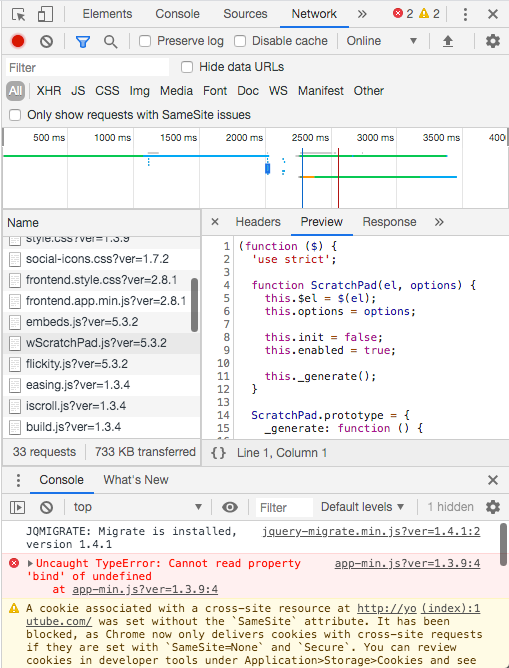
And then, I'm trying to add a photo on my frontpage with the jqpuery-plugin, adding a SHORTCODE to the side.
<script> window.laytheme.on("newpageshown", function(layoutObj, type, obj){ if(type == "page" && obj.id == 306){ $("#wScratchPad").wScratchPad({ width: 210, height: 100, image: "http://www.hannesmilan.de/wp-content/uploads/2020/01/Untitled-10-Edit-1-1.jpg" </script>But unfortunately I don't get a result. Does someone know why ? Is it due to an error (see above) ?
I'm using Chrome 80.0.3987.106
Thanks for you help in advance !