png background not transparent (solved!)
-
Re: Can't upload PNG (transparent background)
Hey Guys,
I have the same issue with pngs, that the backround in not transparent, I already disabled plugins.
Thanks in advance for your quick response.
-
Dear @lortnok
this is strange. Can you switch off in the settings section that wordpress uses resized images?Best!
Marius
-
Dear Marius,
Thanks for your reply!
here is what I did:
Thumbnail size Thumbnail sizeWidth
0Height
0
Crop thumbnail to exact dimensions (normally thumbnails are proportional) not ticked
Medium size Medium sizeMax Width
0Max Height
0
Large size Large sizeMax Width
0Max Height
0After I saved the settings the medium size is 150x150 and not 0 0, it looks like I cannot change this somehow..
Anyway is this what you meant?I still have the same issue with these settings. unfortunately.
-
-
Do you have an Image Placeholder Background Color defined in Lay Options?
If so you need to clear this as the background color stays behind the images: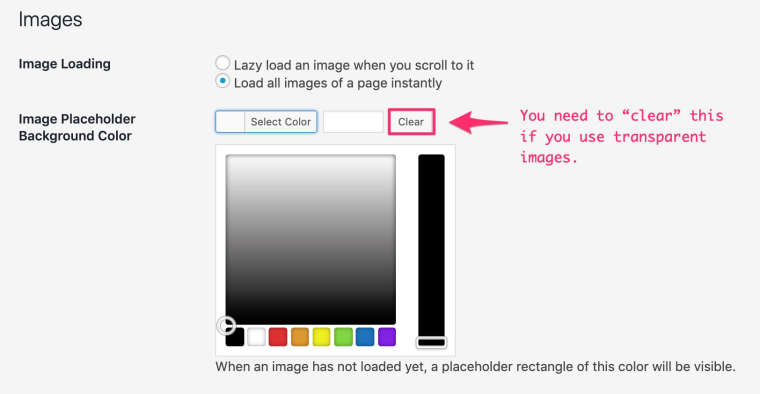
-
-
Is using images with background an option?
If you just replace said images with ones that do have the same background as your page these would also look like transparent and you can use placeholders → WIN✨WIN✨
Otherwise there’s no solution for this. I had the same issue a while back and settled for no placeholders and heavily optimised images (to make them load really quick) – Works like a charm.
-
-


Hello! It looks like you're interested in this conversation, but you don't have an account yet.
Getting fed up of having to scroll through the same posts each visit? When you register for an account, you'll always come back to exactly where you were before, and choose to be notified of new replies (either via email, or push notification). You'll also be able to save bookmarks and upvote posts to show your appreciation to other community members.
With your input, this post could be even better 💗
Register Login