Simple text click through on a full screen slider site
-
Hey!
I am trying to do a very simple 'menu' on my one project page which is a full screen slider inside a project. You can see here www.jayrussell.co.uk
I have a false menu where it is just a text element on every page I now want to implement extra text which would allow you to click from the first slider page to other pages in the slider to function as a menu.
I've done a lot of reading on this but I am a bit out of my depth on getting this to work.
I just very simply want a text element to be able to skip from one of my pages in the slider to another.
I tried http://laythemeforum.com/topic/4200/definitive-guide-to-smooth-scroll-to-anchors-from-menu but don't think I was using the anchors correctly.
Any help or guidance is much appreciated on this.
Thanks!
-
Dear @jayrusselldotco
you need to use jQuery to change the slide.LayTheme uses FullpageJS for this slideshow:
https://github.com/alvarotrigo/fullPage.js/#fullpagejsYou need to call the function to switch to the specific slide.
Here you can see the slide number fp-viewwing-0-9. It needs to change to a different number then.
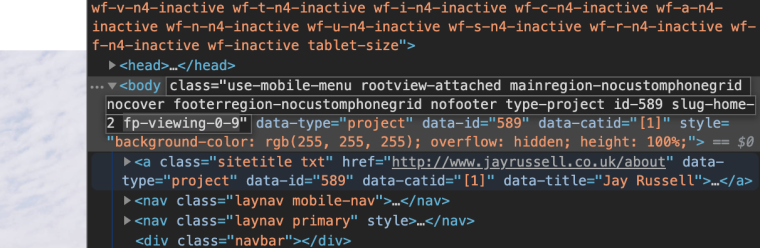
Hope that I was able to get you into the right direction.
Best!
Marius
-
Thanks so much for the response Marius and I do kind of see where you're coming from.
I have tried to implement code to skip to anchors by linking them to the ID of the slide. When doing so the links don't seem to do anything.
I feel like this is incredibly simple, I'm just missing something here.
How do I command a piece of text on the 1st slide which tells the FullpageJS to go to slide 9 for instance, when doing so with anchor points or the https://github.com/alvarotrigo/fullPage.js#creating-links-to-sections-or-slides
Nothing happens?
Thanks for the help!
J
-
-
jQuery.fn.fullpage.moveTo(2);2 is the slide number
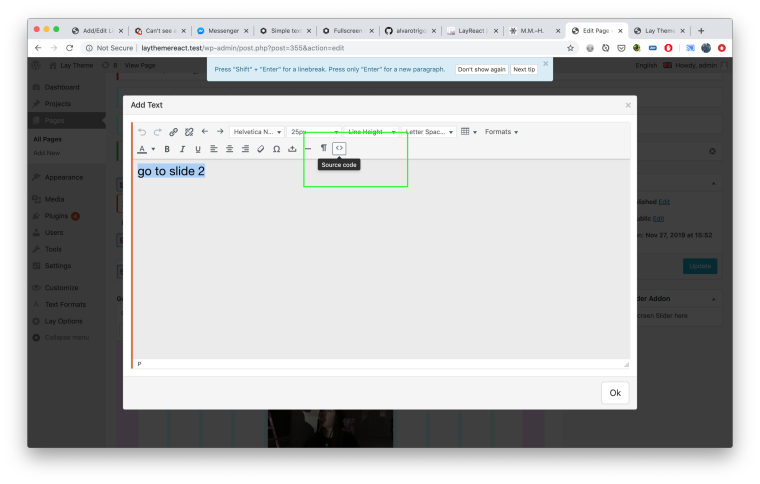
HTML:
<p class="slideto" data-slideto="2">go to slide 2</p>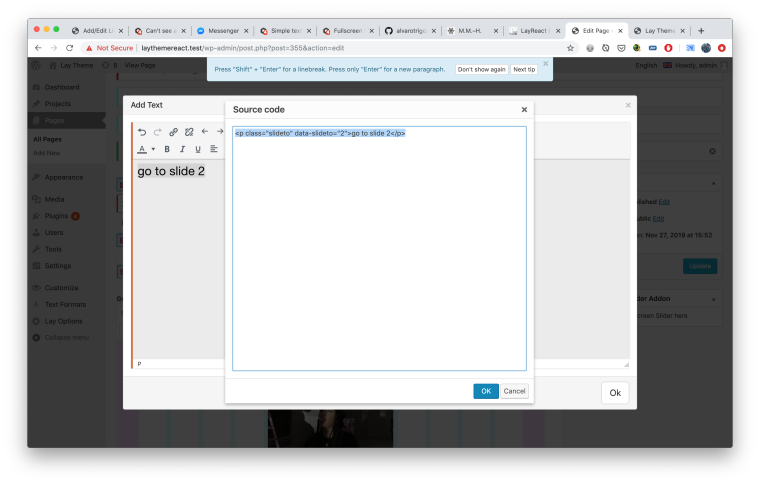
CSS:
.slideto{
cursor: pointer;
}
JS:
<script>
jQuery(document).on("click", ".slideto", function(event) {
	var slideNum = jQuery(this).attr('data-slideto');
        jQuery.fn.fullpage.moveTo(slideNum);
});
</script>
now when you want a link that goes to slide 3 just use
<p class="slideto" data-slideto="3">go to slide 3</p>


Hello! It looks like you're interested in this conversation, but you don't have an account yet.
Getting fed up of having to scroll through the same posts each visit? When you register for an account, you'll always come back to exactly where you were before, and choose to be notified of new replies (either via email, or push notification). You'll also be able to save bookmarks and upvote posts to show your appreciation to other community members.
With your input, this post could be even better 💗
Register Login