Thumbnail-Title width the same width as project thumbnail
-
Hi there Lay theme!
Let me first thank you for the amazing work put into Lay Theme. As I am building my portfolio site, it has been by far the best tool for it!
I am not very comfortable with custom CSS and Html, but took the opportunity to learn a bit and do some customizations. I am happy with the overall design and functionality but I cannot seem to do one last thing.
My projects thumbnails are organized in a thumbnail grid with 3 columns. All the thumbnails are squares. My goal is to show the project title, only with a hover on the thumbnail. The title should ideally appear in one line, centred in a box that would fill the width of the project thumbnail.
To exemplify, I did a version where it is working, but not in a responsive way.
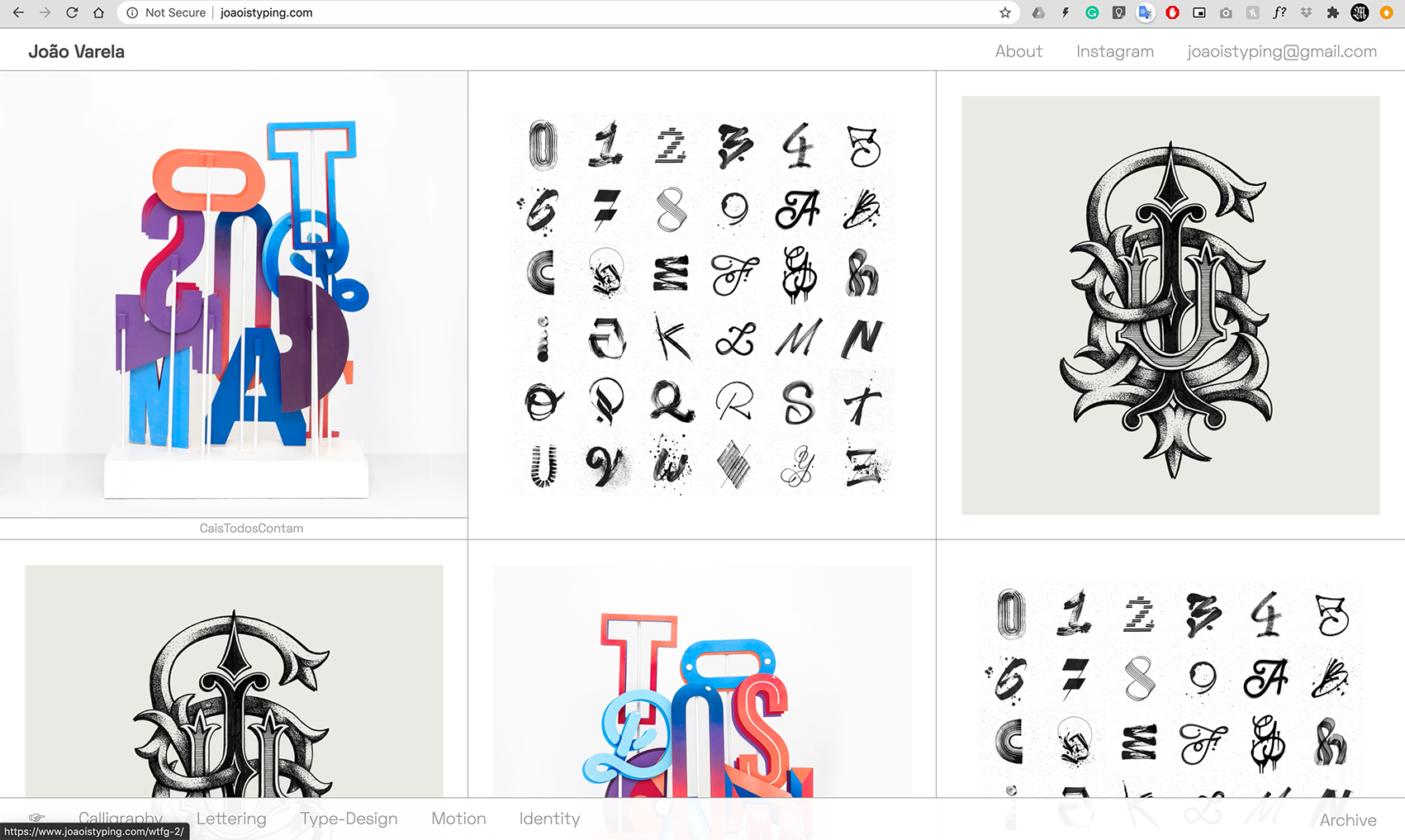
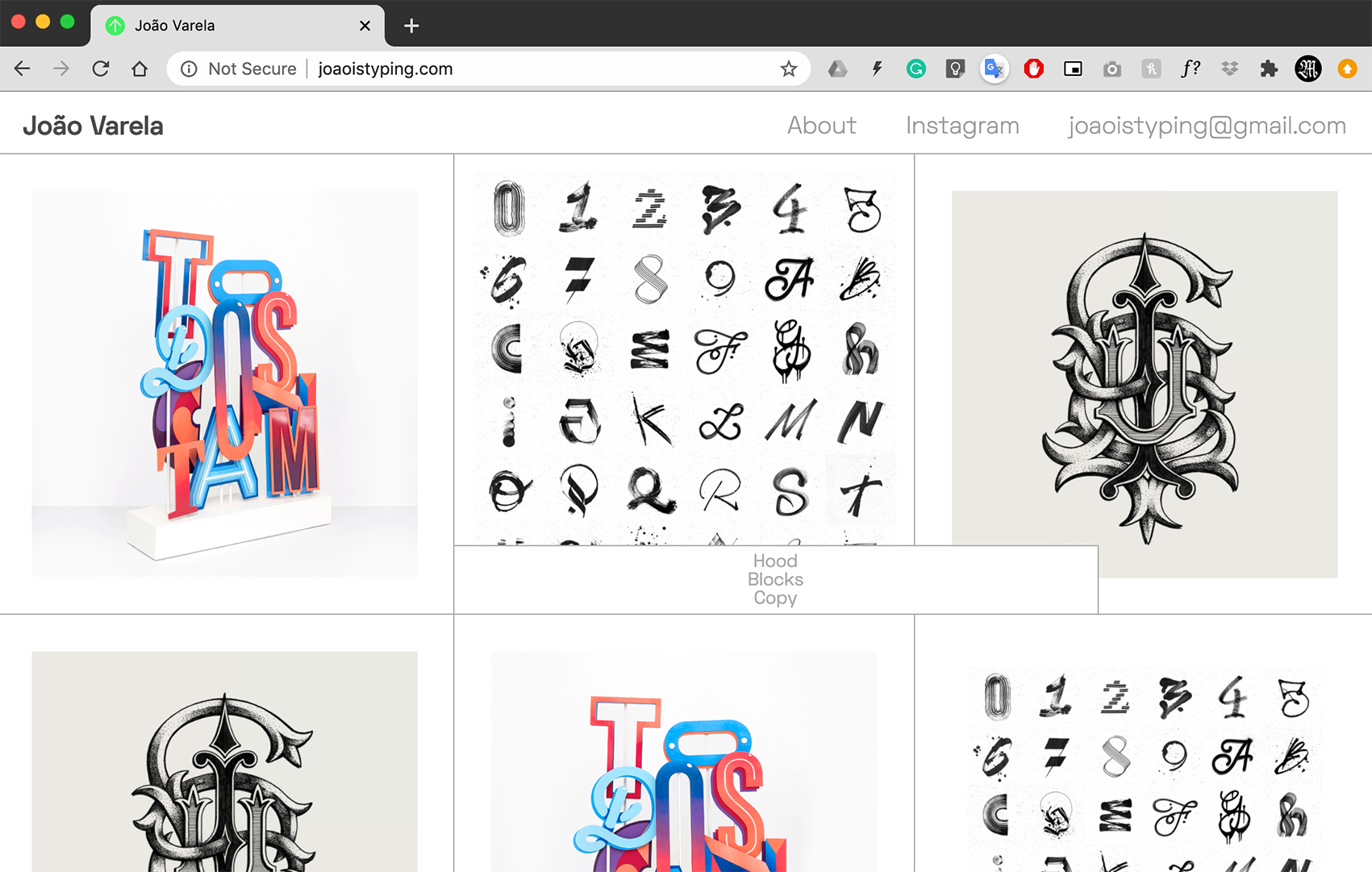
I used this code:
.title{
padding-top: 5px;
padding-bottom: 6px;
padding-left: 239px;
padding-right: 240px;
max-width: 80px;
}Any insight into how I can do it?
Thank you so much!
Best
João -
Dear @j-varela
Can you post a link to your website?
We will then have a look and inspect that!
Many wishes!
Marius -
Hi @mariusjopen Thank you for the quick reply!
Of course, my bad for not including it on the initial post.
The link is http://www.joaoistyping.com/Thank you so much!
Best
João -
Hello @j-varela ,
To achieve this, you need to give a width of 100% to the title wrap.
Then get rid of padding left and right. The text is already centered and responsive like this :)<div class="lay-textformat-parent titlewrap-on-image on-image-bottom-left" style=" width: 100%!important; "><span class="title " style=" width: 100%; ">CaisTodosContam</span></div>Hope this helped,
Many wishes,Audrey
-
Hello @j-varela ,
To achieve this, you need to give a width of 100% to the title wrap.
Then get rid of padding left and right. The text is already centered and responsive like this :)<div class="lay-textformat-parent titlewrap-on-image on-image-bottom-left" style=" width: 100%!important; "><span class="title " style=" width: 100%; ">CaisTodosContam</span></div>Hope this helped,
Many wishes,Audrey
Hi @audreybelaud !
Thank you for your response and amazing help!
In fact, I couldn't figure out how to use the Html code, but with a bit of playing around I ended up using this part:.lay-textformat-parent{
width: 100%;
}in the Custom CSS and it seemed to work just fine 😁😁
Thank you so much!
My best wishesJoão
-
Dear @j-varela
Nice!
Thank you for letting us know!
Best and have a wonderful day!
Marius


Hello! It looks like you're interested in this conversation, but you don't have an account yet.
Getting fed up of having to scroll through the same posts each visit? When you register for an account, you'll always come back to exactly where you were before, and choose to be notified of new replies (either via email, or push notification). You'll also be able to save bookmarks and upvote posts to show your appreciation to other community members.
With your input, this post could be even better 💗
Register Login