image size
-
-
Dear @MickeyOne
Just to clarify :)
Is the question: How can i keep all images their ' Correct resolution' so that they never expand further and become blurred or stretched ?
Talk soon
Richard -
-
-
Hi @MickeyOne
Sorry for the delay :)
The Gridder itself does not have an image "resolution-counter". When making a layout you cant see how many pixels you are currently at.However within Lay -Options you have the 'never show resized versions':
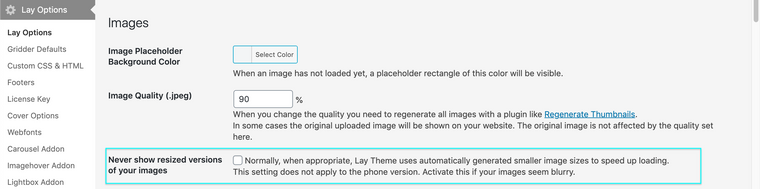
I would suggest not loading extremely large pictures across your website as this will slow it down.
Best
Richard -

Hello! It looks like you're interested in this conversation, but you don't have an account yet.
Getting fed up of having to scroll through the same posts each visit? When you register for an account, you'll always come back to exactly where you were before, and choose to be notified of new replies (either via email, or push notification). You'll also be able to save bookmarks and upvote posts to show your appreciation to other community members.
With your input, this post could be even better 💗
Register Login