Compact WP Audio Player
-
Hello,
I was wondering if Laytheme supports Compact WP Audio Player?
https://wordpress.org/plugins/compact-wp-audio-player/I have been trying it with no good results, just wanted to make sure.
Thank you.
Cristian -
Dear Cristian
Currently Lay Theme does not offer support for Compact WP Audio player, them being a third-party plugin, though it may work just fine - I havent tested it myself.
I do wish to offer a solution if this helps you.
Audio players can be created with some very basic code, here in this link some is provided:
https://www.w3schools.com/html/html5_audio.asp<audio controls> <source src="horse.ogg" type="audio/ogg"> <source src="horse.mp3" type="audio/mpeg"> Your browser does not support the audio element. </audio>These <source> elements can be linked with any audio format that modern web browsers understand - most commonly .mp3
When uploading an mp3 into your 'Media Library' - on closer inspection you can copy the URL path for use/input with these <source> elements
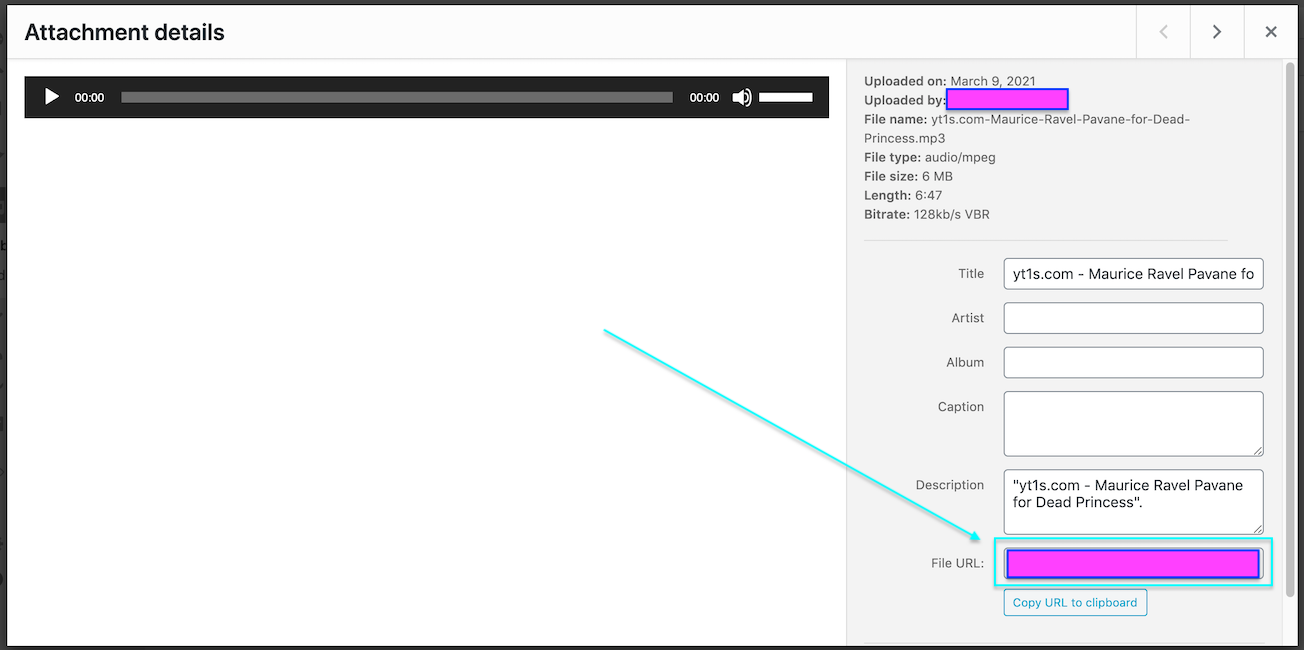
For Example:
<audio controls>
  <source src="https://www.soundhelix.com/examples/mp3/SoundHelix-Song-11.mp3" type="audio/mpeg">

Your browser does not support the audio element.
</audio>
A Closer look at the <source>
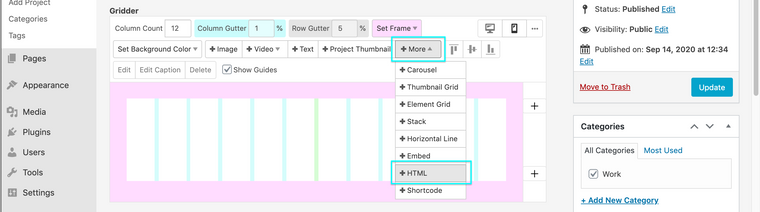
<source src="https://www. <--- I HAVE INSERTED THE URL FILE PATH THAT I WANT HERE---> .mp3" type="audio/mpeg">Now I am able to take this code and insert it into my Gridder in a Project or Page using the " +MORE - +HTML" Option ( Adding the code into the input provided ) :
Now on my Front-end i have an audio player, playing the mp3!
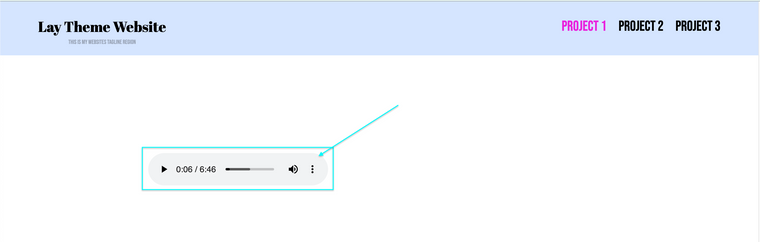
This is the default audio controller, but with Google you can find heaps of reference for changing this up.
This example was to provide a 'plan-B' for if the "Compact WP Audio Player" was not compatible for whatever reason ( likely one of the many Audio plugins will work with Laytheme )
<NOTE: You may find it difficult to autoplay the music - Since i think 2018, Browsers have stopped the ability to play sounds automatically on page load - the user has to initiate this >
Hope this helps Cristian & have a wonderful day! :)
Sincerely
Richard

Hello! It looks like you're interested in this conversation, but you don't have an account yet.
Getting fed up of having to scroll through the same posts each visit? When you register for an account, you'll always come back to exactly where you were before, and choose to be notified of new replies (either via email, or push notification). You'll also be able to save bookmarks and upvote posts to show your appreciation to other community members.
With your input, this post could be even better 💗
Register Login