Skip to content
  • Recent
  • Tags
  • Popular
  • Users
  • Search
Skins
  • Light
  • Brite
  • Cerulean
  • Cosmo
  • Flatly
  • Journal
  • Litera
  • Lumen
  • Lux
  • Materia
  • Minty
  • Morph
  • Pulse
  • Sandstone
  • Simplex
  • Sketchy
  • Spacelab
  • United
  • Yeti
  • Zephyr
  • Dark
  • Cyborg
  • Darkly
  • Quartz
  • Slate
  • Solar
  • Superhero
  • Vapor

  • Default (No Skin)
  • No Skin
Collapse

Lay Theme Forum

  1. Home
  2. General Discussion
  3. mix-blend-mode

mix-blend-mode

Scheduled Pinned Locked Moved General Discussion
22 Posts 6 Posters 5.1k Views 2 Watching
  • Oldest to Newest
  • Newest to Oldest
  • Most Votes
Reply
  • Reply as topic
Log in to reply
This topic has been deleted. Only users with topic management privileges can see it.
  • F
    F
    felix_rabe
    wrote on last edited by
    #7

    @clara_andrea then you have to follow the steps laid out here :-) combine your mix blend mode code with the white font.

    clara_andreaC 1 Reply Last reply
    0
    • F felix_rabe

      @clara_andrea then you have to follow the steps laid out here :-) combine your mix blend mode code with the white font.

      clara_andreaC
      clara_andreaC
      clara_andrea
      wrote on last edited by clara_andrea
      #8

      @fr It works thank you so much !

      But it's doesn't work with the sitetitle

      .sitetitle  {
      	mix-blend-mode: difference;
      }
      
      .second_menu  {
          mix-blend-mode: difference;
      }
      
      .third_menu  {
          mix-blend-mode: difference;
      }
      
      .fourth_menu  {
      	mix-blend-mode: difference;
      }
      
      nav.sitetitle a {
      color: white;
      }
      
      nav.second_menu a {
      color: white;
      }
      
      nav.third_menu a {
      color: white;
      }
      
      nav.fourth_menu a {
      color: white;
      }
      
      F 1 Reply Last reply
      0
      • clara_andreaC clara_andrea

        @fr It works thank you so much !

        But it's doesn't work with the sitetitle

        .sitetitle  {
        	mix-blend-mode: difference;
        }
        
        .second_menu  {
            mix-blend-mode: difference;
        }
        
        .third_menu  {
            mix-blend-mode: difference;
        }
        
        .fourth_menu  {
        	mix-blend-mode: difference;
        }
        
        nav.sitetitle a {
        color: white;
        }
        
        nav.second_menu a {
        color: white;
        }
        
        nav.third_menu a {
        color: white;
        }
        
        nav.fourth_menu a {
        color: white;
        }
        
        F
        F
        felix_rabe
        wrote on last edited by
        #9

        @clara_andrea that is because site title is not a part of "nav".

         .sitetitle-txt-inner {
         color: white;
         }
        
        1 Reply Last reply
        0
        • clara_andreaC
          clara_andreaC
          clara_andrea
          wrote on last edited by
          #10

          It works ! Thank you so much !

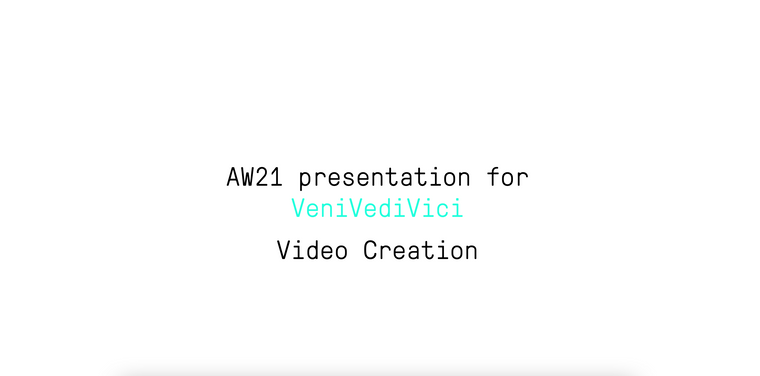
          And last thing, so sorry, do you know if it's possible to attribute this only on the main page ? Because the white text for the menu is problematic in the project pages , we can't see it appears except with the hover but not everyone can guess.
          Capture d’écran 2021-04-12 à 11.57.13.png

          Thank you again

          1 Reply Last reply
          0
          • F
            F
            felix_rabe
            wrote on last edited by
            #11

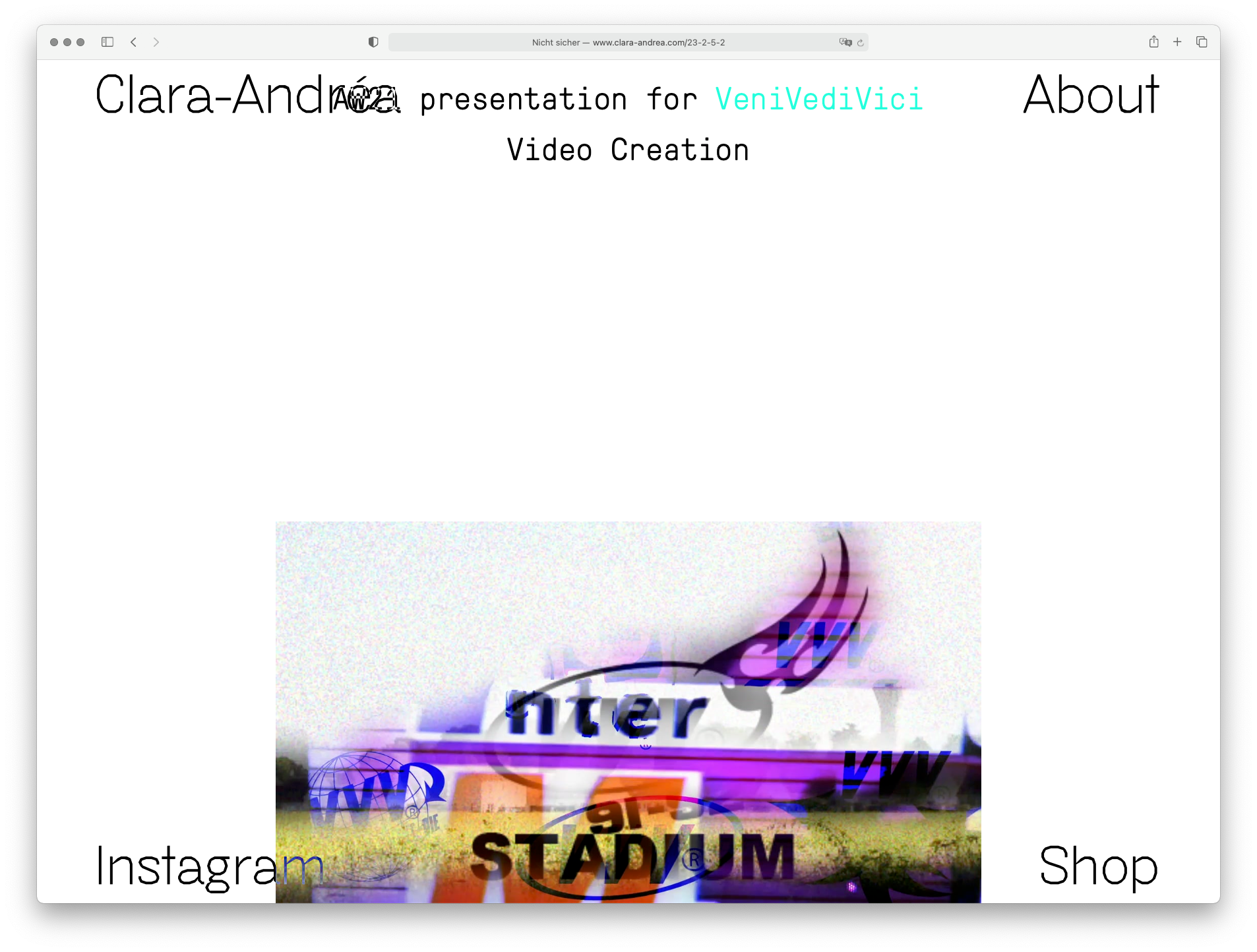
            @clara_andrea i don't know what you mean, I think it works perfect now.
            you can do css for specific pages with slugs, see here under custom css styling:
            https://laytheme.com/documentation.html
            Bildschirmfoto 2021-04-12 um 13.17.31.png

            1 Reply Last reply
            0
            • clara_andreaC
              clara_andreaC
              clara_andrea
              wrote on last edited by clara_andrea
              #12

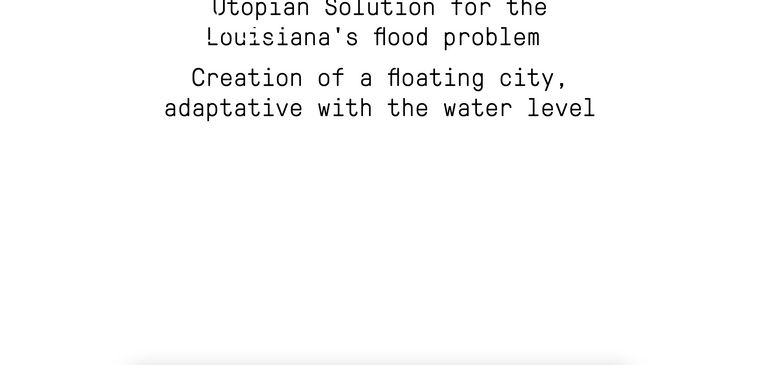
              I try with safari and yes it works perfectly, but with chrome the menu text stay white and doesn't appears except above visuals or if I hover it.
              Capture d’écran 2021-04-12 à 13.27.00.png

              1 Reply Last reply
              0
              • F
                F
                felix_rabe
                wrote on last edited by
                #13

                @clara_andrea ok for chrome you have to make your background white. with this:

                .lay-content{ 
                background: white;
                }
                
                clara_andreaC 1 Reply Last reply
                1
                • F felix_rabe

                  @clara_andrea ok for chrome you have to make your background white. with this:

                  .lay-content{ 
                  background: white;
                  }
                  
                  clara_andreaC
                  clara_andreaC
                  clara_andrea
                  wrote on last edited by clara_andrea
                  #14

                  @felix_rabe Thank you it works perfectly :)

                  The last thing is, when I'm on a page from the menu (about, shop), the name of the menu in question disappears. I don't know if it's still in the subject/due to the change of colors but before it wasn't like that so maybe there is something to add ?
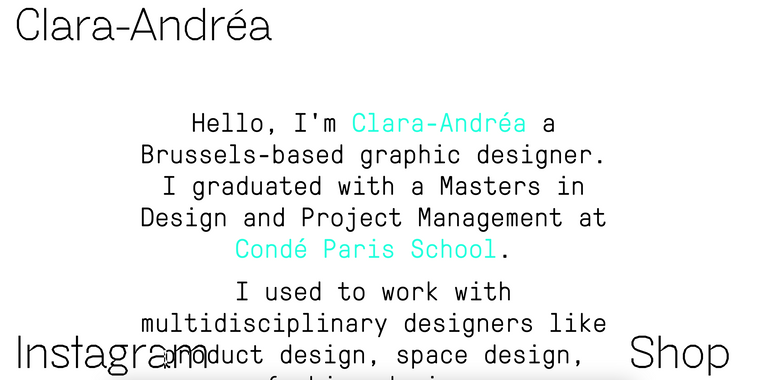
                  Capture d’écran 2021-04-12 à 16.03.36.png

                  1 Reply Last reply
                  0
                  • F
                    F
                    felix_rabe
                    wrote on last edited by
                    #15

                    @clara_andrea this is because your active menu point is black (so its invisible with the mix blend mode). You have to make it white in the customizer.

                    clara_andreaC 1 Reply Last reply
                    0
                    • F felix_rabe

                      @clara_andrea this is because your active menu point is black (so its invisible with the mix blend mode). You have to make it white in the customizer.

                      clara_andreaC
                      clara_andreaC
                      clara_andrea
                      wrote on last edited by
                      #16

                      @felix_rabe Thank you so much for your help ! Everything is working !

                      1 Reply Last reply
                      2
                      • alvarodozeA
                        alvarodozeA
                        alvarodoze
                        wrote on last edited by
                        #17

                        Hey @felix_rabe Can you help me with this too?🙏🙏 I'm trying to apply mix-blend-mode: difference; in the project-index but I can't get it. Any tips? https://alvarodoze.com/try-copy-2/

                        Cheers mate!!

                        1 Reply Last reply
                        0
                        • arminunruhA
                          arminunruhA
                          arminunruh
                          Global Moderator
                          wrote on last edited by
                          #18

                          i think it doesn't work if the div is not a direct parent of the background
                          i think it wont be possible with a projectindex

                          1 Reply Last reply
                          0
                          • Y
                            Y
                            yelmarb
                            wrote on last edited by
                            #19

                            Hey @arminunruh is there a way of using "mix-blend-mode" but keeping the text either black or white instead of inverting the colors?

                            I've tried using all the different blend modes but they all have a reversed color output.

                            I've also tried using filter and grayscale but these don't work after the mix-blend-mode" function.

                            Would there be any java script that could dynamically change text to either black or white when scrolled over images?

                            1 Reply Last reply
                            0
                            • arminunruhA
                              arminunruhA
                              arminunruh
                              Global Moderator
                              wrote on last edited by
                              #20

                              no there is nothing like that

                              1 Reply Last reply
                              0
                              • arminunruhA
                                arminunruhA
                                arminunruh
                                Global Moderator
                                wrote on last edited by
                                #21

                                best way to do it is just this:

                                http://laythemeforum.com/topic/3704/change-color-of-fixed-sitetitel-menu-when-scrolling-down-page-according-to-changing-row-background/14

                                1 Reply Last reply
                                0
                                • Y
                                  Y
                                  yelmarb
                                  wrote on last edited by
                                  #22

                                  All good, thank you Armin!

                                  1 Reply Last reply
                                  0

                                  Hello! It looks like you're interested in this conversation, but you don't have an account yet.

                                  Getting fed up of having to scroll through the same posts each visit? When you register for an account, you'll always come back to exactly where you were before, and choose to be notified of new replies (either via email, or push notification). You'll also be able to save bookmarks and upvote posts to show your appreciation to other community members.

                                  With your input, this post could be even better 💗

                                  Register Login
                                  Reply
                                  • Reply as topic
                                  Log in to reply
                                  • Oldest to Newest
                                  • Newest to Oldest
                                  • Most Votes


                                  Online Users
                                  D
                                  Dawid
                                  L
                                  lstark
                                  Forgot your key, lost your files, need a previous Lay Theme or Addon version? Go to www.laykeymanager.com
                                  laytheme.com
                                  • Login

                                  • Don't have an account? Register

                                  • Login or register to search.
                                  • First post
                                    Last post
                                  0
                                  • Recent
                                  • Tags
                                  • Popular
                                  • Users
                                  • Search