Simple CSS Button Style not working
-
Hello,
I am currently trying to design a very simple Text Button, following the example of the Documentation in the Custom CSS Styling > Create a button style:
https://laytheme.com/documentation/custom-css-styling.html
I copied the code and pasted it in the "Customize > CSS" section as shown, but when I give any text the "buttonstyle" class nothing happens. I am sure I spelt the word buttonstyle right. No buttons show up!
Can anyone help me out?
My Cms:
https://www.citrac.it/wp-admin/post.php?post=124&action=edit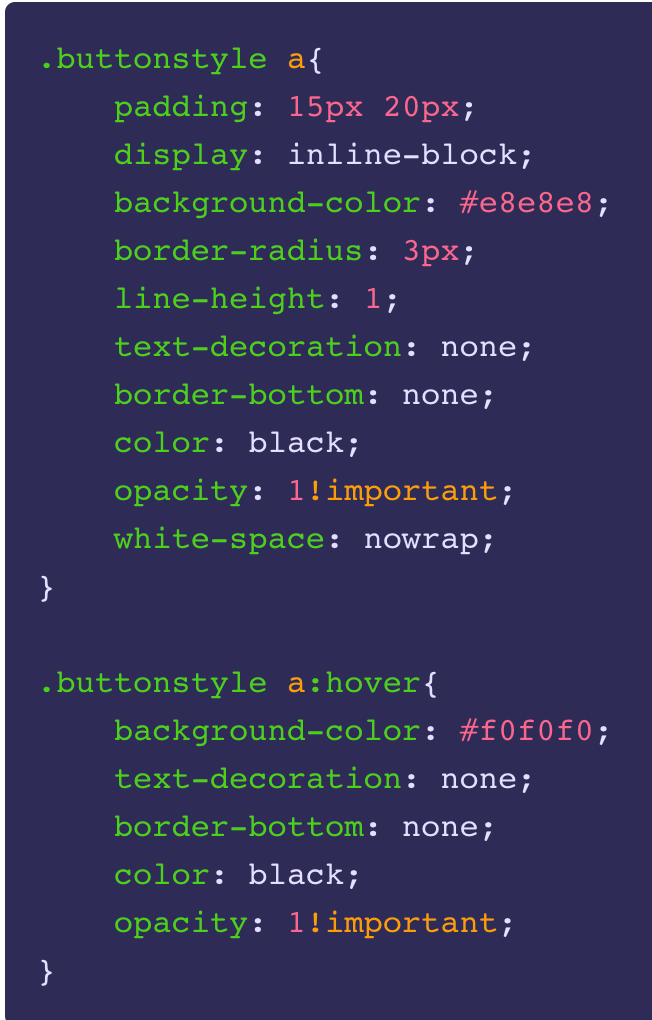
-
Dear @matcampostrini
I have reviewed the Buttonstyle tutorial to make sure and i can confirm it works:
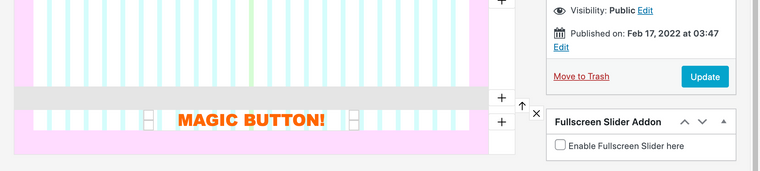
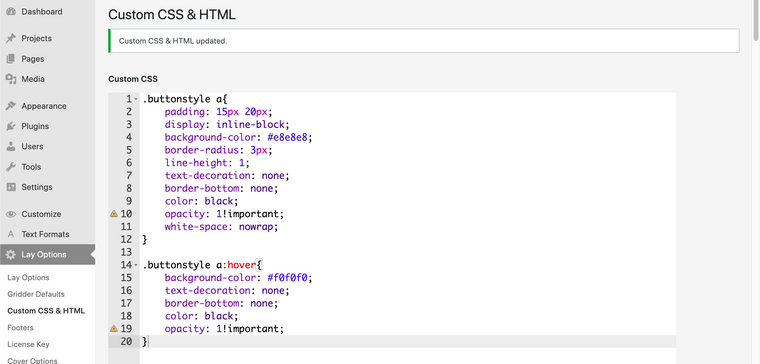

I am happy to help & find out why this isn't the case for you. The link provided takes me here:
is there any way i can view this Button of yours? 🌝
( also just to be sure; when giving the text element the class ofbuttonstyleyou also need to update the page as well )
Talk soon
Richard

Hello! It looks like you're interested in this conversation, but you don't have an account yet.
Getting fed up of having to scroll through the same posts each visit? When you register for an account, you'll always come back to exactly where you were before, and choose to be notified of new replies (either via email, or push notification). You'll also be able to save bookmarks and upvote posts to show your appreciation to other community members.
With your input, this post could be even better 💗
Register Login