Custom font size for mobile element in CSS not working
-
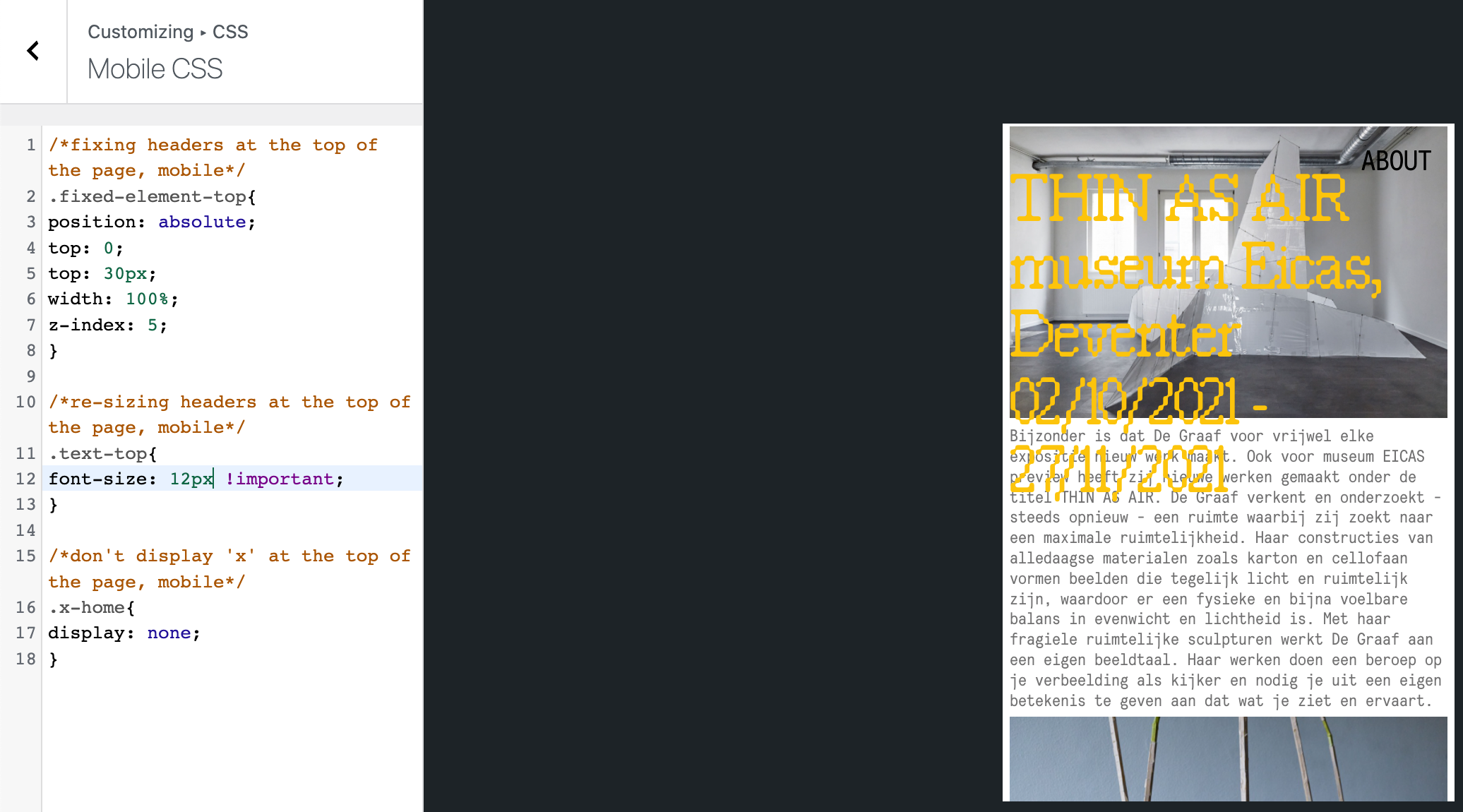
Hi! I want to change the font size of all headers on mobile. The text is too big when viewed on a phone. I've given the text element a class/ID (text-top) and have added code to the CSS editor (see print screen, second line of code) but nothing seems to change. It concerns the yellow text (THIN AS AIR... 2021) Am I missing anything? Thanks in advance!
-
Dear @EstherdeGraaf
Are these text elements also links? 🔍
If so you may need to target them witha:
best wishes
Richard
-
Hi Richard,
I already figured it out using Text Formats, thanks anyways!
-
Thank you for the update @EstherdeGraaf have a great day! 🌻

Hello! It looks like you're interested in this conversation, but you don't have an account yet.
Getting fed up of having to scroll through the same posts each visit? When you register for an account, you'll always come back to exactly where you were before, and choose to be notified of new replies (either via email, or push notification). You'll also be able to save bookmarks and upvote posts to show your appreciation to other community members.
With your input, this post could be even better 💗
Register Login