text float image
-
hi there!
how can i make the text float around the image responsively?
in this page: http://isabelgatzke.com/about/
i tried the html option in the gridder but i couldnt make it work.thank you for your help!
-
-
Dear @hanna
The text and float requires the image and text to be within the same parent container.
I was able to add the image to the same container as the text by using the <> source code input within the text element:
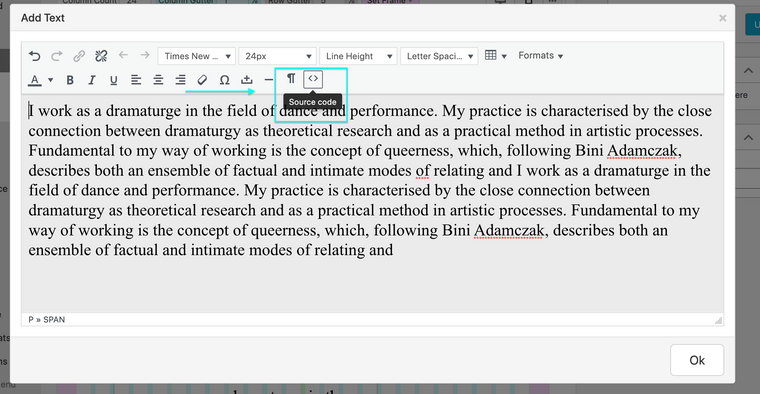
There i added an image manually:
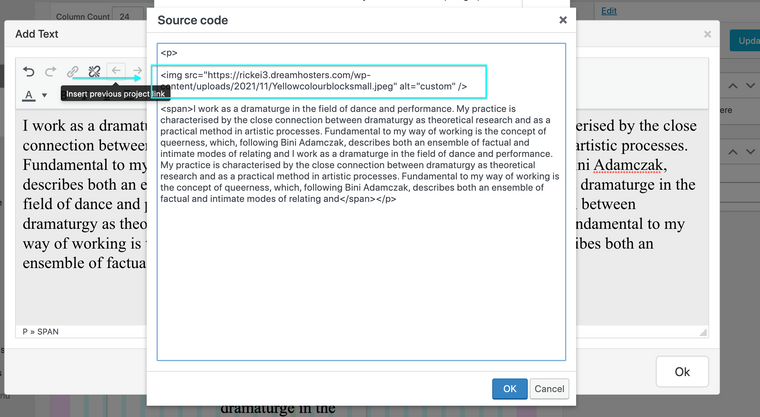
The Code:
<img src="insert-image-url-address-here" alt="what-you-want-to-call-it" />The image url address can be found within media library when inspecting an image:
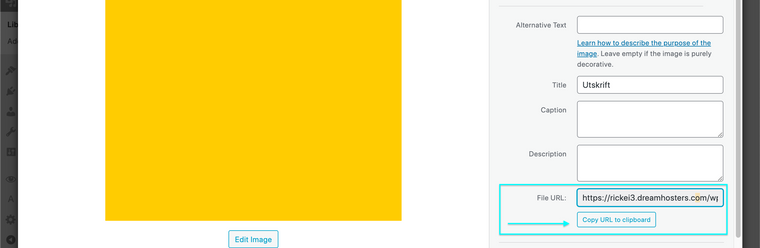
Then if i apply
float:leftto the image the text and image wrap 👍
Best wishes
Richard
-
-

Hello! It looks like you're interested in this conversation, but you don't have an account yet.
Getting fed up of having to scroll through the same posts each visit? When you register for an account, you'll always come back to exactly where you were before, and choose to be notified of new replies (either via email, or push notification). You'll also be able to save bookmarks and upvote posts to show your appreciation to other community members.
With your input, this post could be even better 💗
Register Login