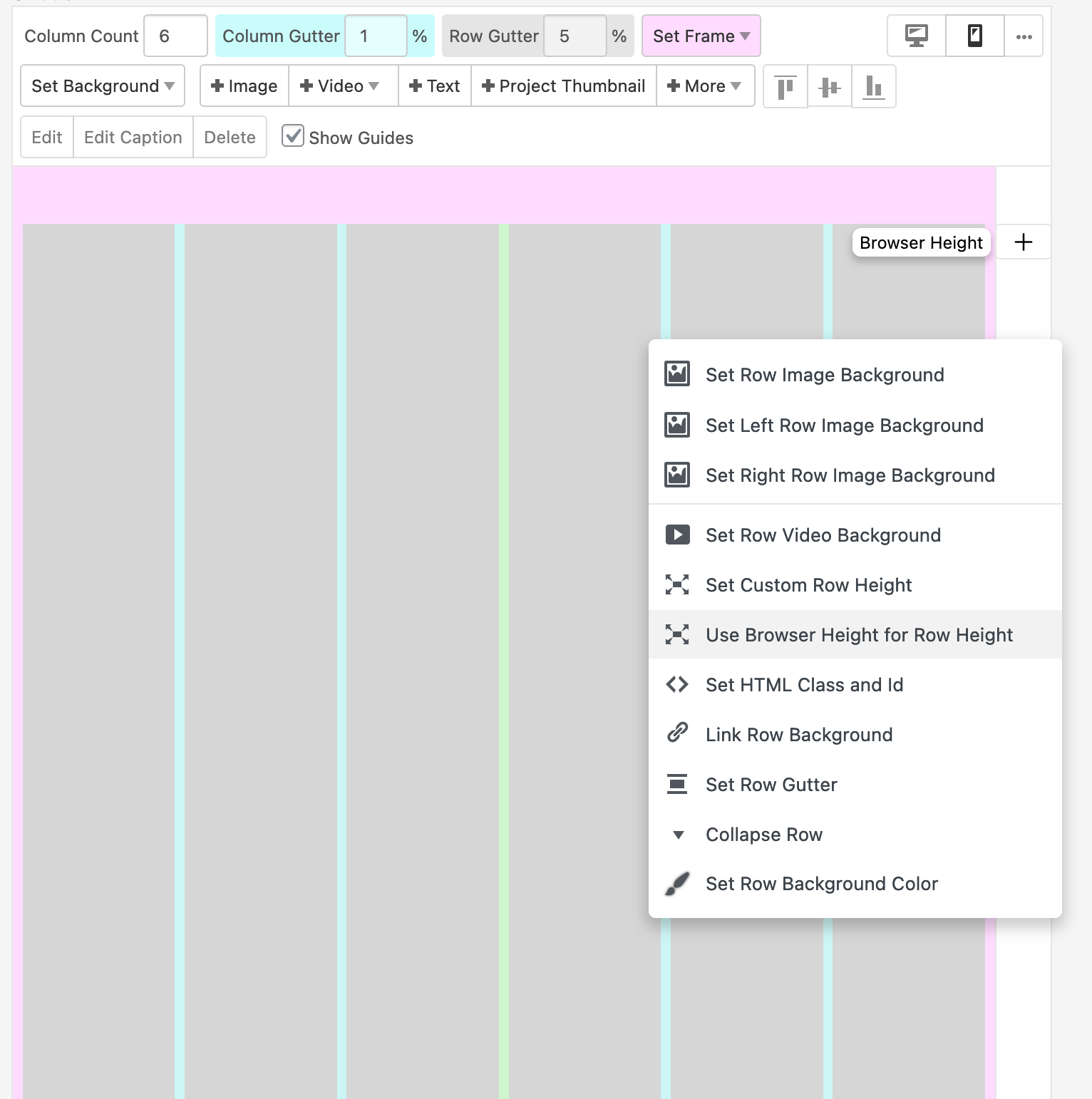
"Use Browser Height for Row height" bug?
-
Hi
On any page I create the first row has "Use Browser Height for Row Height" enabled per default and I am not able to deselect this function. The result is that the content is (partially; only the top part) shown on the page and not scrollable.The weird thing is that I cannot disable it. I didnt use any custom css so far and I disabled all plugins.
I can create a new row and delete the row with the "Use Browser Height for Row height"-function. But as soon as I save the changes the "Use Browser Height for Row height"-function appears again.
Did I overlook a checkbox or what could be the reason for this behaviour?Thanks alot for you help!!
-
i think its because of the cover feature
you can disable it in lay options
or take a look at "lay options" → "cover options" and then just check the
"Show a checkbox in the Project Edit Screen to activate Cover for individual Projects" and "Show a checkbox in the Page Edit Screen to activate Cover for individual Pages" and "Show a checkbox in the Category Edit Screen to activate Cover for individual Categories"to be able to enable cover only for certain pages
-

Hello! It looks like you're interested in this conversation, but you don't have an account yet.
Getting fed up of having to scroll through the same posts each visit? When you register for an account, you'll always come back to exactly where you were before, and choose to be notified of new replies (either via email, or push notification). You'll also be able to save bookmarks and upvote posts to show your appreciation to other community members.
With your input, this post could be even better 💗
Register Login