Mobile - space around images
-
Hello everyone,
I'm setting up the theme for a website and I want the pictures to be full-width on desktop version, like this (out of the grid) :
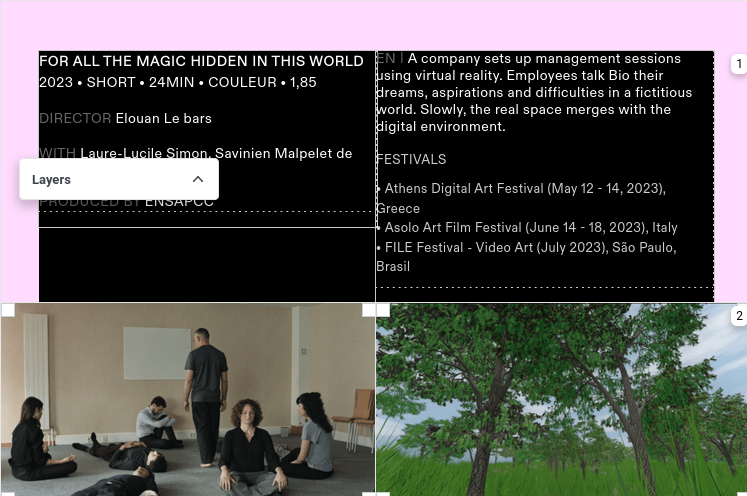

When switching to mobile version, we still have a space around the images (on the left or right), and I would like to have the default space for this version :
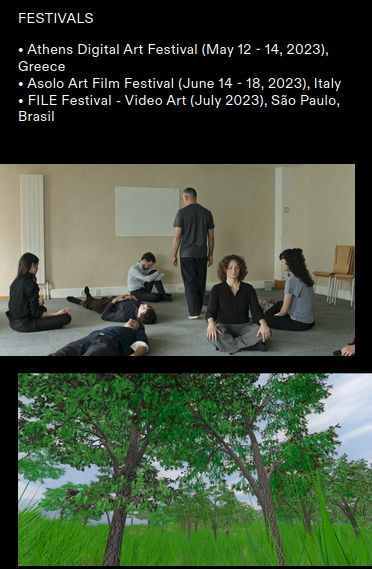
Is there a way to automatically keep the default spacing for the mobile images while having them exceeding grid on dekstop, without redesigning every project for mobile manually?
Thanks a lot and have a nice day,
Elouan -
yea!
in lay options, scroll all the way down and disable this

-
Great, thanks a lot!

Hello! It looks like you're interested in this conversation, but you don't have an account yet.
Getting fed up of having to scroll through the same posts each visit? When you register for an account, you'll always come back to exactly where you were before, and choose to be notified of new replies (either via email, or push notification). You'll also be able to save bookmarks and upvote posts to show your appreciation to other community members.
With your input, this post could be even better 💗
Register Login