Carousel Captions - Fixed position with different results
-
Hi all,
I'm facing a problem with carousel captions put in place by using custom CSS as described here in the forum. CSS I used is:
.lay-carousel-sink-parent {
    position: fixed !important;
    bottom: 40px !important;
    z-index: 999 !important; }
The result should look like this with the caption attached to the bottom of the page:
https://jooskeller.com/kindergarten-heilbronn/In some of the projects it unfortunately looks like this:
https://jooskeller.com/theresienturm-heilbronn/It seems that in the second situation the caption sits inside the carousel-container. As far as I can see the settings are completely the same so i can't trace back the problem causing the different appearance.
Can anybody help?
Thanks a lot!
Kyrill -
add this css
.column-wrap._100vh > .col.absolute-position.align-middle.type-carousel{
 top: auto!important;
 -webkit-transform: none!important;
 -ms-transform: none!important;
 transform: none!important;
}
nice website!
-
-
add this css
.column-wrap._100vh > .col.absolute-position.align-middle.type-carousel{
 top: auto!important;
 -webkit-transform: none!important;
 -ms-transform: none!important;
 transform: none!important;
}
nice website!
@arminunruh
works great! thank you so much! -
-
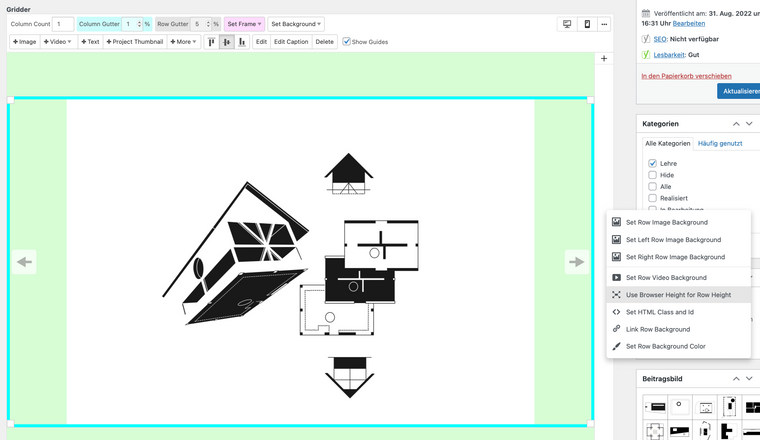
right click on row with carousel and set "use browser height for row height",
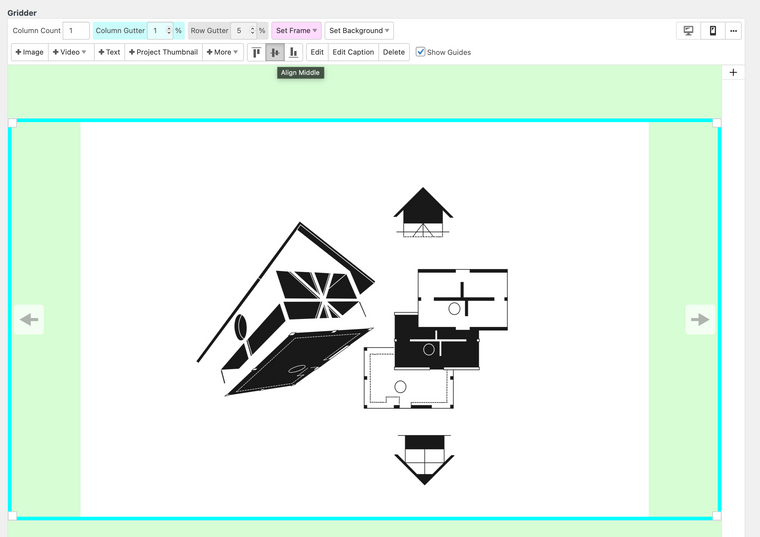
then you can use the vertical-align-buttons to move the carousel in the middle,
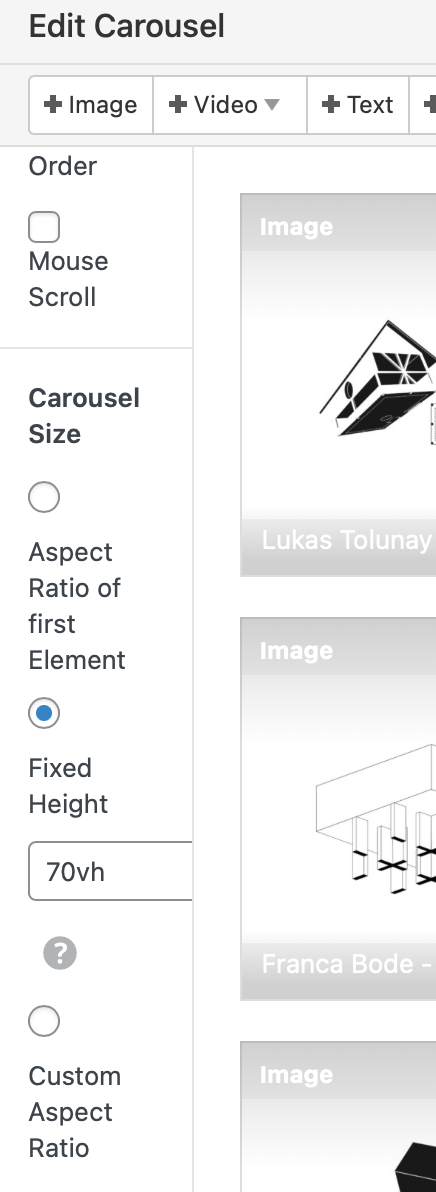
and i put a fixed height for the height of the carousel
Hope this helps!
Kyrill -

Hello! It looks like you're interested in this conversation, but you don't have an account yet.
Getting fed up of having to scroll through the same posts each visit? When you register for an account, you'll always come back to exactly where you were before, and choose to be notified of new replies (either via email, or push notification). You'll also be able to save bookmarks and upvote posts to show your appreciation to other community members.
With your input, this post could be even better 💗
Register Login