Closing the "Overlay" feature by clicking anywhere
-
-
yes you can enable this:
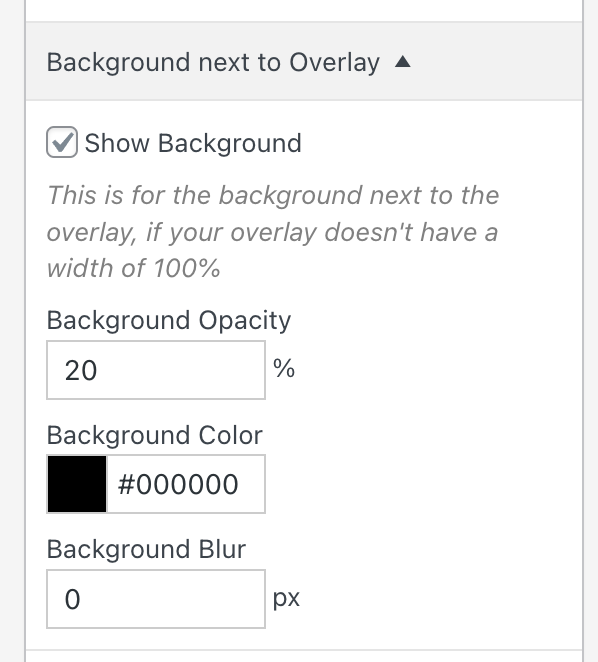
clicking on that background should close it
-
Hi Armin,
It works, but not in my case :) I don't know how I could apply this along with centering the menu...
Check this (overlay is a menu):
https://mintcream-pigeon-114810.hostingersite.com -
oh, your overlay is 100% width and 100% height
so this setting doesn't apply here:
basically the background you mean is the background of the overlay layout that you set to transparent here:

let me think about it
-
<script>
jQuery(document).on('click', '#lay-overlays .lay-content', function(e){
    jQuery(e.target.closest('.lay-overlay')).find('.overlay-close').click();
})
</script>
this closes the overlay whenever you click on anything inside the overlay
put it in lay options → custom css & html → custom <head> contentthis only works if you have the X close icon activated for your overlay
-

Hello! It looks like you're interested in this conversation, but you don't have an account yet.
Getting fed up of having to scroll through the same posts each visit? When you register for an account, you'll always come back to exactly where you were before, and choose to be notified of new replies (either via email, or push notification). You'll also be able to save bookmarks and upvote posts to show your appreciation to other community members.
With your input, this post could be even better 💗
Register Login