Variable product selection does not show variations
-
hey hey!
I am currently working on a woocommerce shop and have a problem with product variations. the bug is not easily reproduced, thats why i am clueless right now.
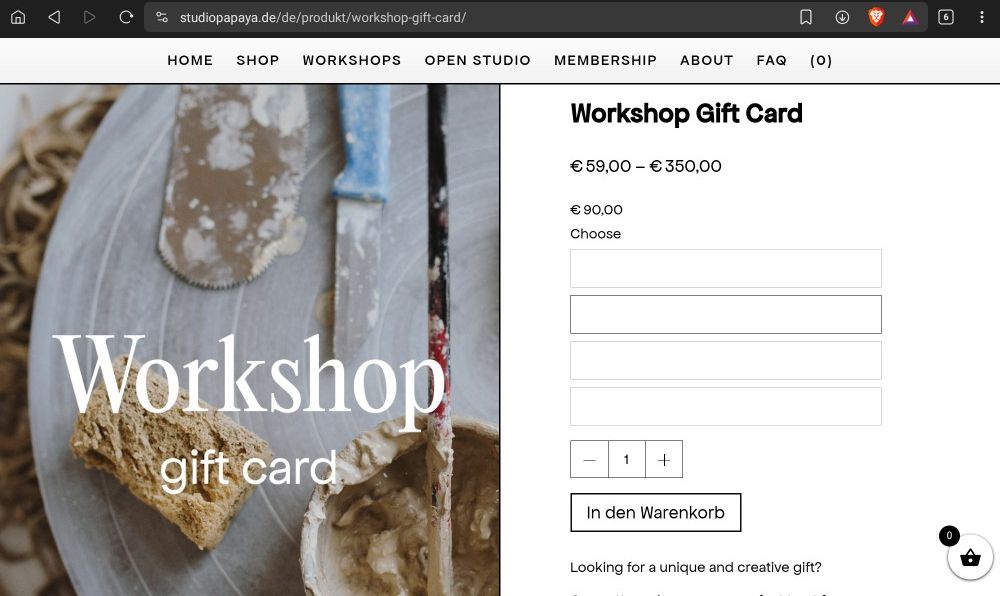
in the shop there are multiple products (e.g. studiopapaya.de/produkt/workshop-gift-card) that have selectable variations (e.g. gift card prices) on one product. on some rare cases the dropdown opens up but just shows the white background like this:
the options are still selectable and you can add them to the cart and proceed to the checkout - its just the dropdown that is not showing the options. what confuses me is that there is one product (studiopapaya.de/produkt/gift-card) that is working on all the devices that otherwise show the bug.
i tried a lot of scenarios for bugfixing:- on windows/macOS/samsung phones and tablets/iOS (samsung devices seem to have this problem most)
- on different browsers like chrome, safari, edge and firefox
- deactivating all plugins
- wordpress, laytheme, the woocommerce database and all plugins are updated
- disable all custom code
- deleted the cache in wordpress and in the browsers everytime
to make this even more illogical i tried the following:
- create a new product with variations
- check on device that did not show the variations for now - it's still not working
- disable all plugins
- check on the same device - its working now
- activate all plugins
- check on the same device - its still working
- check on another device that had the bug - its still not working
when i repeat this on the next device that was not working before, its working in the end. but all other devices are still not working. this might sound super confusing, but i hope i described it as precise as possible.
any help figuring out this problem would be appreciated!Thanks a lot!
-

mh i just see one error in the console here.
can you disable the plugin autoptimize, and leave it disabled?for the gift card product i only see a price to choose, not a date
https://studiopapaya.de/produkt/gift-card/mmh i couldnt reproduce the bug on other pages either, i tried with safari and chrome
couldnt reproduce it in safari on ios eithercan you help me reproduce it? it just happens randomly maybe when i refresh many times?
ur website looks really good!
-
mh i just see one error in the console here.
can you disable the plugin autoptimize, and leave it disabled?for the gift card product i only see a price to choose, not a date
https://studiopapaya.de/produkt/gift-card/mmh i couldnt reproduce the bug on other pages either, i tried with safari and chrome
couldnt reproduce it in safari on ios eithercan you help me reproduce it? it just happens randomly maybe when i refresh many times?
ur website looks really good!
Hi Armin,
thanks for looking into this so fast. i disabled the autoptimize plugin now, there should be no error anymore. and yes, the gift card just shows the prices, thats how it should look like.i was expecting that this bug is not easy to reproduce - if you have a samsung/android smartphone or tablet at hand, maybe on these devices it can be reproduced. i feel like multiple reloads might not produce this error since my own windows pc has never shown these white backgrounds for example. not even with "mobile emulators" etc.
@arminunruh said in Variable product selection does not show variations:
ur website looks really good!
and thank you :)
-
hey i have another idea.
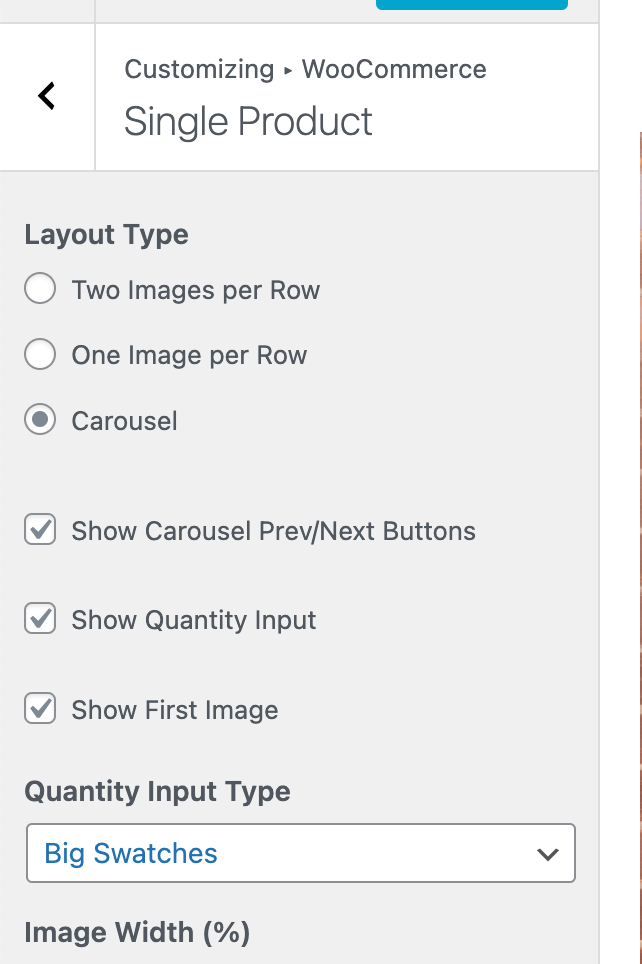
can you go to customize → woocommerce → single product
then change the setting "Quantity Input Type" (at the bottom of the screenshot) to anything with "swatches"
i will rename this setting to "Variation and Quantity Input Type" with the next update
-
-
-
i would love to help you but i simply cant reproduce this
can u make this bug show up, then in chrome right click, click "inspect element"
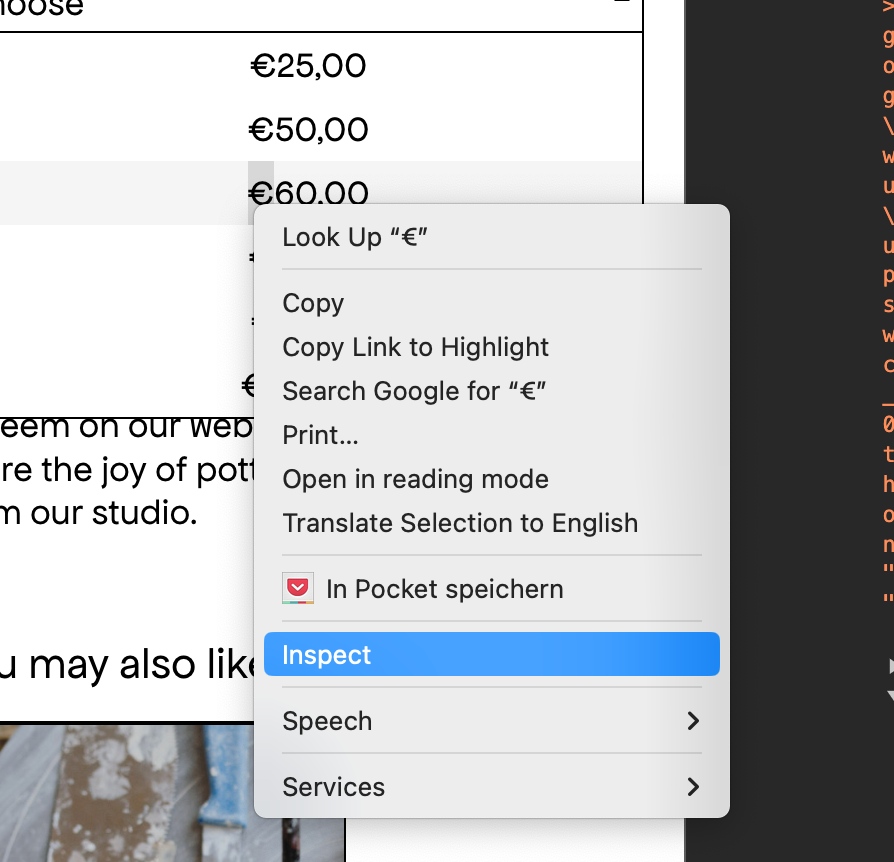
you may need to enable developer mode or sth for this button to show up
then look at the style of it in the styles tab:
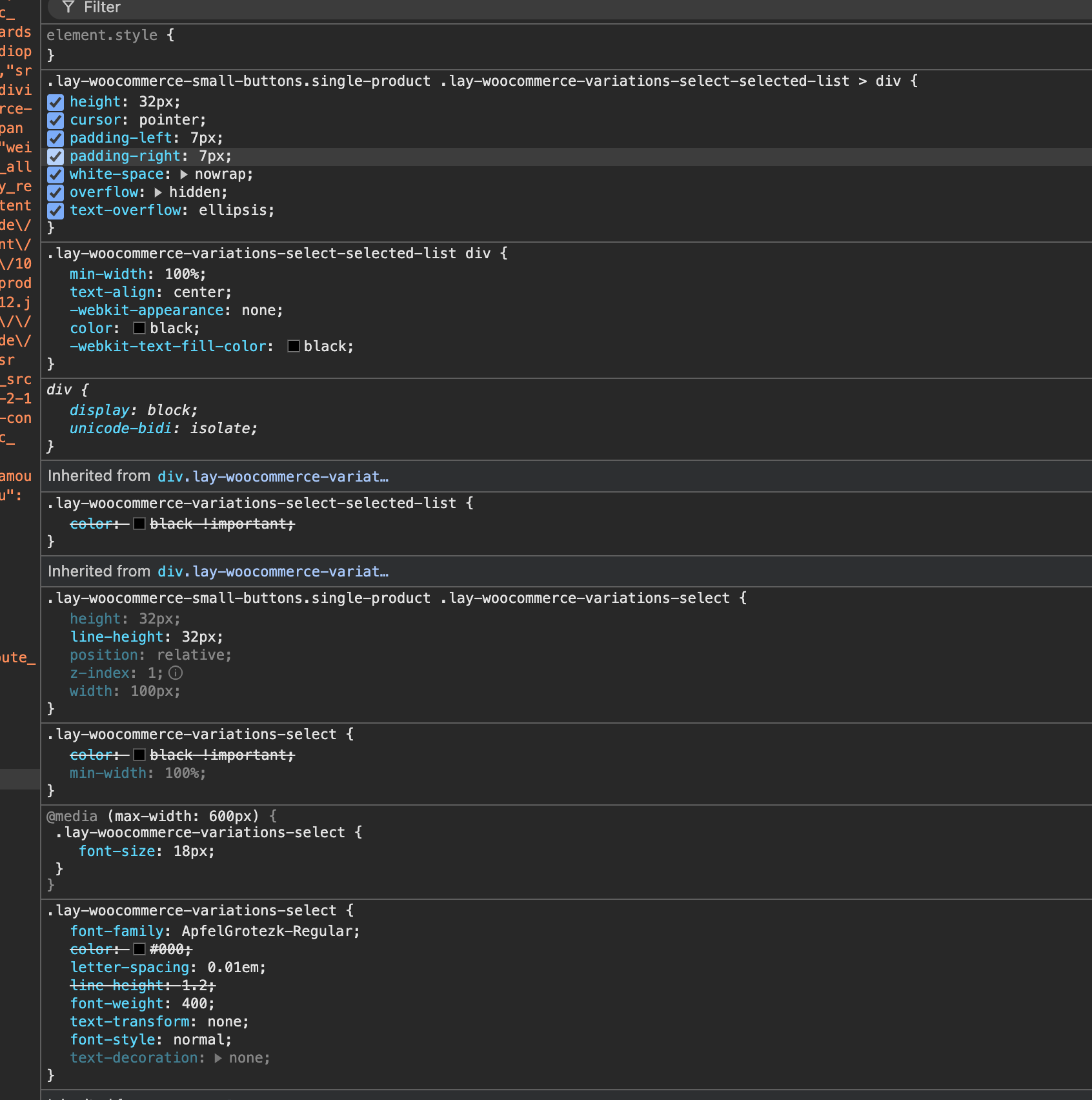
and see if theres anything that could hide the text
just looking at it now, i can see you used some custom css.
can you remove your custom css please: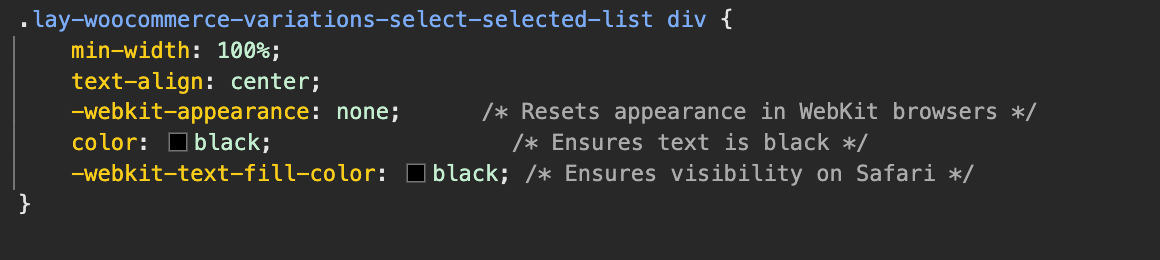
maybe it bugs out because of webkit appearance none or sth? or text fill color?
-
yeah i was hoping to find the solution in the developer mode as well but its kind of illogical there, or rather i cant find anything that would disable the text in any kind of way.. even with custom code disabled theres no difference with the bug.
also i cant get a developer mode on a my samsung tablet where the bug is still there. and on other devices i cant reproduce the bug as well. i will try another browser on the tablet with a developer mode later, maybe i find something there -
it only happens on your tablet? do you know which browser and browser version you use or which tablet it is
i can check on www.browserstack.com here i can simulate different older browsers and devices

Hello! It looks like you're interested in this conversation, but you don't have an account yet.
Getting fed up of having to scroll through the same posts each visit? When you register for an account, you'll always come back to exactly where you were before, and choose to be notified of new replies (either via email, or push notification). You'll also be able to save bookmarks and upvote posts to show your appreciation to other community members.
With your input, this post could be even better 💗
Register Login