CSS mobile bug (color gradient text)
-
Hi!
On this page https://t-a-a-a.net/project-5/ in the desktop view, a gradient runs through the entire text as intended. However, in the mobile view (iPhone), the gradient unintentionally repeats for each text paragraph instead of one gradient running across the entire text.
The strange thing is that it even renders correctly when I load the page on the iPhone in horizontal view — and it stays correct even if I turn the phone afterwards without reloading. It only fails when the page is initially loaded in vertical view on the iPhone.
Does anyone have an idea what could be causing this? Is it a Laytheme-specific issue or a general CSS bug on mobile devices?
I would appreciate any help.
Here is the CSS code:
:root { --shared-gradient: linear-gradient(20deg, #ff00c1, #9600ff, #00b8ff, #00fff9, #f890e7); } @keyframes colorFlow { 0% { background-position: 0% 50%; } 100% { background-position: 100% 50%; } } @keyframes shimmerWaves { 0% { transform: scale(1) rotate(0.4deg); opacity: 0.65; } 50% { transform: scale(1.05) rotate(-0.4deg); opacity: 0.95; } 100% { transform: scale(1) rotate(0.4deg); opacity: 0.7; } } @keyframes drift1 { 0% { transform: translate(0, 0) scale(1); } 100% { transform: translate(-10%, 5%) scale(1.05); } } @keyframes drift2 { 0% { transform: translate(0, 0) scale(1); } 100% { transform: translate(8%, -6%) scale(1.08); } } @keyframes grainShift { 0%, 100% { filter: brightness(1.15) contrast(1.05); } 50% { filter: brightness(1.2) contrast(1.1); } } @keyframes pulse { 0%, 100% { transform: scale(1); opacity: 0.8; } 50% { transform: scale(1.1); opacity: 1; } } .shared-gradient { background: var(--shared-gradient); background-size: 300% 300%; background-position: 0% 50%; animation: colorFlow 30s linear infinite alternate; background-clip: text; -webkit-background-clip: text; -webkit-text-fill-color: transparent; color: transparent; display: inline-block; } /* --- NEON TEXT --- */ .neon-text, .neon-headline { font-family: 'GT-Pressura-Light', sans-serif; font-size: 1.2em; text-align: justify; display: block; color: transparent; } .neon-text::first-letter { font-family: 'FreyaMedium', serif; font-size: 5.0em !important; line-height: 0.85; float: left; margin-right: 0.15em; padding-top: 0.05em; vertical-align: top; background: var(--shared-gradient); background-size: 300% 300%; background-position: 0% 50%; animation: colorFlow 30s linear infinite alternate; -webkit-background-clip: text; -webkit-text-fill-color: transparent; color: transparent; } .neon-text p, .neon-text span, .neon-text em, .neon-text strong { background-image: var(--shared-gradient); background-size: 300% 300%; background-attachment: fixed; background-position: 0% 50%; animation: colorFlow 30s linear infinite alternate; -webkit-background-clip: text; -webkit-text-fill-color: transparent; color: transparent; } .neon-headline span, .neon-headline em, .neon-headline strong { background-image: var(--shared-gradient); background-size: 300% 300%; background-attachment: fixed; background-position: 0% 50%; animation: colorFlow 30s linear infinite alternate; -webkit-background-clip: text; -webkit-text-fill-color: transparent; color: transparent; display: inline-block; } .neon-headline { font-family: 'FreyaMedium', sans-serif; font-size: 2.4em; letter-spacing: 0.02em; line-height: 0.8; text-align: left; } -
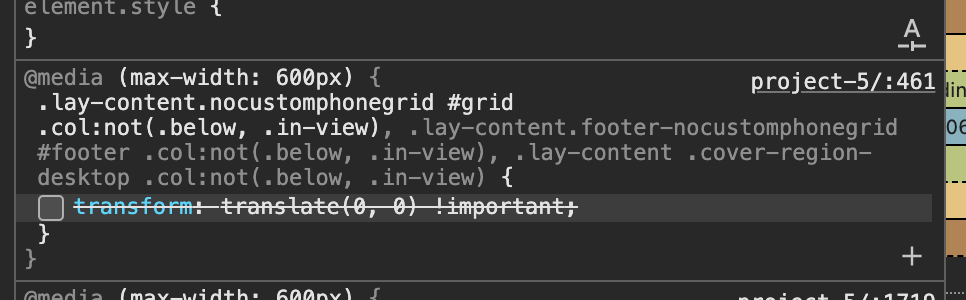
when i turn this off it seems to look correct
in lay theme you can use offsets on elements here:
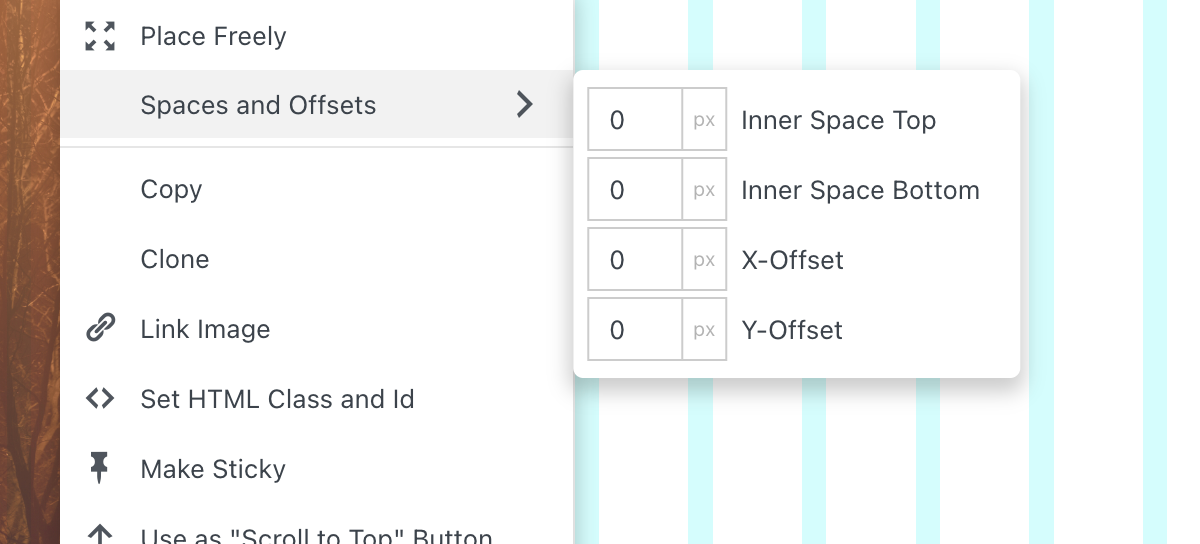
to turn them off for mobile, i wrote this css.
i will change it to transform: none
instead of transform: translate(0,0)
with the next updateuntil then: Enter this css in "lay options" -> "custom css & html" -> "custom css for mobile version"
.lay-content.nocustomphonegrid #grid .col:not(.below, .in-view), .lay-content.footer-nocustomphonegrid #footer .col:not(.below, .in-view), .lay-content .cover-region-desktop .col:not(.below, .in-view) { transform: none !important; } -
Works indeed! Thank you @arminunruh

Hello! It looks like you're interested in this conversation, but you don't have an account yet.
Getting fed up of having to scroll through the same posts each visit? When you register for an account, you'll always come back to exactly where you were before, and choose to be notified of new replies (either via email, or push notification). You'll also be able to save bookmarks and upvote posts to show your appreciation to other community members.
With your input, this post could be even better 💗
Register Login