Rounded corners
-
Hey @arminunruh, hope you are good.
is there any way to turn off the rounded corners for selceted pages? i only want the rounded corners on my home page. I am thinking about adding a phoogaphy page and i woul like to turn the rounded corners off for that, and would also like to turn off the rounded corners on my case study pages. this is the current code i have in there.lay-carousel{ border-radius: 12px; overflow: hidden; }.type-elementgrid .img img{ border-radius: 12px; overflow: hidden; } .type-elementgrid .img .ph{ border-radius: 12px; overflow: hidden; } -
Hey @arminunruh, hope you are good.
is there any way to turn off the rounded corners for selceted pages? i only want the rounded corners on my home page. I am thinking about adding a phoogaphy page and i woul like to turn the rounded corners off for that, and would also like to turn off the rounded corners on my case study pages. this is the current code i have in there.lay-carousel{ border-radius: 12px; overflow: hidden; }.type-elementgrid .img img{ border-radius: 12px; overflow: hidden; } .type-elementgrid .img .ph{ border-radius: 12px; overflow: hidden; }@fernandol97 hey, try adding:
"body.slug-photography" before your selectors on your new photography page like:
body.slug-photography .type-elementgrid .img img{
border-radius: 0px;
overflow: hidden;
}if your photography url page isn't /photography you would just change photography to whatever you've called it :)
for a case study try:
body.slug-volvoex90 .type-elementgrid .img img {
border-radius: 0px;
overflow: hidden;
}There's useful css info here: https://laytheme.com/documentation/custom-css-styling.html
-
@fernandol97 hey, try adding:
"body.slug-photography" before your selectors on your new photography page like:
body.slug-photography .type-elementgrid .img img{
border-radius: 0px;
overflow: hidden;
}if your photography url page isn't /photography you would just change photography to whatever you've called it :)
for a case study try:
body.slug-volvoex90 .type-elementgrid .img img {
border-radius: 0px;
overflow: hidden;
}There's useful css info here: https://laytheme.com/documentation/custom-css-styling.html
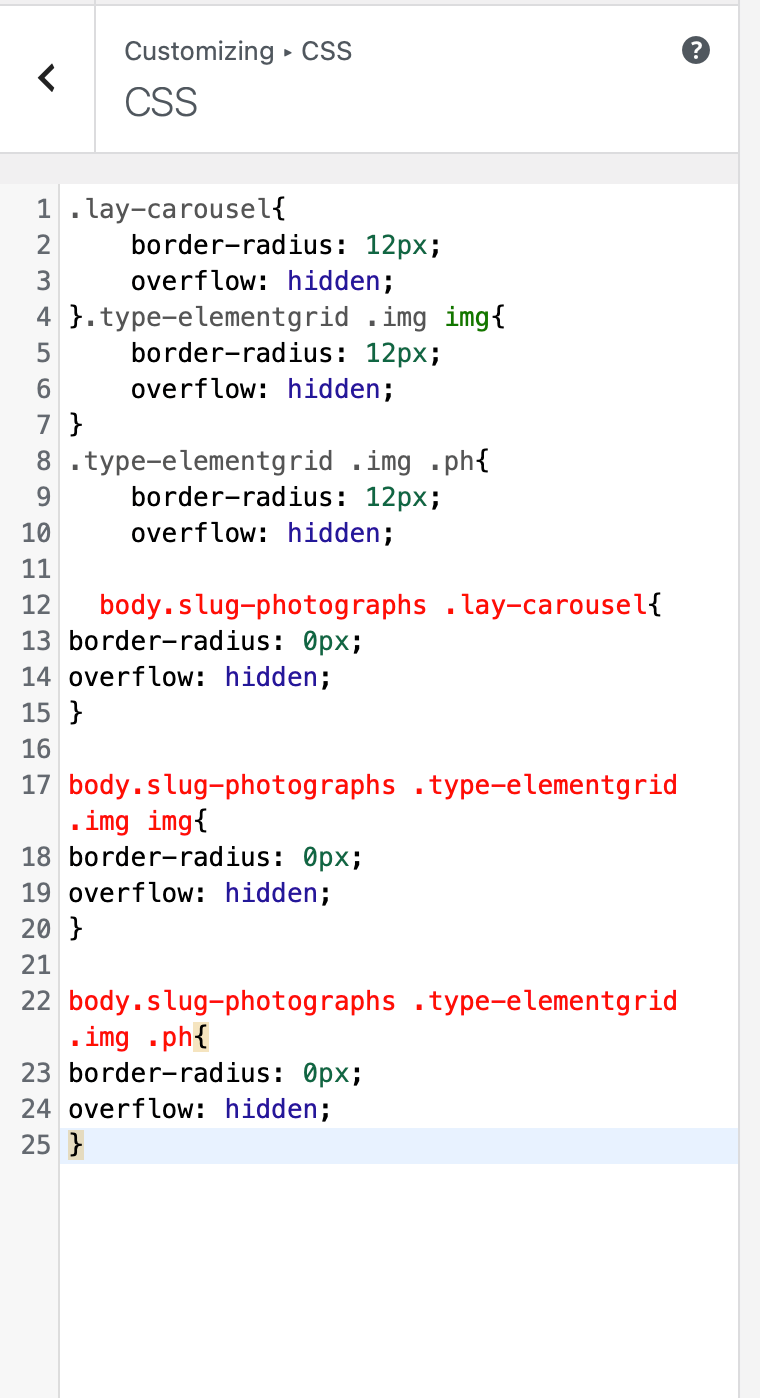
@alasdair17 Thank you, do i just add it to the bottom like this? Excuse my niavety when it comes to CSS stuff. I there a way of me also to disable it from other pages like my case study pages?
-
@alasdair17 Thank you, do i just add it to the bottom like this? Excuse my niavety when it comes to CSS stuff. I there a way of me also to disable it from other pages like my case study pages?
@fernandol97 I've noticed on your website your photos page has a -2 after the url so it would need to be:
body.slug-photographs-2 .lay-carousel {
border-radius: 0;
}body.slug-photographs-2 .type-elementgrid .img img {
border-radius: 0;
}etc etc
for case studies, just take the individual case study url so for the car one it would be:
body.slug-volvoex90 .lay-carousel {
border-radius: 0;
}etc etc
Any issues let me know, i'm happy to help :)
-
@fernandol97 I've noticed on your website your photos page has a -2 after the url so it would need to be:
body.slug-photographs-2 .lay-carousel {
border-radius: 0;
}body.slug-photographs-2 .type-elementgrid .img img {
border-radius: 0;
}etc etc
for case studies, just take the individual case study url so for the car one it would be:
body.slug-volvoex90 .lay-carousel {
border-radius: 0;
}etc etc
Any issues let me know, i'm happy to help :)
@alasdair17 Thank you for this. i am super uneducated when it comes to CSS i think i am doing somthing wrong.
I updated the Page URL to https://www.fernandolobina.com/photographs/, but am i copy and pasting the lines of text yoyu supplied me with into the correct locations here?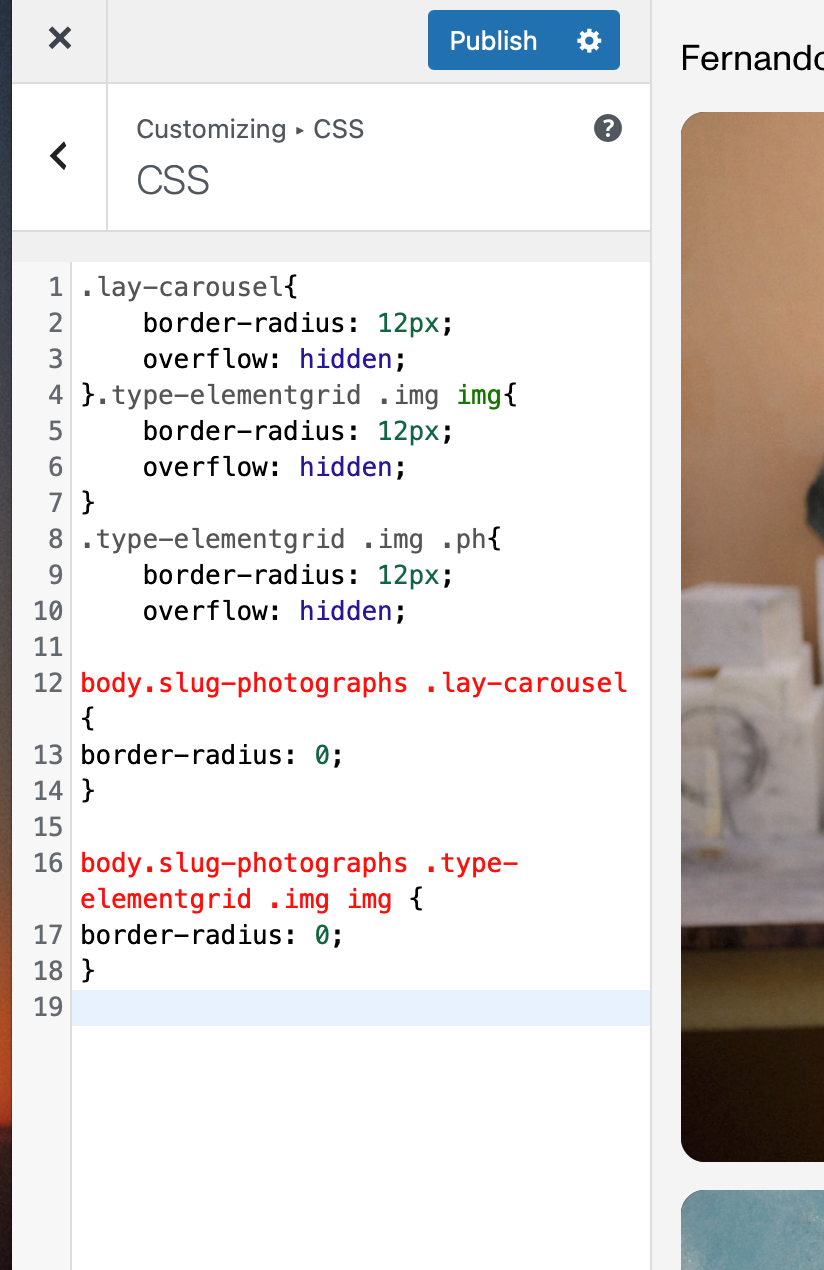
-
or in lay options -> custom css & hml
-
@alasdair17 Thank you for this. i am super uneducated when it comes to CSS i think i am doing somthing wrong.
I updated the Page URL to https://www.fernandolobina.com/photographs/, but am i copy and pasting the lines of text yoyu supplied me with into the correct locations here?body.slug-photographs .type-elementgrid .img img {
border-radius: 0;
}try pasting this in, strange why its not working hmm
-
Chat GPT seemed to supply me with this, it worked!
/* Global styles that round all images */ .lay-carousel { border-radius: 12px; overflow: hidden; } .type-elementgrid .img img { border-radius: 12px; overflow: hidden; } .type-elementgrid .img .ph { border-radius: 12px; overflow: hidden; } /* Page-specific override: remove rounding on photographs page */ body.slug-photographs .lay-carousel { border-radius: 0; } body.slug-photographs .type-elementgrid .img img { border-radius: 0; } body.slug-photographs .type-elementgrid .img .ph { border-radius: 0; } -
Chat GPT seemed to supply me with this, it worked!
/* Global styles that round all images */ .lay-carousel { border-radius: 12px; overflow: hidden; } .type-elementgrid .img img { border-radius: 12px; overflow: hidden; } .type-elementgrid .img .ph { border-radius: 12px; overflow: hidden; } /* Page-specific override: remove rounding on photographs page */ body.slug-photographs .lay-carousel { border-radius: 0; } body.slug-photographs .type-elementgrid .img img { border-radius: 0; } body.slug-photographs .type-elementgrid .img .ph { border-radius: 0; }@fernandol97 nice one!
-
thanks for the help guys!!
-
thanks for the help guys!!
@fernandol97 just realised it wasn't working was because you were missing a closing bracket }
that's why it was showing up as red, you needed a closing } after "hidden;"

Hello! It looks like you're interested in this conversation, but you don't have an account yet.
Getting fed up of having to scroll through the same posts each visit? When you register for an account, you'll always come back to exactly where you were before, and choose to be notified of new replies (either via email, or push notification). You'll also be able to save bookmarks and upvote posts to show your appreciation to other community members.
With your input, this post could be even better 💗
Register Login