MENU BAR CHANGED?
-
Hi I recently updated laytheme and found I lost a transparent pink bar beneath the title and menu. It still appears on the phone, lost for desktop and tablet. To try to fix this I went to the customize>primary menu and found the 'normal' style no longer has color/transparency options.
I tried to restore the theme back to 9.6.2 and cleared the cache but I still have no bar. Any help is much appreciated! Site is:
www.bam.earth
-
hello the bar can be enabled in
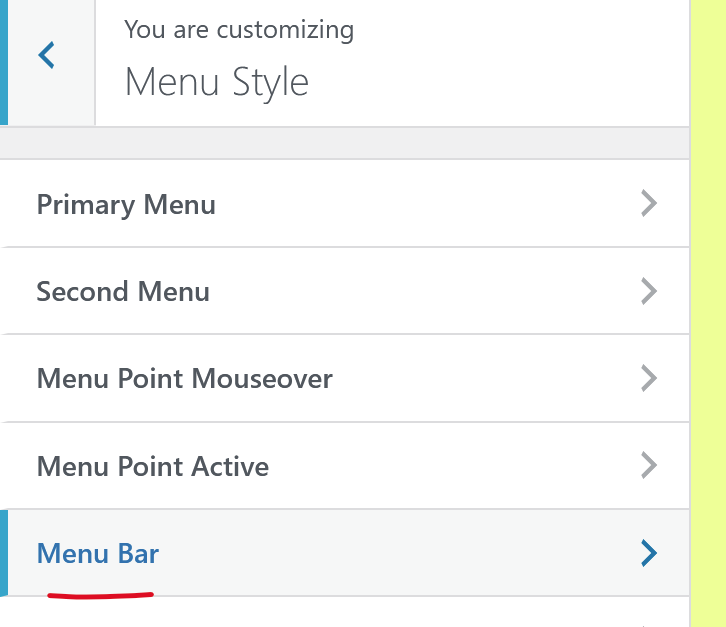
customize -> menu style -> menu bar
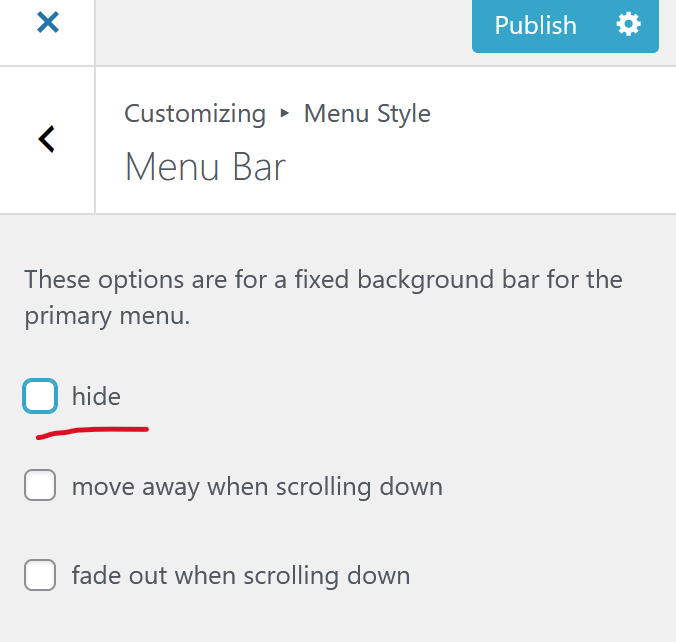
you can uncheck hide:
-

Hello! It looks like you're interested in this conversation, but you don't have an account yet.
Getting fed up of having to scroll through the same posts each visit? When you register for an account, you'll always come back to exactly where you were before, and choose to be notified of new replies (either via email, or push notification). You'll also be able to save bookmarks and upvote posts to show your appreciation to other community members.
With your input, this post could be even better 💗
Register Login