change out of stock text on product page
-
Hi there is a different way in laytheme for change "out of stock text" on product page?
i ve tryed this code on fubctions.php! but the text change only on single product page
add_filter( 'woocommerce_get_availability', 'change_out_of_stock_text_woocommerce', 1, 2 );
function change_out_of_stock_text_woocommerce( $availability, $product_to_check ) {
if ( ! $product_to_check->is_in_stock() ) {
$availability['availability'] = __( 'YOUR CUSTOM TEXT', 'woocommerce' );
}
return $availability;
}add_filter('woocommerce_out_of_stock_message', 'custom_wc_out_of_stock_message'); function custom_wc_out_of_stock_message() { return __( 'YOUR CUSTOM TEXT', 'woocommerce' ); }
-
seems like you do use the right filter:

-
but you forgot to add the priority
add_filter('woocommerce_out_of_stock_message', 'custom_wc_out_of_stock_message');
should be
add_filter('woocommerce_out_of_stock_message', 'custom_wc_out_of_stock_message', 99);
i think, but im not sure
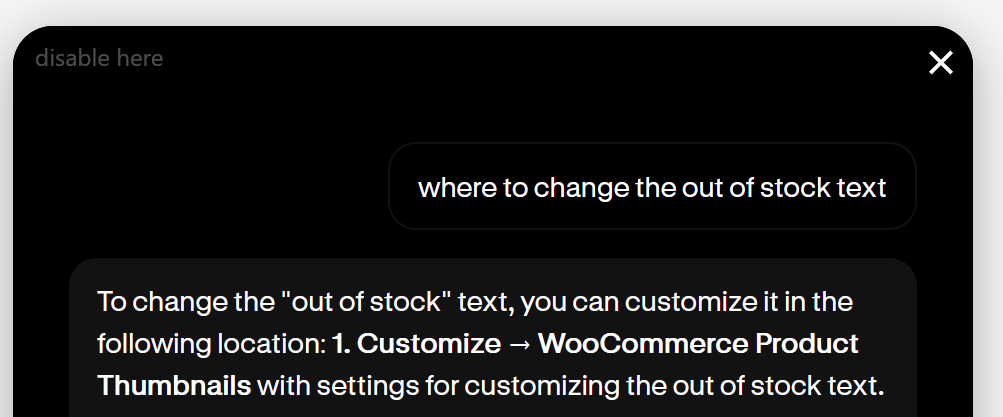
if u ask my new little ai tool i built, you can see for the product thumbnails there is a setting in customize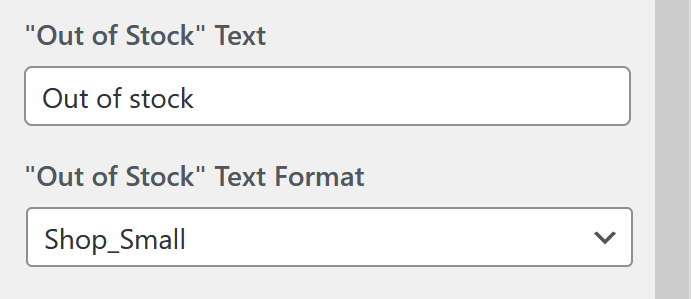
but thats probably not the location you meant?
in customize -> woocommerce -> product thumbnails
-

Hello! It looks like you're interested in this conversation, but you don't have an account yet.
Getting fed up of having to scroll through the same posts each visit? When you register for an account, you'll always come back to exactly where you were before, and choose to be notified of new replies (either via email, or push notification). You'll also be able to save bookmarks and upvote posts to show your appreciation to other community members.
With your input, this post could be even better 💗
Register Login