Phone space text format
-
Hi Armin!
Thanks for always being so responsive on here. I have a question about phone spacing for text formats.
I'm trying to get consistent padding around paragraph style text boxes in my projects, but no matter how I adjust the Phone Space Top and Phone Space Bottom values, my text boxes appear the same on mobile - a bit of extra space on top, none on the bottom. Any idea how to remedy this across an entire text style?
(had trouble uploading screenshots - see all text boxes after the first one here on mobile for an example)
-
hey!
the "space bottom" settings for textformats are the space that is below a paragraph.
however, if a paragraph is the last one in the text element.
then it has no space bottom.otherwise you'd always have a extra space below a text.
customizing spacing can be done for example when u right click a text
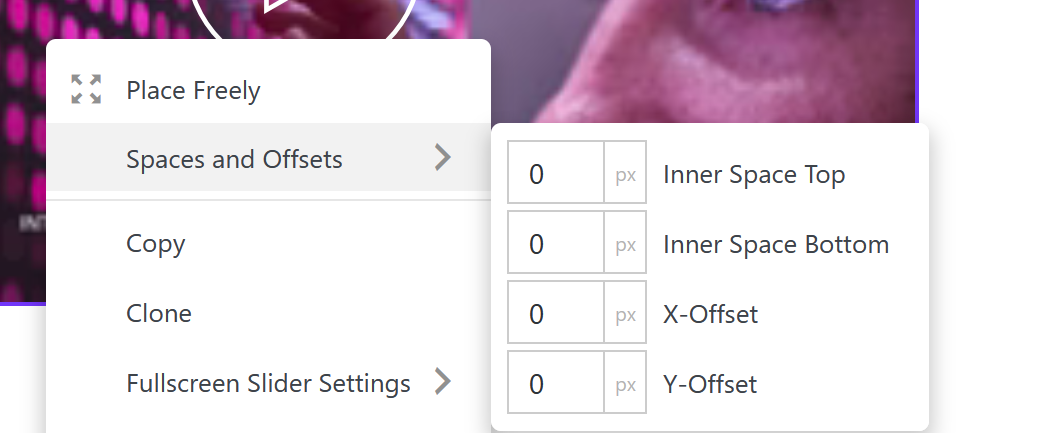
or when u select a text and do the settings in the sidebar
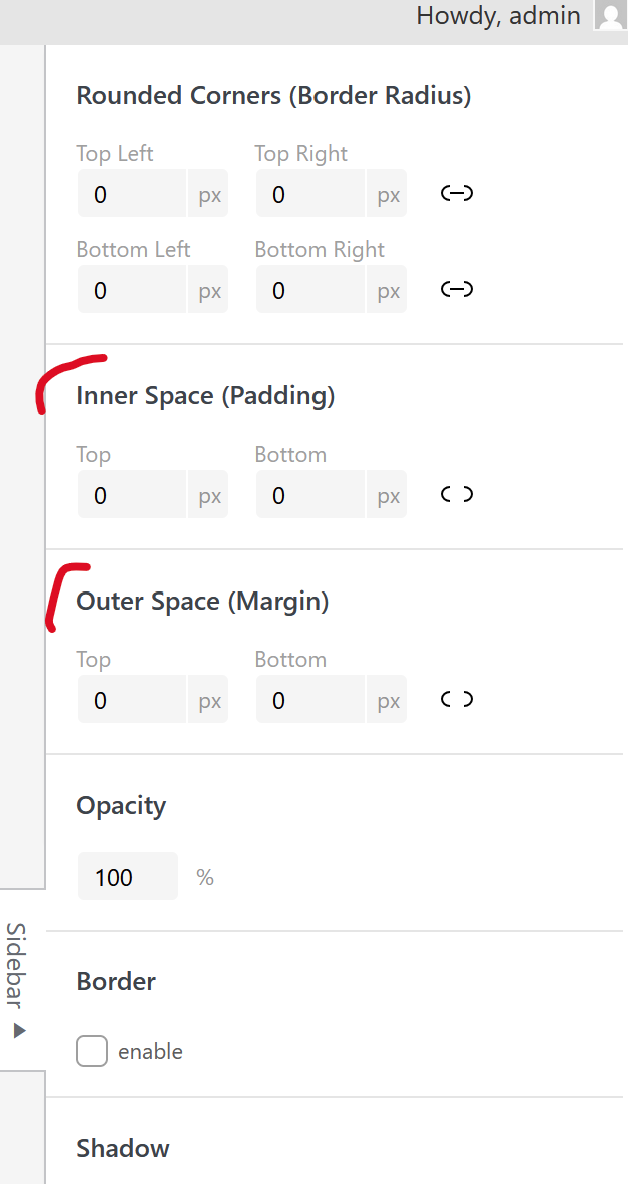
so usually, if you only wanted to have different spacing for the texts in your phone layout,
i would say use a custom phone layout.
https://laytheme.com/documentation/custom-phone-layouts.htmlbut is probably easier to use custom css.
this for example would change all spacings below text elements in projects:
body.type-project .type-text{
margin-bottom: 100px!important;
}add this in:
lay options -> custom css & html -> custom css for mobile -
-
-
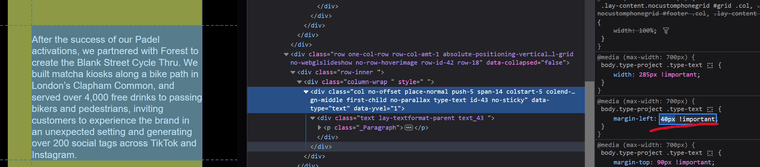
but the margin-left: 40px is applied
if you dont want the space for some texts,
right click the text elementclick set html class and id. for class enter:
nospace
then instead of the css u use now, use:
body.type-project .type-text:not(.nospace){
margin-left: 40px!important;
}

body.type-project .type-text:not(.nospace){
width: 285px!important;
}

Hello! It looks like you're interested in this conversation, but you don't have an account yet.
Getting fed up of having to scroll through the same posts each visit? When you register for an account, you'll always come back to exactly where you were before, and choose to be notified of new replies (either via email, or push notification). You'll also be able to save bookmarks and upvote posts to show your appreciation to other community members.
With your input, this post could be even better 💗
Register Login