Text over image + Full Width images
-
Hi all,
I am going to work for a client that wants a one-pager site.
-
He wants to have text on top of the images, and I would prefer to not 'paste' it in to the image, but have it on top of the image. Does anyone have a solution to this OR is is already possible within Laytheme, if yes: how?
-
Another thing we want is to have a full width image (so no gridder margin on left and right side of the image). We do want the rest of the site to have a margin left and right. But we don't want it to be a full screen slider, it has to be integrated in the design. Any solutions?
Sorry if these are common asked questions or if it's already possible... please let me know. :-) Cheers!
-
-
Hey elinezijffers!
There is not an official way yet to have image captions above the images.
What you can try is the following:
Give your image a caption by using the caption module in the Gridder:
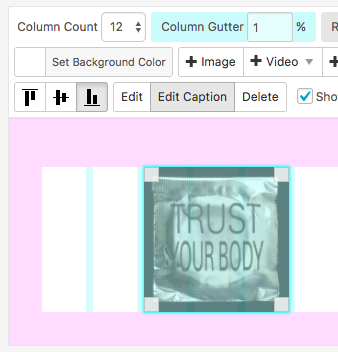
Then you already have the caption under the image

To now get the caption above the image is a bit tricky but not really impossible. You need to know some jQuery to do this.
First you need to get the height of the image with$(.image).height();and then you need to move the div box with the caption up according to the height you got.You can build a small loop to go trough each image which you have placed in the Gridder and move the caption up.
This is a bit difficult for me to imagine.
Can you upload a quick example of the design?In the Gridder you can select the margin on the right and the left:

I hope I could help – let me know if you have further questions.
All the best!
Marius
-
Hi, thanks! Going to try this... seems a little bit of a hassle to do it that way. Probably easier to upload an image with text :-)
-
Hey elinezijffers,
yes. It is some hassle :-)
But if your promised it to a client and he pays you a lot of money for it – it might be worth it.
If it is just for yourself – it is always possible to find another solution which looks fine as well.Good luck with it :-)
Marius

Hello! It looks like you're interested in this conversation, but you don't have an account yet.
Getting fed up of having to scroll through the same posts each visit? When you register for an account, you'll always come back to exactly where you were before, and choose to be notified of new replies (either via email, or push notification). You'll also be able to save bookmarks and upvote posts to show your appreciation to other community members.
With your input, this post could be even better 💗
Register Login