Skip to content
  • Recent
  • Tags
  • Popular
  • Users
  • Search
Skins
  • Light
  • Brite
  • Cerulean
  • Cosmo
  • Flatly
  • Journal
  • Litera
  • Lumen
  • Lux
  • Materia
  • Minty
  • Morph
  • Pulse
  • Sandstone
  • Simplex
  • Sketchy
  • Spacelab
  • United
  • Yeti
  • Zephyr
  • Dark
  • Cyborg
  • Darkly
  • Quartz
  • Slate
  • Solar
  • Superhero
  • Vapor

  • Default (No Skin)
  • No Skin
Collapse

Lay Theme Forum

  1. Home
  2. General Discussion
  3. splitt screen / scroll position

splitt screen / scroll position

Scheduled Pinned Locked Moved General Discussion
10 Posts 2 Posters 789 Views 2 Watching
  • Oldest to Newest
  • Newest to Oldest
  • Most Votes
Reply
  • Reply as topic
Log in to reply
This topic has been deleted. Only users with topic management privileges can see it.
  • C
    C
    carlweiss
    wrote on last edited by
    #1

    Re: How to return to the exact same scroll position when going back to homepage

    Hello,
    I've got the same problem with my split screen website (built using the following tutorial: https://laytheme.com/tutorials/create-a-splitscreen-website.html). Is it possible to save the scroll position, or does this conflict with something else? Does anyone have the same problem? Thanks for the help!

    1 Reply Last reply
    0
    • arminunruhA
      arminunruhA
      arminunruh
      Global Moderator
      wrote on last edited by
      #2

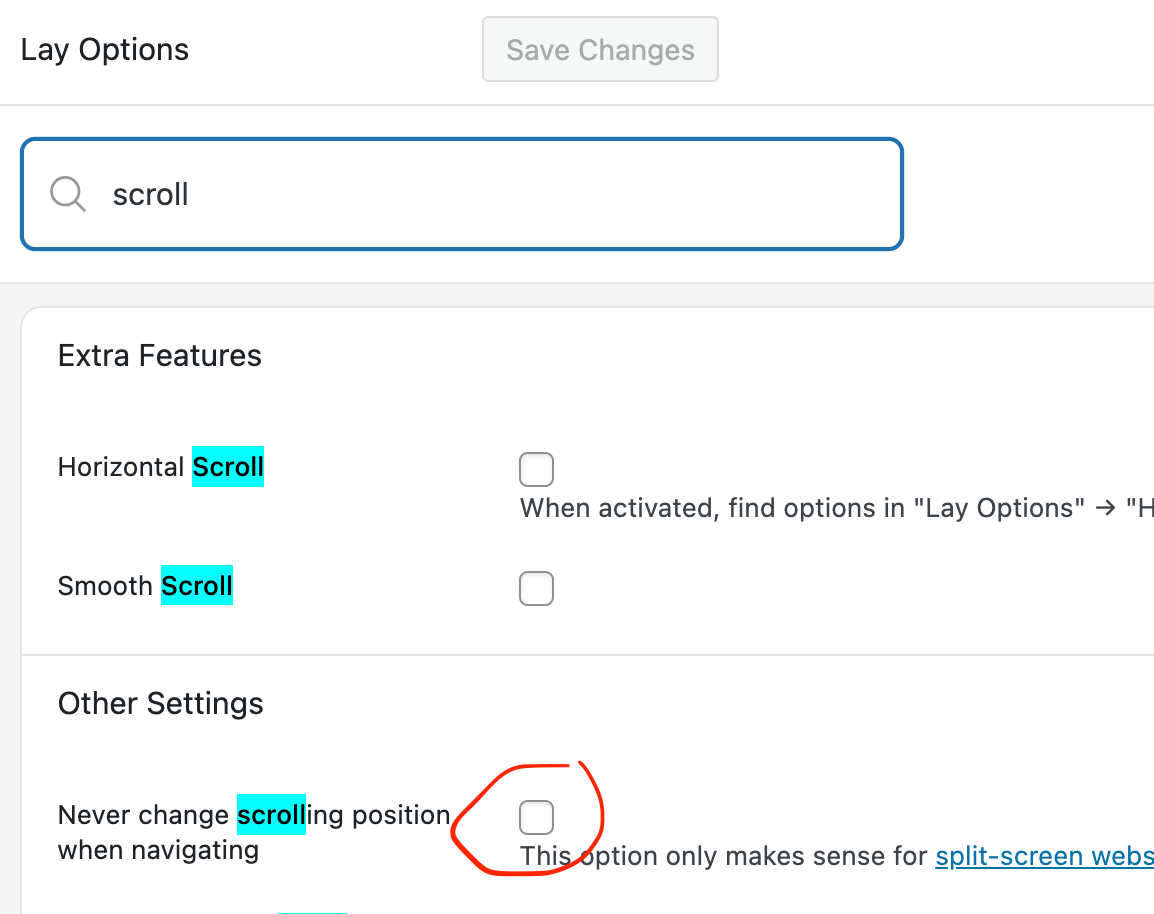
      Screenshot 2025-12-28 at 09.20.35.png

      did you enable this setting? please enable it.

      do you have a link?

      1 Reply Last reply
      0
      • C
        C
        carlweiss
        wrote on last edited by
        #3

        Hello Armin, thank you very much for your response.

        Yes, I did enable this setting.
        I don't have a link because I'm running the site on a local server (MAMP).
        I think it has something to do with the custom codes; when I turn them off, it works. (Of course, the website is no longer split-screen.)
        Here is the code I used:
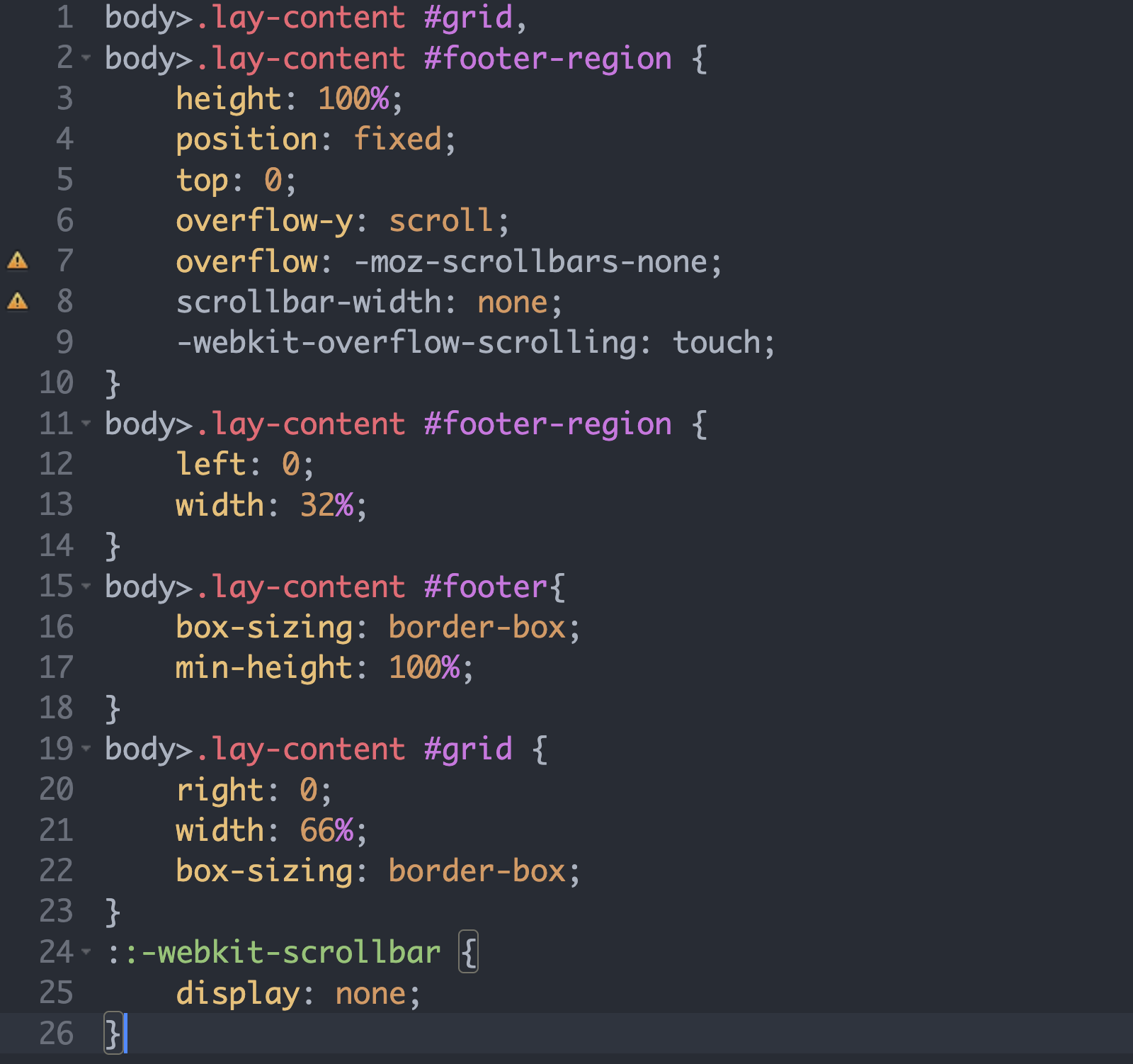
        Bildschirmfoto 2025-12-28 um 13.03.53.png

        My web research gave the following result: it may not be possible to create a split with a footer.

        • Grid and footer regions are recreated each time a page is loaded.
        • The browser only stores the window scroll position, not the scroll position of custom scroll containers.
          What do you think?
        1 Reply Last reply
        0
        • arminunruhA
          arminunruhA
          arminunruh
          Global Moderator
          wrote on last edited by
          #4

          hey its hard to help with this if i cant see it on a example page

          :(

          maybe a screen recording so i can see exactly what u mean?

          1 Reply Last reply
          0
          • C
            C
            carlweiss
            wrote on last edited by
            #5

            Hello Armin, thank you.
            Yes, I thought it would be difficult to solve with them.
            Here is a screen recording of my site under construction.

            https://drive.google.com/file/d/1KG5kXlfL2cRGBWeKtBMLeABHtAqjcdnc/view?usp=drive_link

            When I scroll down on my overview page and click on a project thumbnail, and then return to the overview page, it jumps to the top (the page reloads).

            The second problem is that my accordion collapses every time I return (I made it with row expand/collapse because I like placing images there), but that's another issue.

            Thank you very much for your time!

            1 Reply Last reply
            0
            • arminunruhA
              arminunruhA
              arminunruh
              Global Moderator
              wrote on last edited by
              #6

              hello, i cannot access the video

              1 Reply Last reply
              0
              • arminunruhA
                arminunruhA
                arminunruh
                Global Moderator
                wrote on last edited by
                #7

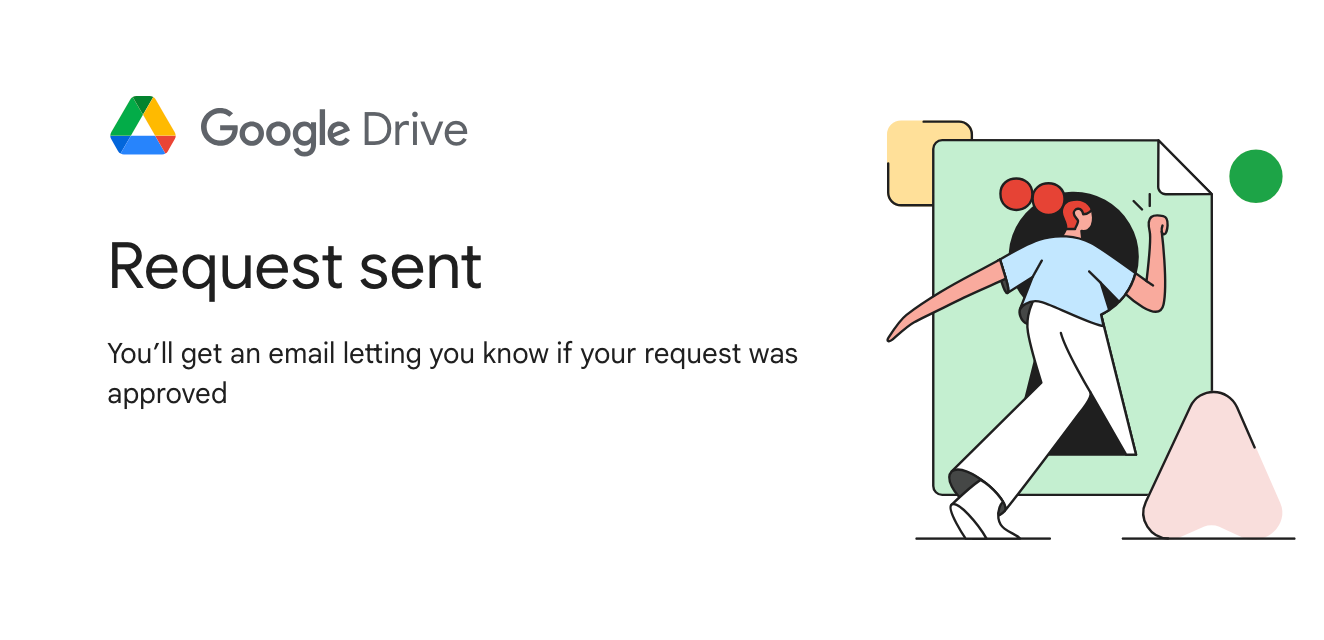
                Screenshot 2025-12-30 at 10.36.22.png

                but i clicked this button to request access now

                1 Reply Last reply
                0
                • C
                  C
                  carlweiss
                  wrote on last edited by
                  #8

                  Oops, yes, now it should go.

                  1 Reply Last reply
                  0
                  • C
                    C
                    carlweiss
                    wrote on last edited by
                    #9

                    Hello Armin,
                    Could you watch the video to help you understand what I mean? Thank you for your time!

                    1 Reply Last reply
                    0
                    • arminunruhA
                      arminunruhA
                      arminunruh
                      Global Moderator
                      wrote on last edited by
                      #10

                      ah interesting

                      so you're using different content on the left side (footer)
                      on every page

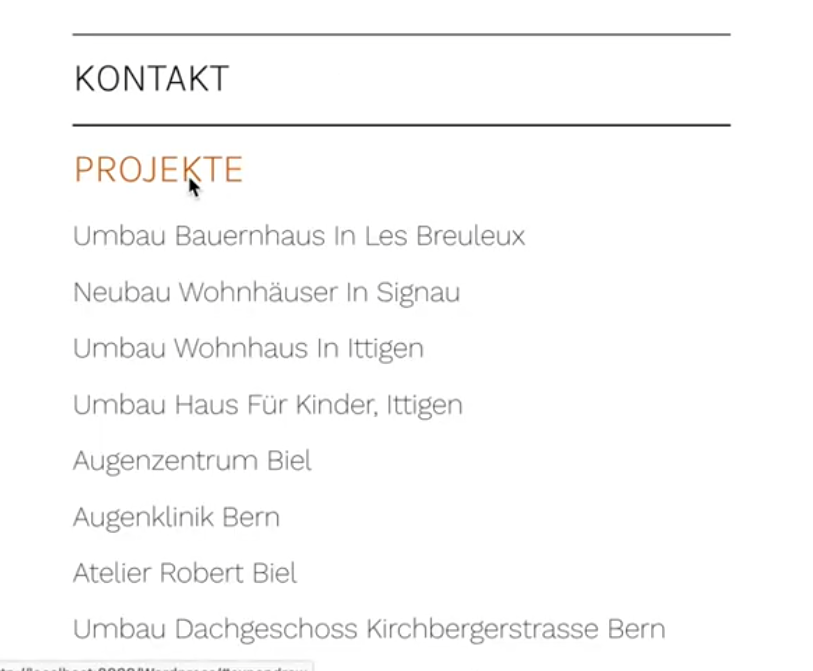
                      on the left side:

                      image.png

                      is this an accordion element?
                      or is this done with expand/collapse rows?

                      Can you try this:
                      in Lay Options -> Footers

                      make sure, the footer you choose here is the same for every page, the one that displays your menu:

                      in this example you see we set the project footer and the page footer to the same footer page "Footer".
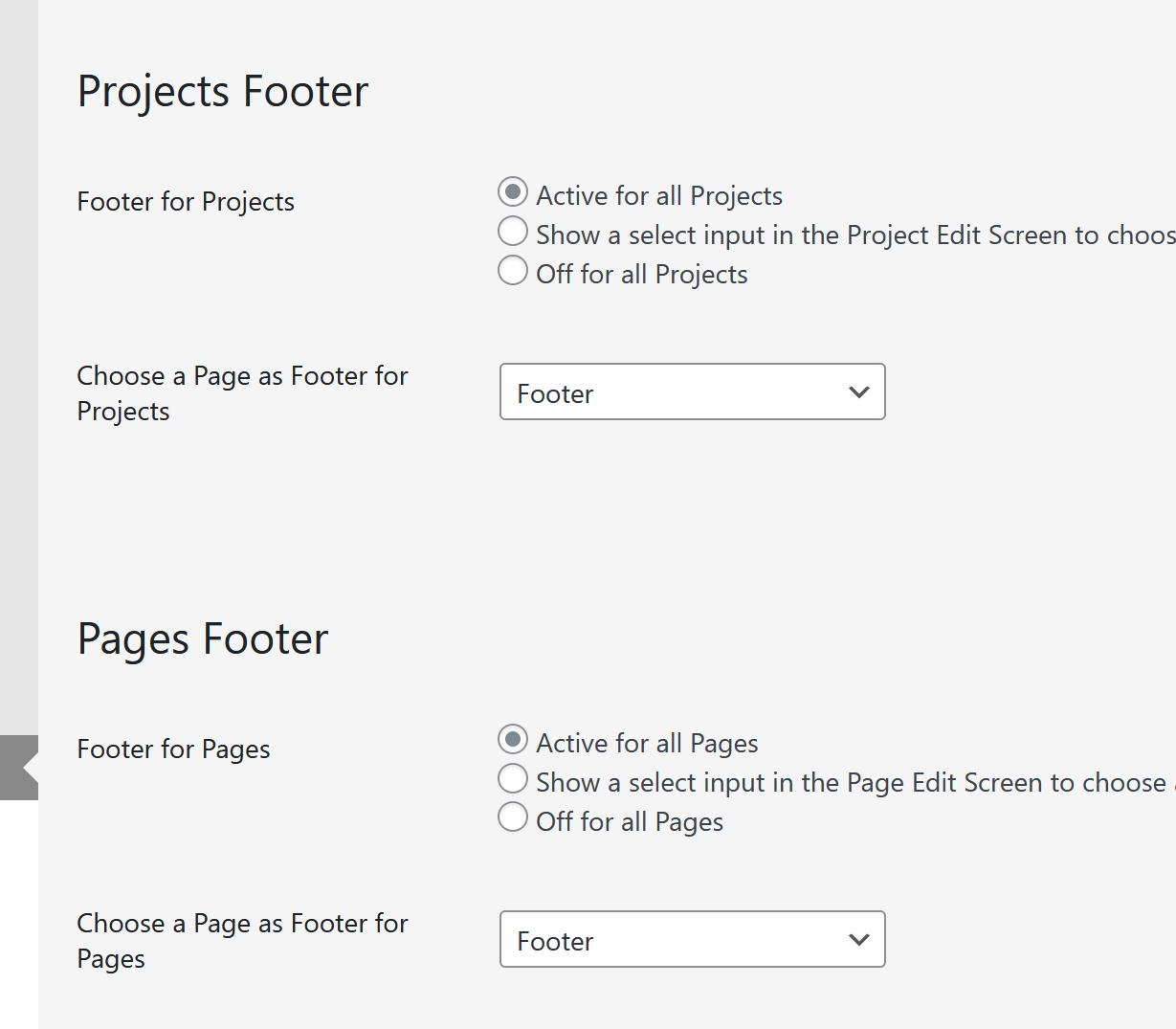
                      e1d0b510-511d-4e29-ac97-18a6d104fe6c-image.png

                      your menu page should be the footer you set above for all page types:

                      71688f6d-15ed-40b5-9736-6cdf4536b327-image.png

                      Now, when you click on a project, on the left side, the menu should stay the same

                      A different approach:
                      Instead of using the splitscreen tutorial,
                      you could simply create page that overlaps all other pages:
                      In Lay Options -> Extra features,
                      enable Fixed Header.
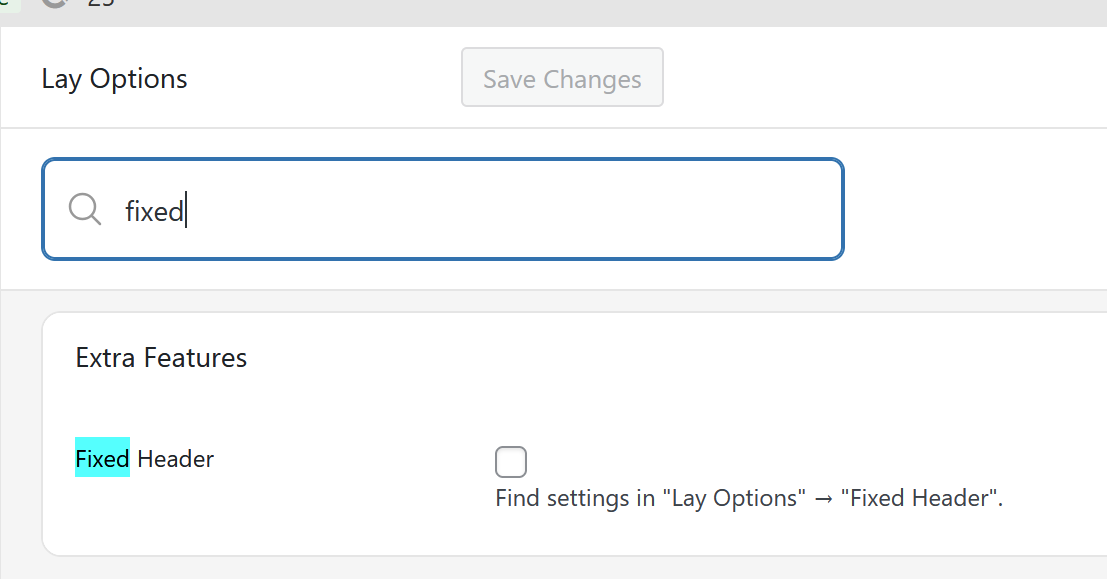
                      e046adb4-947c-40ee-bea2-233b1dc24f77-image.png

                      A new menupoint will show up:
                      Lay Options -> Fixed Header

                      here you can choose a page to overlay all other content of your website.
                      This page can then include your menu with the accordion and more.

                      A second different approach: (the one i would suggest)
                      Instead of using the splitscreen approach, simply create a menu with submenus.
                      In the customizer you can find submenu settings!
                      here is some info about submenus:
                      https://laytheme.com/documentation/menus.html#submenus

                      1 Reply Last reply
                      0

                      Hello! It looks like you're interested in this conversation, but you don't have an account yet.

                      Getting fed up of having to scroll through the same posts each visit? When you register for an account, you'll always come back to exactly where you were before, and choose to be notified of new replies (either via email, or push notification). You'll also be able to save bookmarks and upvote posts to show your appreciation to other community members.

                      With your input, this post could be even better 💗

                      Register Login
                      Reply
                      • Reply as topic
                      Log in to reply
                      • Oldest to Newest
                      • Newest to Oldest
                      • Most Votes


                      Online Users
                      D
                      Dawid
                      L
                      lstark
                      Forgot your key, lost your files, need a previous Lay Theme or Addon version? Go to www.laykeymanager.com
                      laytheme.com
                      • Login

                      • Don't have an account? Register

                      • Login or register to search.
                      • First post
                        Last post
                      0
                      • Recent
                      • Tags
                      • Popular
                      • Users
                      • Search