images slow loading or bad quality
-
Hey there while finishing up i have some trouble shooting with my images. currently they got downsized a lot since i had major speed problems. i would like to find a sweet spot with crisp images on a 5k screen but also quick loading times. i allready use media convert and the base images are quiet small. anyone has an idea what the perfect export seetings are in combination with the plugin. maybe i also missed an check box in the settings. would love to get your feedback!
the site is simon-gerlinger.com
-
hey simon i think you used this setting:
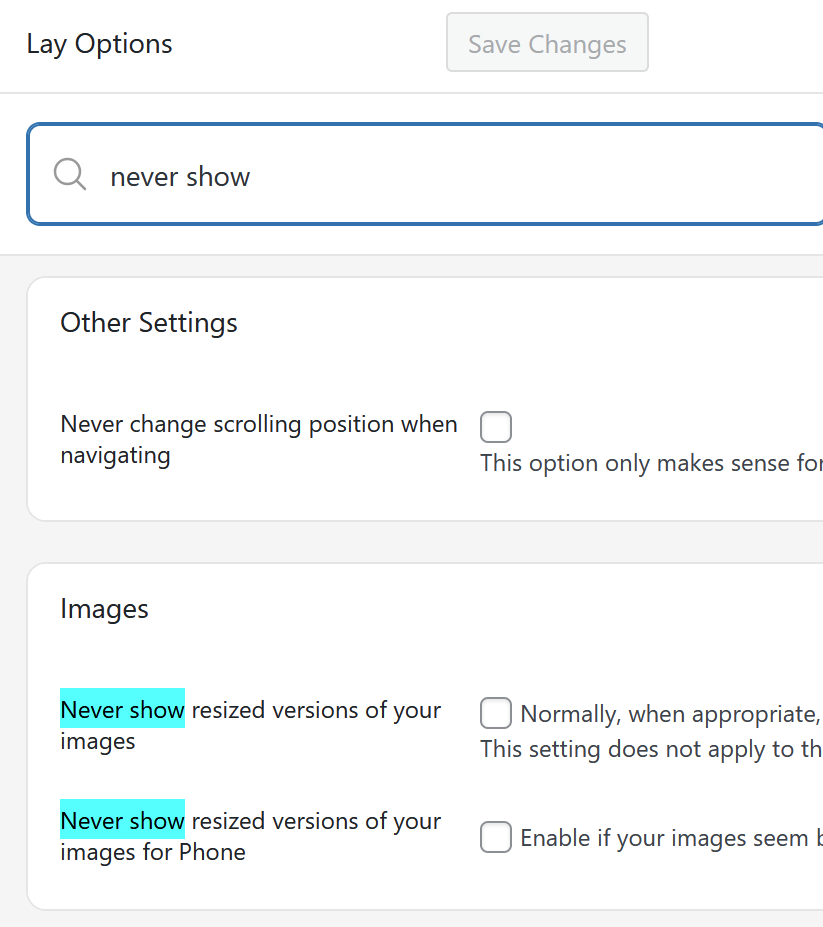
where it always loads the original image.
maybe thats why it takes longer?also make sure lazyloading is on:
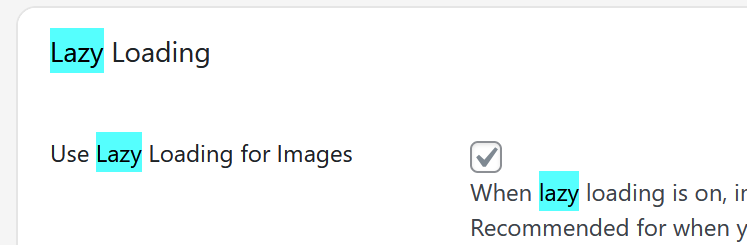
both in lay options and lay options -> carousel addon

Hello! It looks like you're interested in this conversation, but you don't have an account yet.
Getting fed up of having to scroll through the same posts each visit? When you register for an account, you'll always come back to exactly where you were before, and choose to be notified of new replies (either via email, or push notification). You'll also be able to save bookmarks and upvote posts to show your appreciation to other community members.
With your input, this post could be even better 💗
Register Login