Single product page — problems of personalization
-
Hello,
I want to do two some adjustements on the single product page (woocommerce)
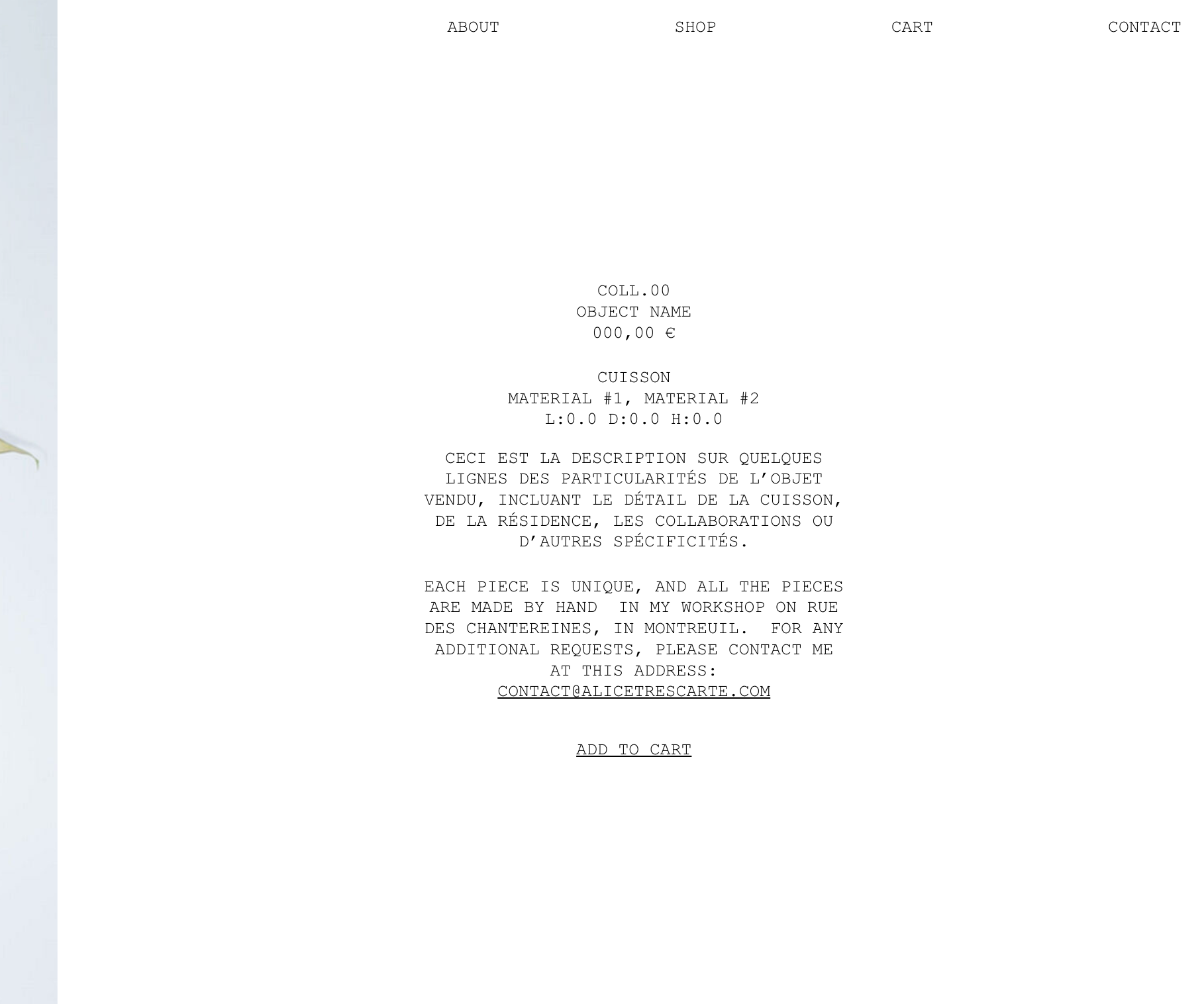
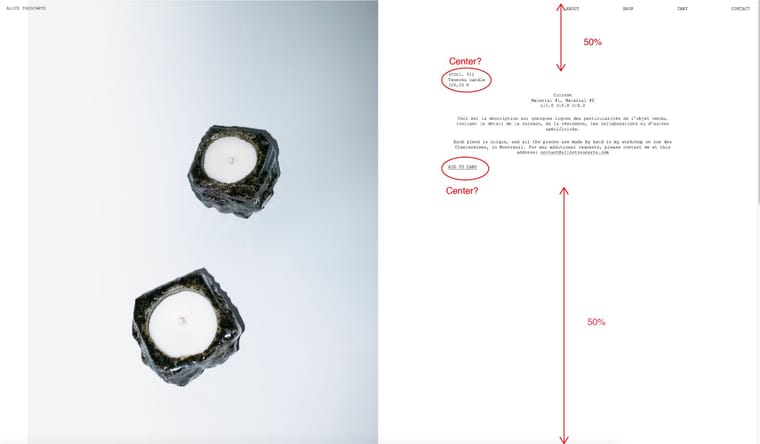
and I can't find the way to do it?- Center the bloc tag + title + price and the "add to cart" button in the description zone of the product
- Center the entire description zone at 50% height of the navigateur size (we can only fix it with a padding-top in pixels but no in %?)
Here's the product page link: https://alicetrescarte.com/yamato/?product=rustik-vase
-
-
Can you please send:
- a link to this forum topic
- your website address
- /wp-admin/ username and password
to: info@laytheme.com
-
-
i added this css to desktop css:
.lay-no-variations .lay-woocommerce-product-tab{
    width: 100%!important;
}
.summary > *{
    max-width: 100%!important;
}
.summary{
    width: 49%!important;
    padding-left: 15%!important;
    padding-right: 15%!important;
}
body.single-product #lay-woocommerce .lay-woocommerce-product-text{
    width: 100%!important;
}
.lay-woocommerce-summary-inner form{
    text-align:center!important;
}
.woocommerce div.product form.cart .button{
    float: none;
    display: inline-block!important;
}
and for mobile css:
.lay-no-variations .lay-woocommerce-product-tab{
    width: 100%!important;
}
.summary > *{
    max-width: 100%!important;
}
.summary{
    width: 100%!important;
    padding-left: 15%!important;
    padding-right: 15%!important;
}
body.single-product #lay-woocommerce .lay-woocommerce-product-text{
    width: 100%!important;
}
.lay-woocommerce-summary-inner form{
    text-align:center!important;
}
.woocommerce div.product form.cart .button{
    float: none;
    display: inline-block!important;
}

Hello! It looks like you're interested in this conversation, but you don't have an account yet.
Getting fed up of having to scroll through the same posts each visit? When you register for an account, you'll always come back to exactly where you were before, and choose to be notified of new replies (either via email, or push notification). You'll also be able to save bookmarks and upvote posts to show your appreciation to other community members.
With your input, this post could be even better 💗
Register Login