Standard WooCommerce tabs -> accordion?
-
Hi Armin,
I’m creating a variable product in WooCommerce because I offer different sizes. For a regular product, the description appears directly beneath the “Add to Cart” button. But as soon as it becomes a variable product, the standard WooCommerce tabs turn into an accordion. How can I skip this accordion? I just want the description to appear as plain text, like it did before.
Here’s a product example:
-
you can enable this setting:
"Product Description outside of Tabs"
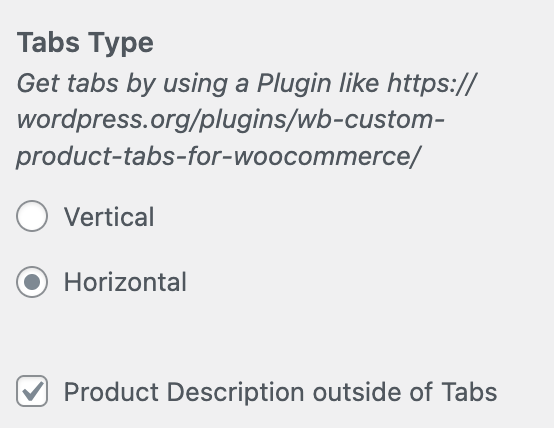
in customize → woocommerce → single product
-
Wau!! Didn’t know there are WooCommerce Settings in Customize! Was doing everything manually with CSS! Haha! Thank you!!

Hello! It looks like you're interested in this conversation, but you don't have an account yet.
Getting fed up of having to scroll through the same posts each visit? When you register for an account, you'll always come back to exactly where you were before, and choose to be notified of new replies (either via email, or push notification). You'll also be able to save bookmarks and upvote posts to show your appreciation to other community members.
With your input, this post could be even better 💗
Register Login