Different background images per row – responsive scaling
-
Dear Laytheme Forum,
I would like to use different background images for different rows on a page of my website.
The idea: I commissioned a designer to create a frame that looks like a floor plan of an apartment, where each row represents a different “room.”
The issue I’m facing is that the background images are not displayed correctly — parts of the “walls” get cut off when I set them as backgrounds.
I’m looking for a solution (maybe with using CSS) where:
the background image fully covers the entire row (top, bottom, left, and right),
nothing important gets cut off,
and the image scales proportionally depending on the browser size (responsive behavior).You can see my page here:
http://www.ar-mut.ch/startThis is what one of the images looks like:
https://ar-mut.ch/wp-content/uploads/2026/03/Ar.Mut_HP_1024x768_v02_s06.pngDoes anyone have an idea how to achieve this properly?
Thanks a lot and best regards,
Dennis -
hey dennis!
can you post a picture of the design here, so i can see what the end goal is?
i can certainly make this happen, i just need to see the big picture
-
currently you can insert a image, use fixed height, and object position contain and make sure the images' width goes over the full layout width and then make sure height is set to 100svh:
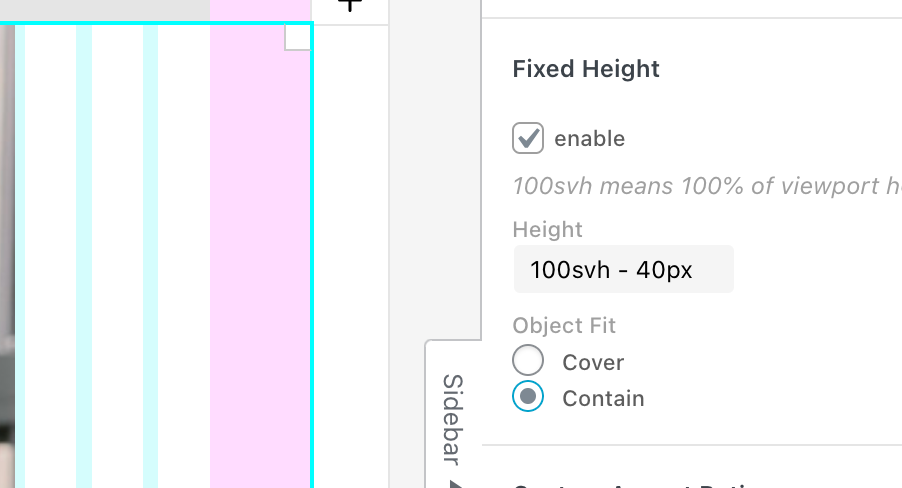
but i think thats not sufficient for what you need
-
actually since the texts you want to have on the frame need to position themselves with the image when the browser sizes i changing, have you ever though about this:
just insert the frame as a normal image, then in the sidebar, use the "text on image" feature:
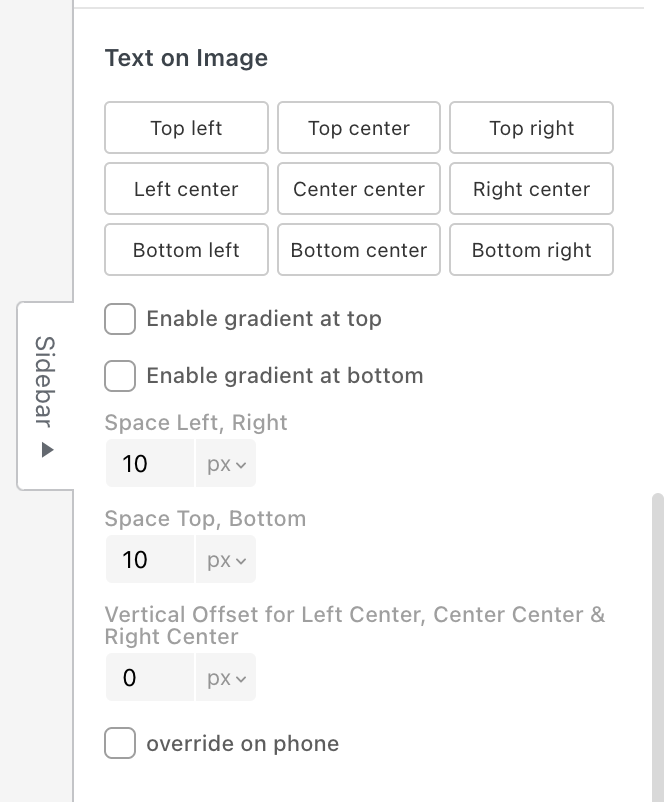
-
hey dennis!
can you post a picture of the design here, so i can see what the end goal is?
i can certainly make this happen, i just need to see the big picture
@arminunruh sure. Something like this: https://ar-mut.ch/wp-content/uploads/2026/03/Bildschirmfoto-2026-03-25-um-14.56.19.jpg
or like this:
https://ar-mut.ch/wp-content/uploads/2026/03/Bildschirmfoto-2026-03-25-um-14.57.33.jpg
Here a worktest, where you see my problem: https://ar-mut.ch/start-test/
-
ok i see, please try this:
remove the empty rows from your layout,
dont use custom row height or browser height on your rowinstead, click on an empty part of the row, then enter values for row padding top and row padding bottom (here i chose 50px, 50px as u see in the screenshot below), choose the row background image, and then choose object fit: fill, like here:
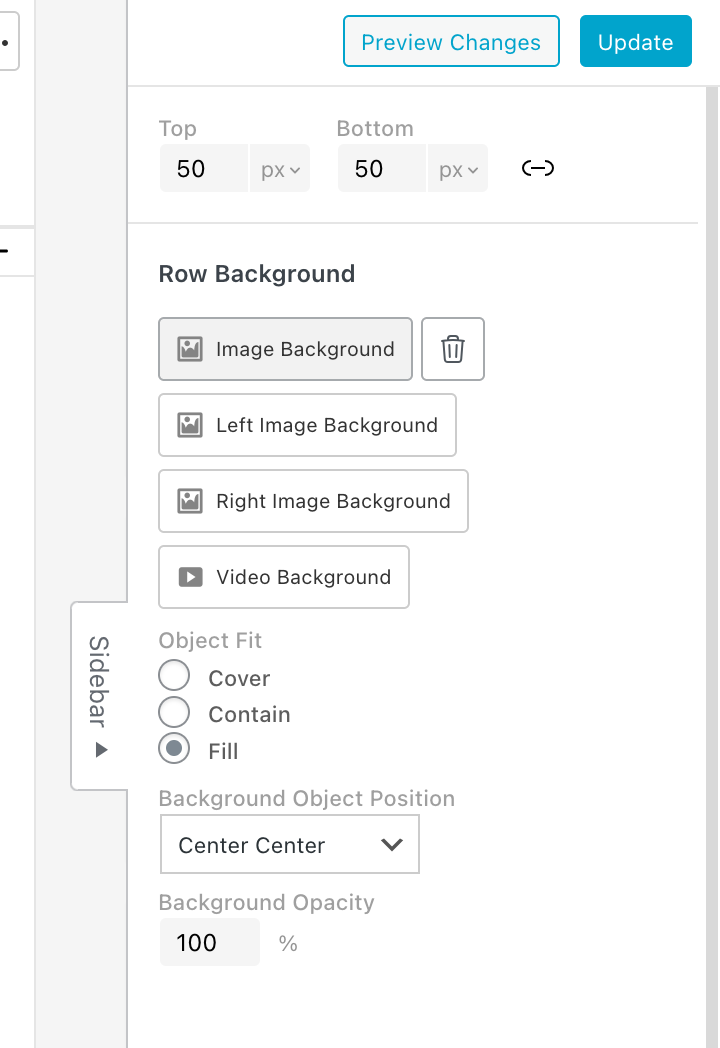
object fit: fill will only be available with the next update
this will stretch your image to be a perfect frame around the row
-
-
maybe today or tomorrow. i ended up calling it "stretch" instead of fill just to let u know
-

Hello! It looks like you're interested in this conversation, but you don't have an account yet.
Getting fed up of having to scroll through the same posts each visit? When you register for an account, you'll always come back to exactly where you were before, and choose to be notified of new replies (either via email, or push notification). You'll also be able to save bookmarks and upvote posts to show your appreciation to other community members.
With your input, this post could be even better 💗
Register Login