Font-size problem on mobile
-
HI @Loris
ok, this is rather odd.I will double check with Armin what isa going on here.
Best!
Marius
-
Hi @mariusjopen
Do you have any news on my issue?
I hope it is solveable.
All best,
Loris -
-
-
-
Seems like you set the fontsize of your text not using a textformat but using the font-size dropdown in the texteditor:
Just select your text, click the "clear formats" button and then apply a textformat.
-
Thanks @arminunruh this has worked for me as well.
Best,
D. -
Hi @arminunruh and @mariusjopen,
Unfortunately this doesn't seem to change anything for me. The result displays the same problem… What can I do?
Best, Loris -
Hi Loris,
we will figure it out.
Best!
Marius
-
Hey Loris!
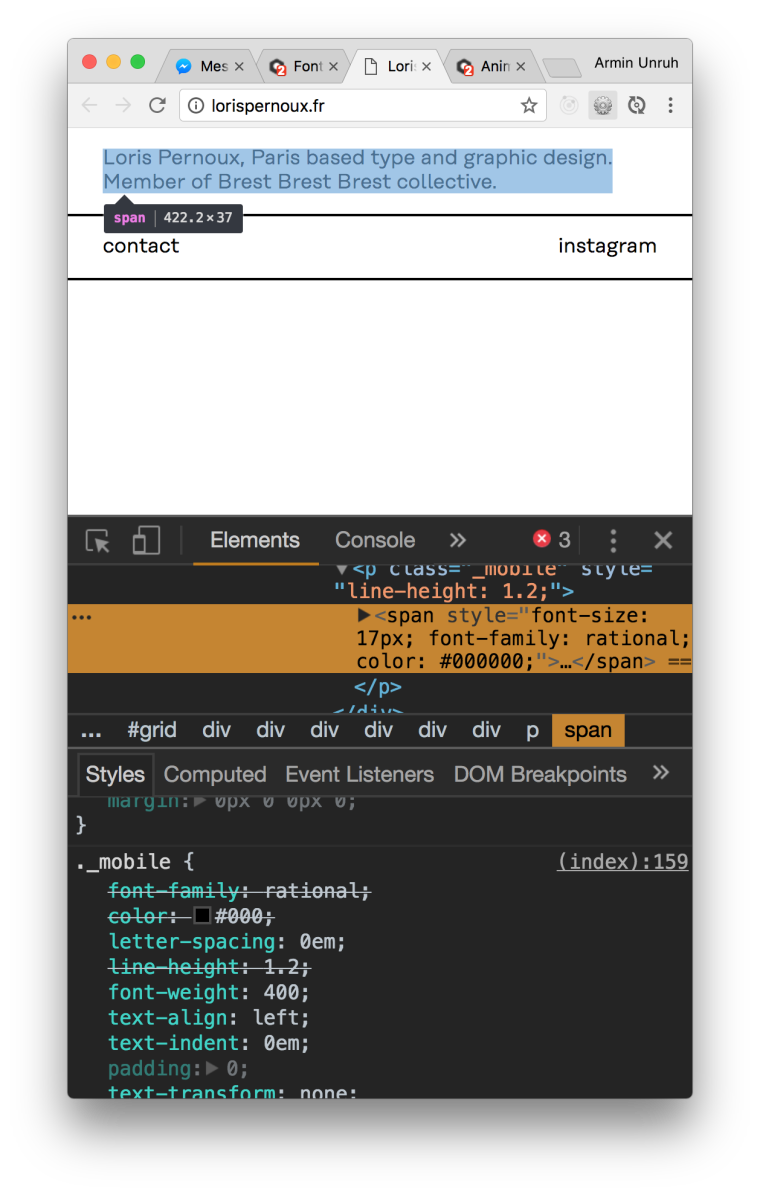
Ok i looked at it with my iphone on landscape and the safari inspector for iphone and both of these texts have font-size 17, so they should look the same. I really don't know why.
Can you put this in your css in "lay options" -> "custom css and html" and see if it makes a difference?
html { -webkit-text-size-adjust: 100%; /* Prevent font scaling in landscape while allowing user zoom */ } -
Hi @arminunruh,
This works! Thank you very much!
All best,
Loris


Hello! It looks like you're interested in this conversation, but you don't have an account yet.
Getting fed up of having to scroll through the same posts each visit? When you register for an account, you'll always come back to exactly where you were before, and choose to be notified of new replies (either via email, or push notification). You'll also be able to save bookmarks and upvote posts to show your appreciation to other community members.
With your input, this post could be even better 💗
Register Login