desktop burger menu changes elements on the page
-
I am trying to add a desktop burger menu and followed the tutorial to do so. But I noticed two bugs: Whenever I open the menu, the content on the website moves a bit, as if the grid changes a little. It doesn’t matter if I activate a background or not, or if I try a different animation, the grid always changes.
I am using Brave Version 1.66.110 on Mac OS 14.4.1.
A second bug I noticed is that I only see changes to the overlay when I log out and log back into wordpress. Reloading a project doesn’t show me the latest state of the desktop burger menu.
Is there a way to fix the first issue? It’s by far the more important one :)
Thank you very much!
-
A second bug I noticed is that I only see changes to the overlay when I log out and log back into wordpress. Reloading a project doesn’t show me the latest state of the desktop burger menu.
maybe u need to disable your caching plugin while u work on this
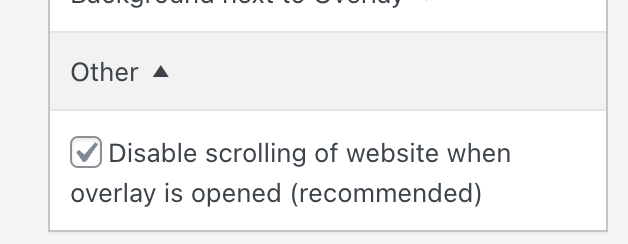
can u uncheck this when editing the overlay and then see if it makes the website not jump?
-

Hello! It looks like you're interested in this conversation, but you don't have an account yet.
Getting fed up of having to scroll through the same posts each visit? When you register for an account, you'll always come back to exactly where you were before, and choose to be notified of new replies (either via email, or push notification). You'll also be able to save bookmarks and upvote posts to show your appreciation to other community members.
With your input, this post could be even better 💗
Register Login