CHANGING THE POSITION OF NUMBERS AND TITLE OF CAROUSEL
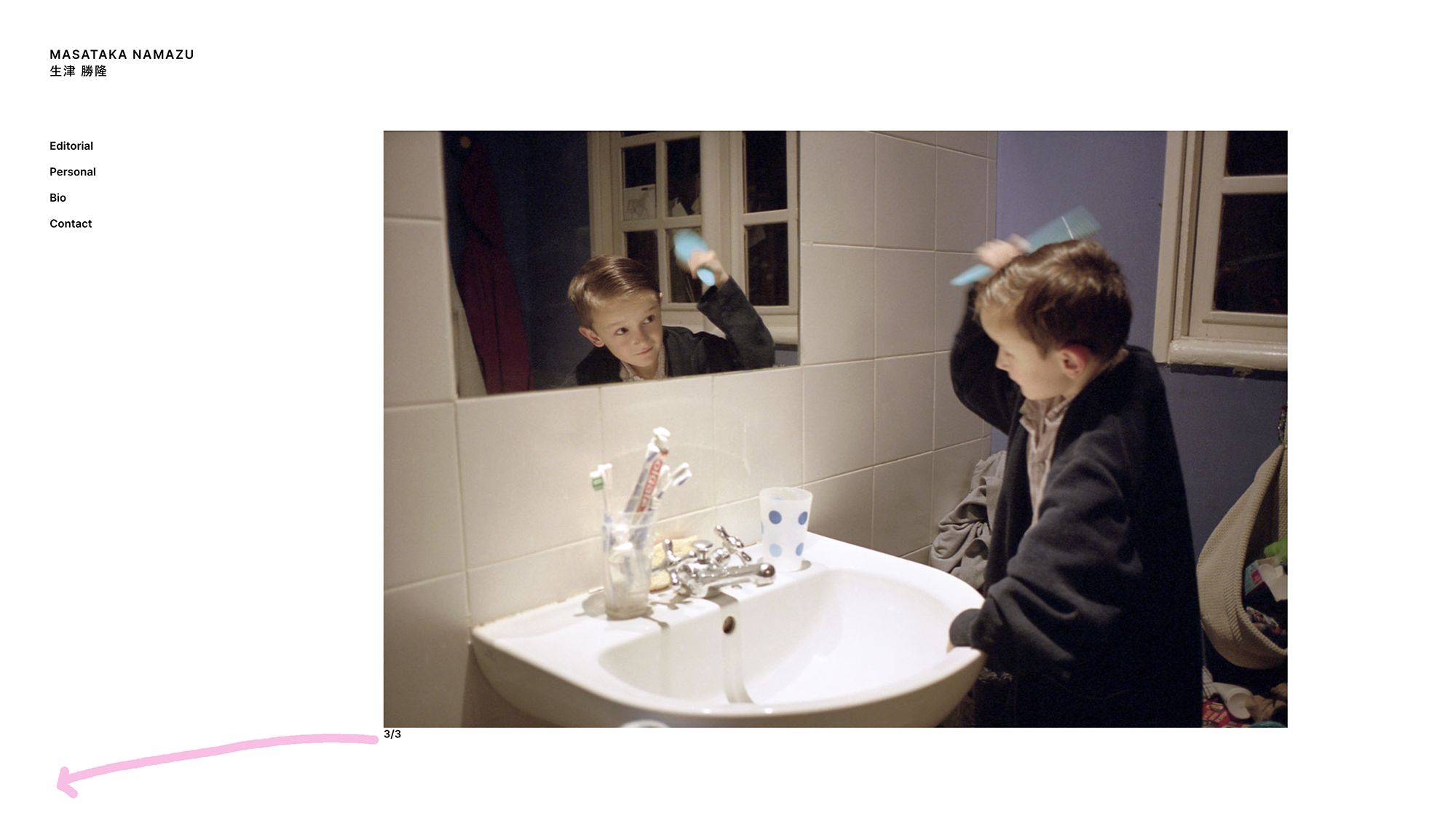
-
Dear beloved team,
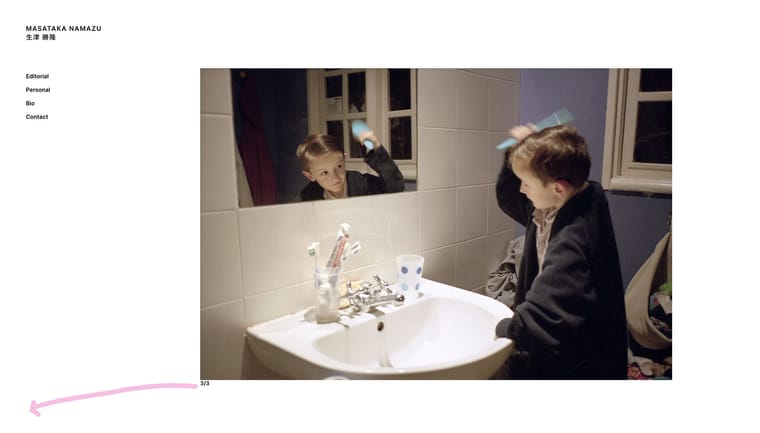
I want to separate the numbers (1/x) and the title of the carousel slides and position them in the corner of the screen. (see illustration).
I've tried to change the position of the number/title elements to "fixed" and tried to position them using "top,left" CSS parameters but with no success. They wouldn't move anywhere out of the carousel's frame.Screenshot-2024-06-25-at-11.18.30-AM.jpg
Could you please recommend me a solution?
here is the website:
https://cleanplatestudios.com/private/namazuThanks a lot,
Sasha -
can you send your website address, /wp-admin/ username and password and a link to this topic to info@laytheme.com?
its easier for me if i just enter the css directly on your site. so i can see if it works well
-
you may also try and use the search function because we had this question a couple of times before, but i think its kinda hard to find
-
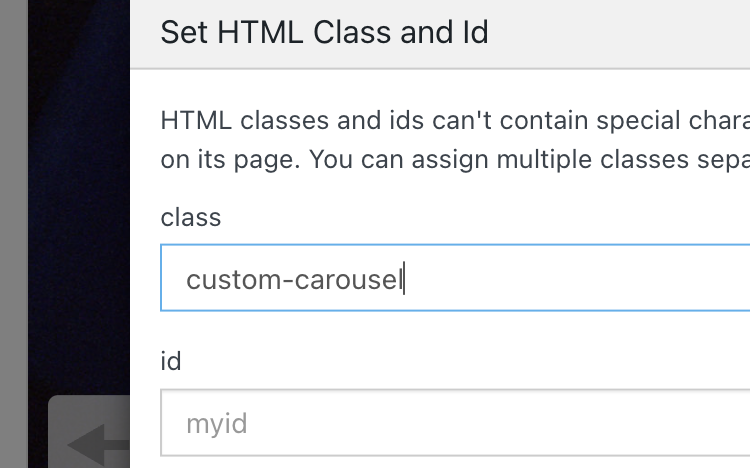
ok so we enter a class of "custom-carousel" for the row class!
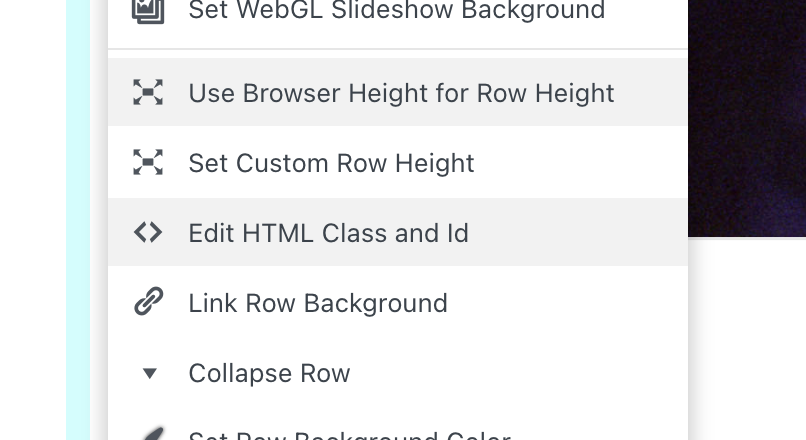
(edit html class and id)
and in the gridder, we right click the row and click "use browser height for row height".
lay options → carousel:
captions has to be left, and numbers right, or other way around. they cant have the same position. also set "space left", "space top", "space right" to 0: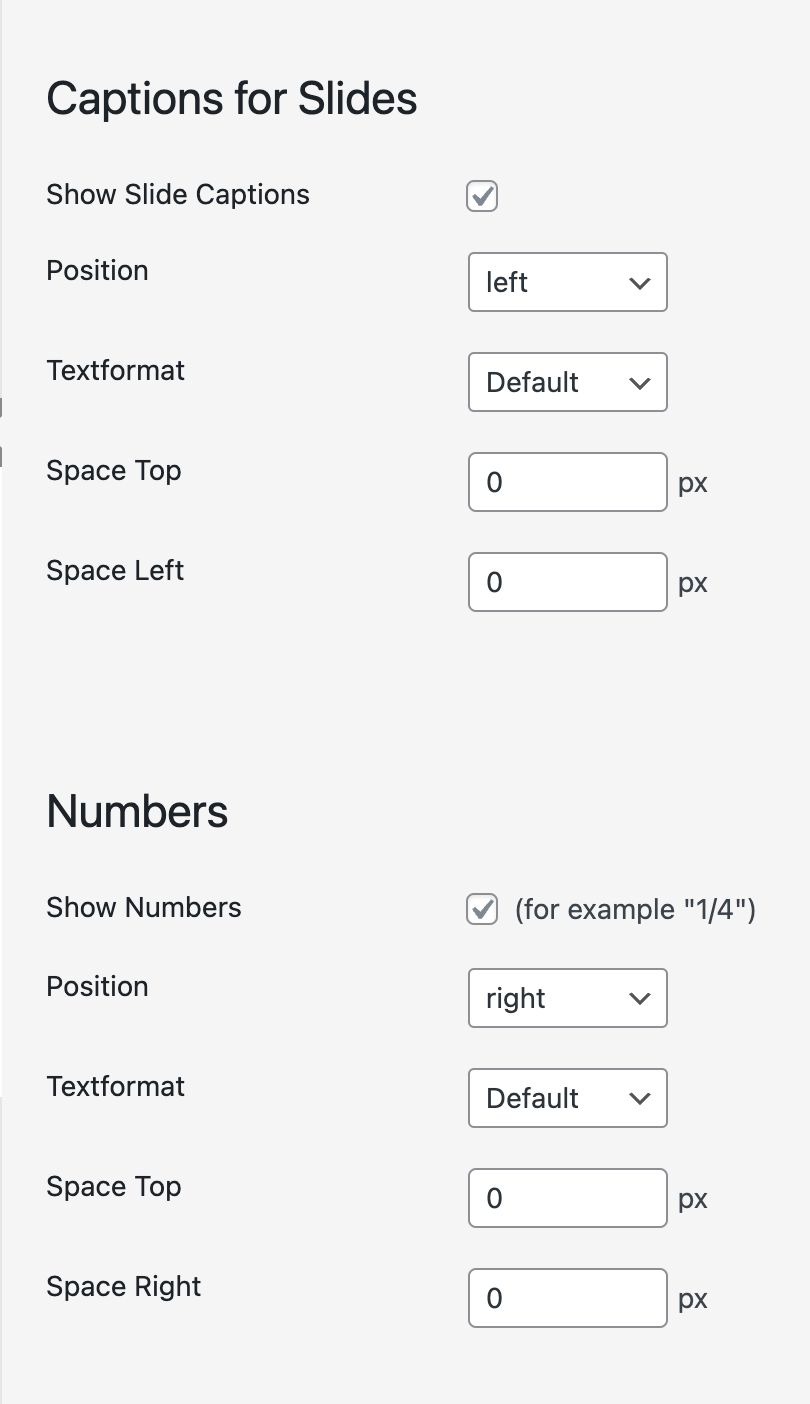
then use this CSS:
/*make carousel sink fixed change 10px here for other spaces. use vw instead of px for percentage value. */ .custom-carousel .lay-carousel-sink-parent { position: fixed; bottom: 10px; left: 10px; right: 10px; } /* hide inactive captions */ .custom-carousel .single-caption{ opacity: 0; pointer-events: none!important; } /* show active caption */ .custom-carousel .single-caption.caption-active{ opacity: 1; pointer-events: auto!important; } /* make captions align to bottom */ .custom-carousel .lay-carousel-sink .single-caption{ vertical-align: bottom; } /*make numbers align to bottom*/ .custom-carousel .numbers{ top: auto!important; bottom: 0!important; } /* the css below just changes parents of .lay-carousel-sink-parent so position fixed will work: */ /*carousel cant have transform, otherwise position fixed wont work*/ .custom-carousel .col.type-carousel{ transform: none!important; } -
so now it looks like this:

-
 A arminunruh referenced this topic on
-
alright, so @spontans said he wanted the title and number both at the bottom left like here:
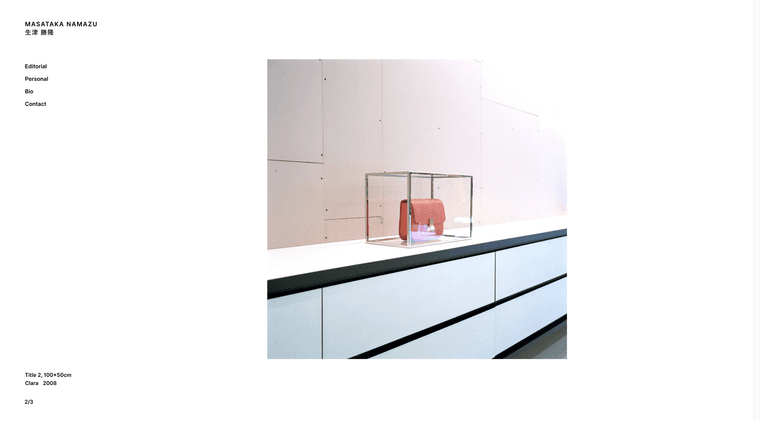
add this css, additionally to the css in my previous post above.
/* make number and caption be above one another, with a gap */
.custom-carousel .lay-carousel-sink.captions-left .single-caption-inner{
    flex-direction: column;
    gap: 10px;
}
/* make caption be on top and number below*/
.custom-carousel .lay-carousel-sink.captions-left .numbers{
    order: 1;
}
.custom-carousel .lay-carousel-sink.captions-left .sink-caption{
    order: 0;
}
also in lay options → carousel addon, set numbers position and captions position both to "left"
-
A arminunruh referenced this topic on
-
A arminunruh referenced this topic on
-
A arminunruh referenced this topic on
Hello! It looks like you're interested in this conversation, but you don't have an account yet.
Getting fed up of having to scroll through the same posts each visit? When you register for an account, you'll always come back to exactly where you were before, and choose to be notified of new replies (either via email, or push notification). You'll also be able to save bookmarks and upvote posts to show your appreciation to other community members.
With your input, this post could be even better 💗
Register Login