Image hover customization
-
Hey all, I want to add effects to my image hover pics.
Like making them b&w and adding a color tint. I assume that shouldn't be a problem, but I have an additional idea:
Is it possible to apply this styling only to one particular category of links?
Like I have several Project Index elements on my page. And for one list (category) the image hovers are yellow, for another list they're green.Would there be a way to do that?
Thanks a lot.Ben
-
hm i dont know
look at the code using the chrome inspector, u can see the markups for a hoverimages are right next to the column:
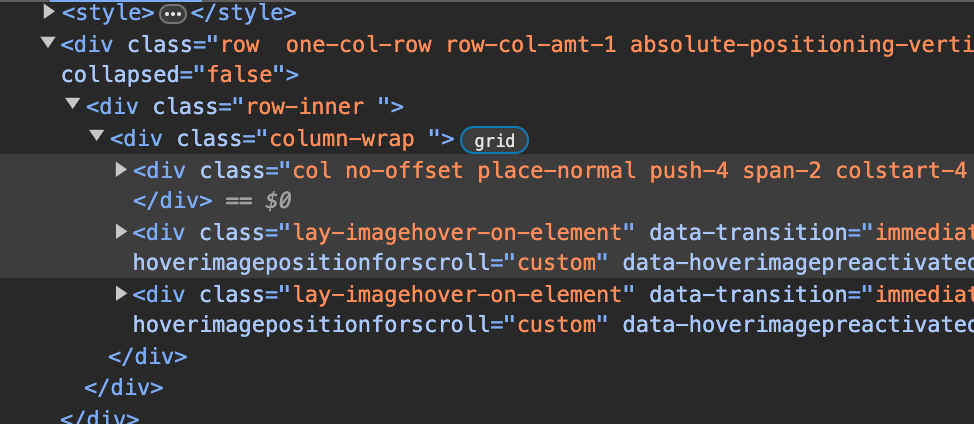
im not too sure, but maybe you can give the column a class and then use the sibling selector:
https://developer.mozilla.org/en-US/docs/Web/CSS/Subsequent-sibling_combinator
or you could give the row a class and select the images using that
i dont really have time to code this for you


Hello! It looks like you're interested in this conversation, but you don't have an account yet.
Getting fed up of having to scroll through the same posts each visit? When you register for an account, you'll always come back to exactly where you were before, and choose to be notified of new replies (either via email, or push notification). You'll also be able to save bookmarks and upvote posts to show your appreciation to other community members.
With your input, this post could be even better 💗
Register Login