Skip to content
  • Recent
  • Tags
  • Popular
  • Users
  • Search
Skins
  • Light
  • Brite
  • Cerulean
  • Cosmo
  • Flatly
  • Journal
  • Litera
  • Lumen
  • Lux
  • Materia
  • Minty
  • Morph
  • Pulse
  • Sandstone
  • Simplex
  • Sketchy
  • Spacelab
  • United
  • Yeti
  • Zephyr
  • Dark
  • Cyborg
  • Darkly
  • Quartz
  • Slate
  • Solar
  • Superhero
  • Vapor

  • Default (No Skin)
  • No Skin
Collapse

Lay Theme Forum

  1. Home
  2. General Discussion
  3. mouseover images for social media icons
mouseover images for social media icons

Scheduled Pinned Locked Moved General Discussion
4 Posts 3 Posters 443 Views 1 Watching
  • Oldest to Newest
  • Newest to Oldest
  • Most Votes
Reply
  • Reply as topic
Log in to reply
This topic has been deleted. Only users with topic management privileges can see it.
  • doorofperceptionD Offline
    doorofperceptionD Offline
    doorofperception
    wrote on last edited by
    #1

    http://wordpress.p147291.webspaceconfig.de/

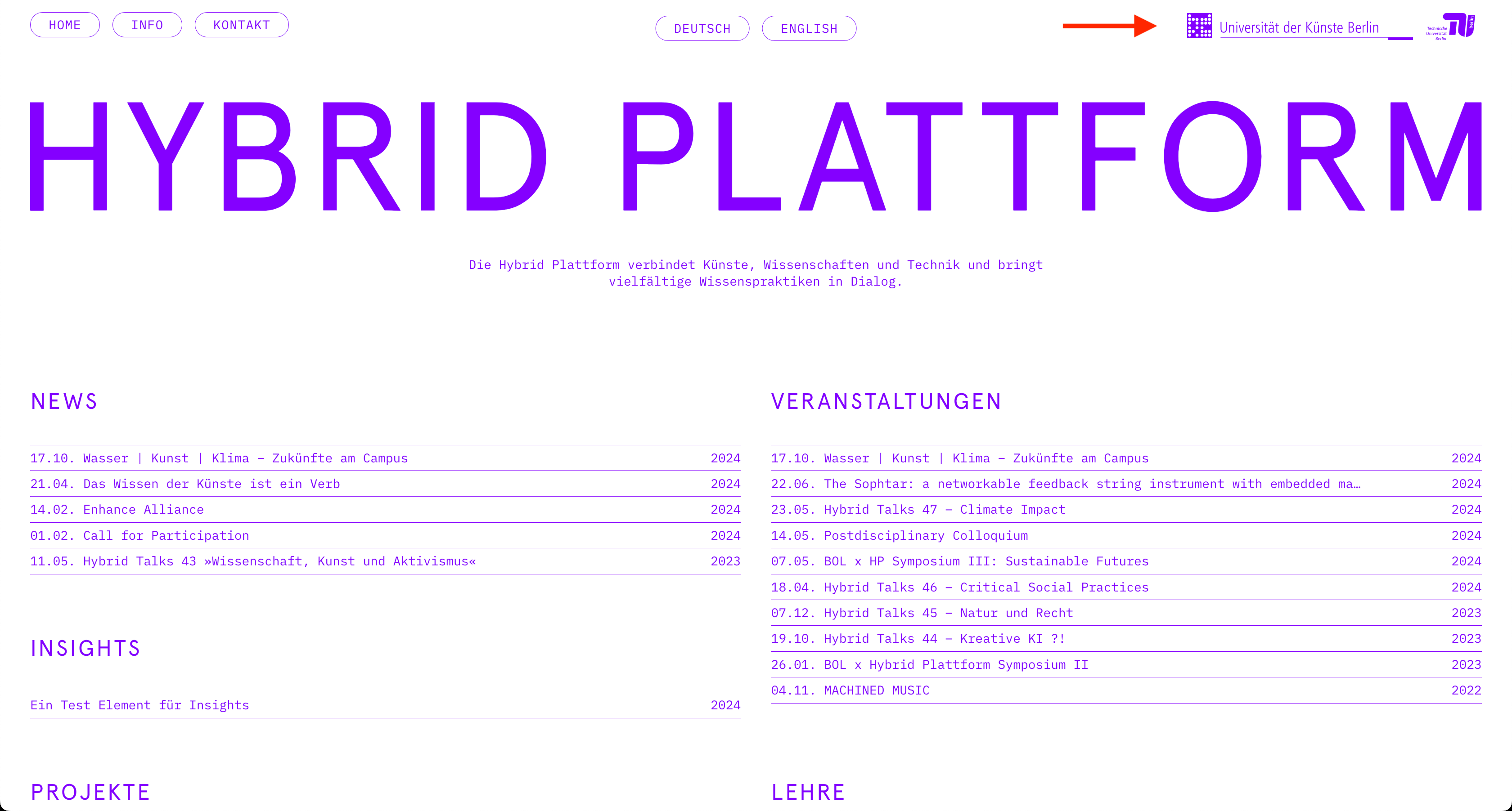
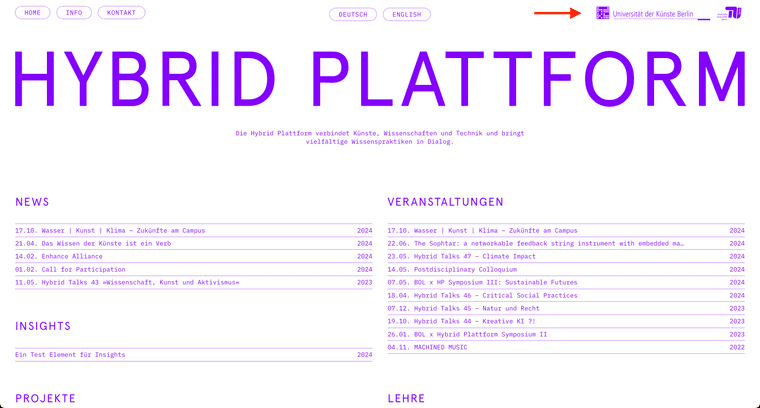
    Hey there, I'm working on this site right now and the two logos in the upper right corner need to change to their original color when hovering over.

    I placed them with the social media element using svgs. I'm looking for a simple solution, if this means adding them in another way, fine with me. The social media icons are practical though because you can set the height easily.

    Any tipps welcome. Thanks.

    Ben
    Bildschirmfoto 2024-09-29 um 09.10.14.png

    1 Reply Last reply
    0
    • F Offline
      F Offline
      felix_rabe
      wrote on last edited by felix_rabe
      #2

      @doorofperception what would be the "original" color? Because the UdK svg is violet by default. you can add a hover css with filter: brightness(0); to make them black so it fits to the rest. something like that:

       .lay-socialmedia-icons img:hover{
            filter: brightness(0);
       }
      
      1 Reply Last reply
      0
      • doorofperceptionD Offline
        doorofperceptionD Offline
        doorofperception
        wrote on last edited by
        #3

        That's actually a cool idea. Ideally I wanted to show a completely different file because it has two colors but I think I go for this solution because it's so simple :)

        Thanks.

        1 Reply Last reply
        1
        • arminunruhA Online
          arminunruhA Online
          arminunruh
          Global Moderator
          wrote on last edited by
          #4

          nice website!

          1 Reply Last reply
          0
          Reply
          • Reply as topic
          Log in to reply
          • Oldest to Newest
          • Newest to Oldest
          • Most Votes


          Online Users
          arminunruhA
          arminunruh
          Forgot your key, lost your files, need a previous Lay Theme or Addon version? Go to www.laykeymanager.com
          laytheme.com
          • Login

          • Don't have an account? Register

          • Login or register to search.
          • First post
            Last post
          0
          • Recent
          • Tags
          • Popular
          • Users
          • Search