disable text color link mouseover
-
-
-
hey there!! sorry about this, with the next update, the colors will go back to how it used to work.
if anyone wants to have the mouseover colors forced, they will need to activate this setting in the customizer:
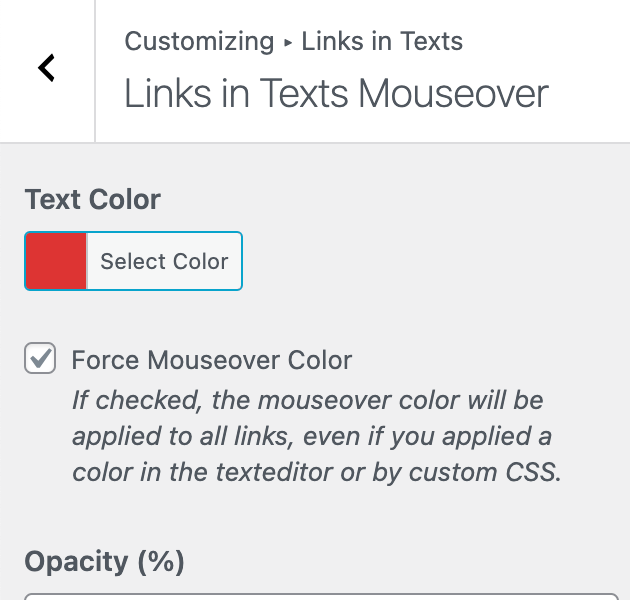
-
-
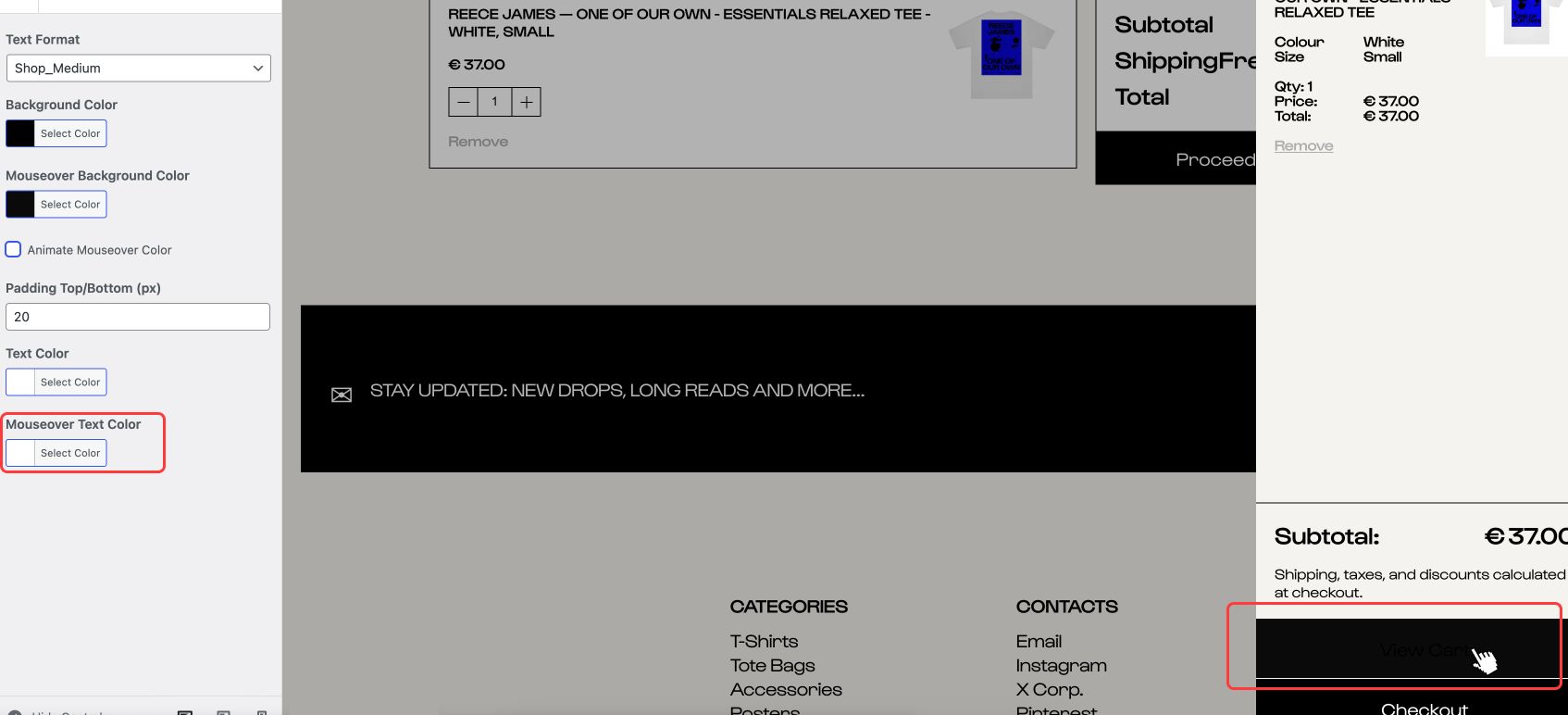
Small thing tho, on Side Cart & Cart pages [Checkout page button is okay], the Setting 'Mouseover Text Color', doesn't take effect.
-
i think for this maybe u need to find settings in customize → woocommerce → side cart
or sth
-
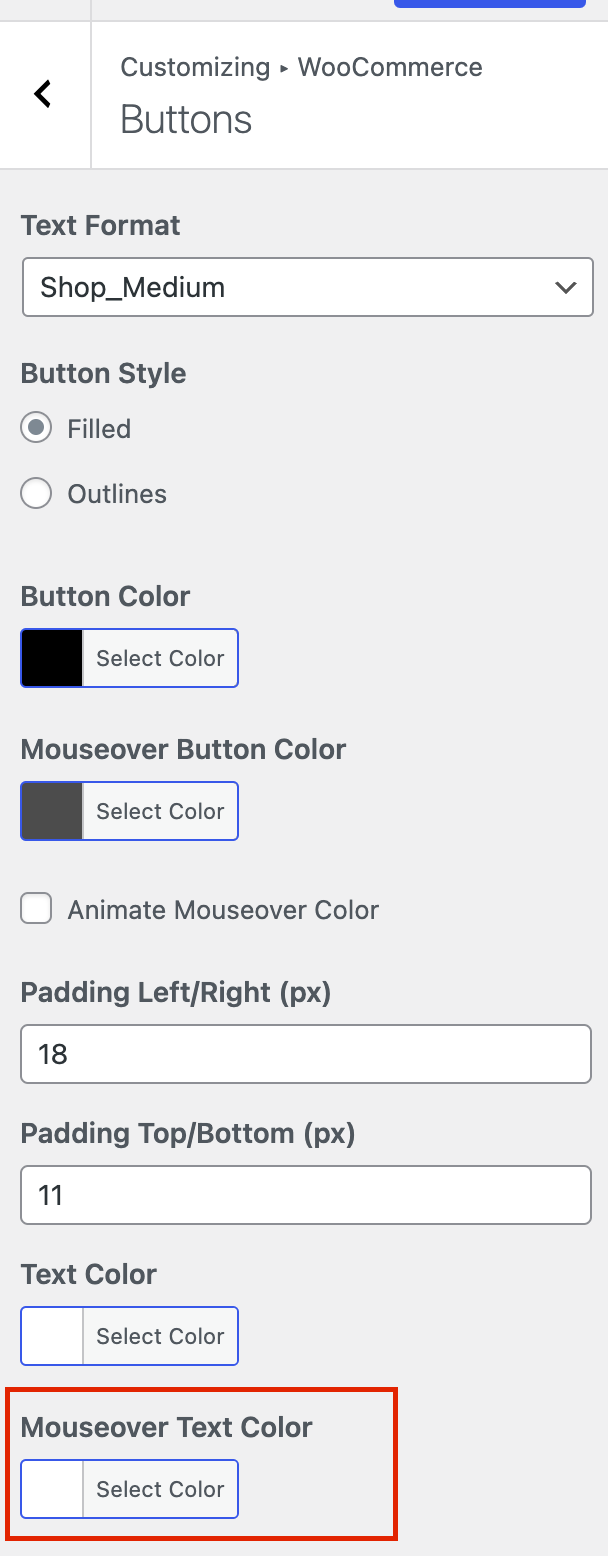
or i think its rather: customize → woocommerce → buttons
mouseover text colorcause its not a link in a textelement, but its a button
-
The screenshot it's exactly from: customize → woocommerce → buttons
mouseover text colorwhatever color you set [in Mouseover Text Color], it doesn't apply in Side Cart & Cart button/s. While it only applies in Checkout last button.
-
ah
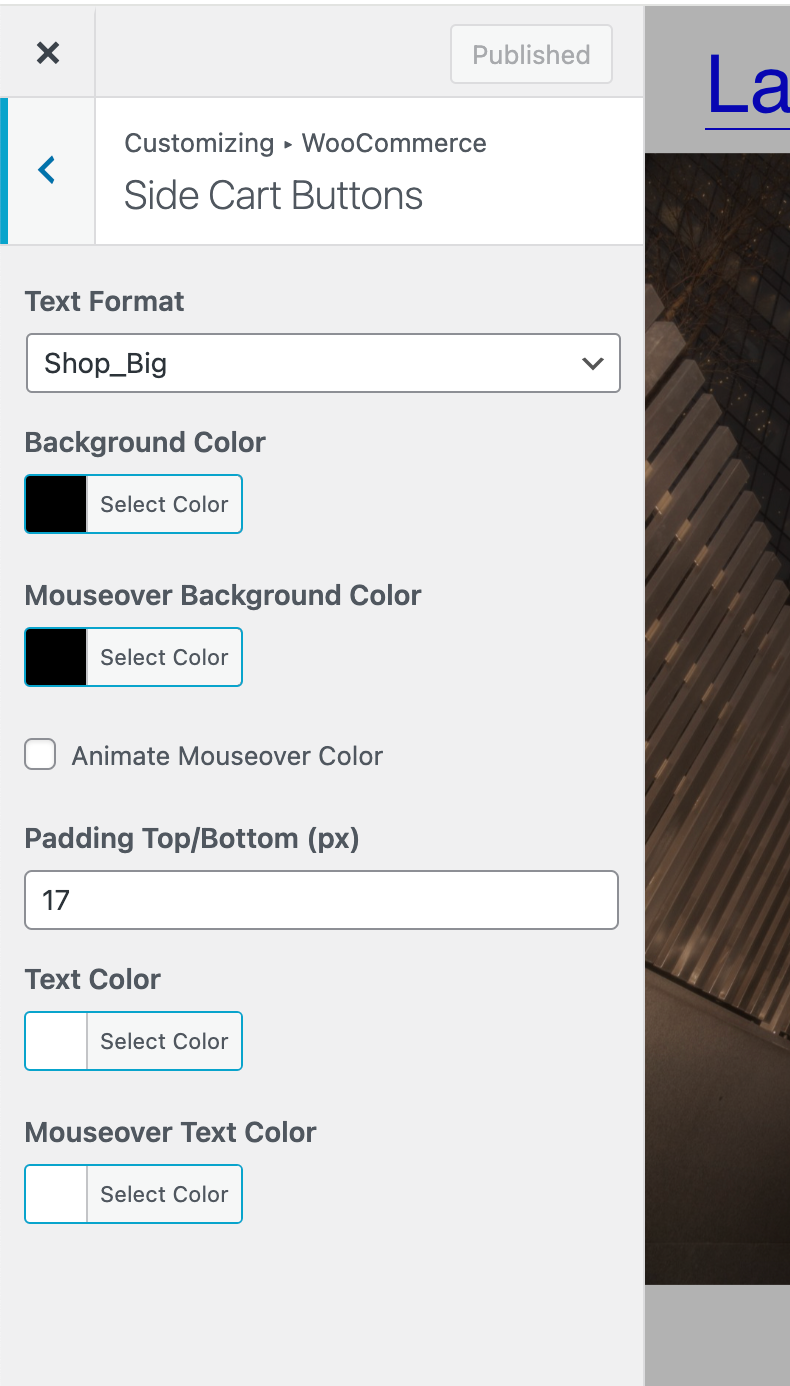
when u go to customize → woocommerce → side cart buttons

-
ah
when u go to customize → woocommerce → side cart buttons
'Mouseover Text Color', doesn't affect anything.


Hello! It looks like you're interested in this conversation, but you don't have an account yet.
Getting fed up of having to scroll through the same posts each visit? When you register for an account, you'll always come back to exactly where you were before, and choose to be notified of new replies (either via email, or push notification). You'll also be able to save bookmarks and upvote posts to show your appreciation to other community members.
With your input, this post could be even better 💗
Register Login