Skip to content
  • Recent
  • Tags
  • Popular
  • Users
  • Search
Skins
  • Light
  • Brite
  • Cerulean
  • Cosmo
  • Flatly
  • Journal
  • Litera
  • Lumen
  • Lux
  • Materia
  • Minty
  • Morph
  • Pulse
  • Sandstone
  • Simplex
  • Sketchy
  • Spacelab
  • United
  • Yeti
  • Zephyr
  • Dark
  • Cyborg
  • Darkly
  • Quartz
  • Slate
  • Solar
  • Superhero
  • Vapor

  • Default (No Skin)
  • No Skin
Collapse

Lay Theme Forum

  1. Home
  2. General Discussion
  3. disable text color link mouseover

disable text color link mouseover

Scheduled Pinned Locked Moved General Discussion
11 Posts 2 Posters 1.7k Views 2 Watching
  • Oldest to Newest
  • Newest to Oldest
  • Most Votes
Reply
  • Reply as topic
Log in to reply
This topic has been deleted. Only users with topic management privileges can see it.
  • panteleyP
    panteleyP
    panteley
    wrote on last edited by panteley
    #1

    Is there any way to disable the text link having the same color on mouseover, but instead have their original color.

    [Text link colour doesn't change,]

    1 Reply Last reply
    1
    • panteleyP
      panteleyP
      panteley
      wrote on last edited by
      #2

      found this but not working

      a:hover {
          color: inherit!important; /* Keeps the link color as the original color */
          text-decoration!important: none; /* Optional: Removes underline on hover */
      }
      
      
      1 Reply Last reply
      0
      • panteleyP
        panteleyP
        panteley
        wrote on last edited by panteley
        #3

        following the issue,

        Rolled back the Lay version to 7.4.0, and somehow the link color (on hover) doesn't change, which is good.

        I also noticed that in the last setting, the changes doesn't take place, whatever color you choose.

        Screenshot 2024-11-07 at 22.06.36.png

        1 Reply Last reply
        0
        • arminunruhA
          arminunruhA
          arminunruh
          Global Moderator
          wrote on last edited by
          #4

          hey there!! sorry about this, with the next update, the colors will go back to how it used to work.

          if anyone wants to have the mouseover colors forced, they will need to activate this setting in the customizer:
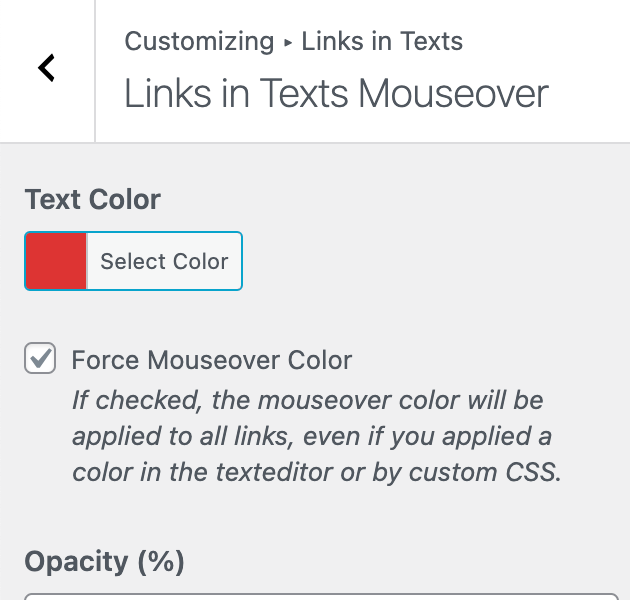
          Screenshot 2024-11-16 at 19.31.19.png

          1 Reply Last reply
          0
          • panteleyP
            panteleyP
            panteley
            wrote on last edited by panteley
            #5

            Amazing. Thank you! :)

            1 Reply Last reply
            0
            • panteleyP
              panteleyP
              panteley
              wrote on last edited by panteley
              #6

              @arminunruh

              Small thing tho, on Side Cart & Cart pages [Checkout page button is okay], the Setting 'Mouseover Text Color', doesn't take effect.
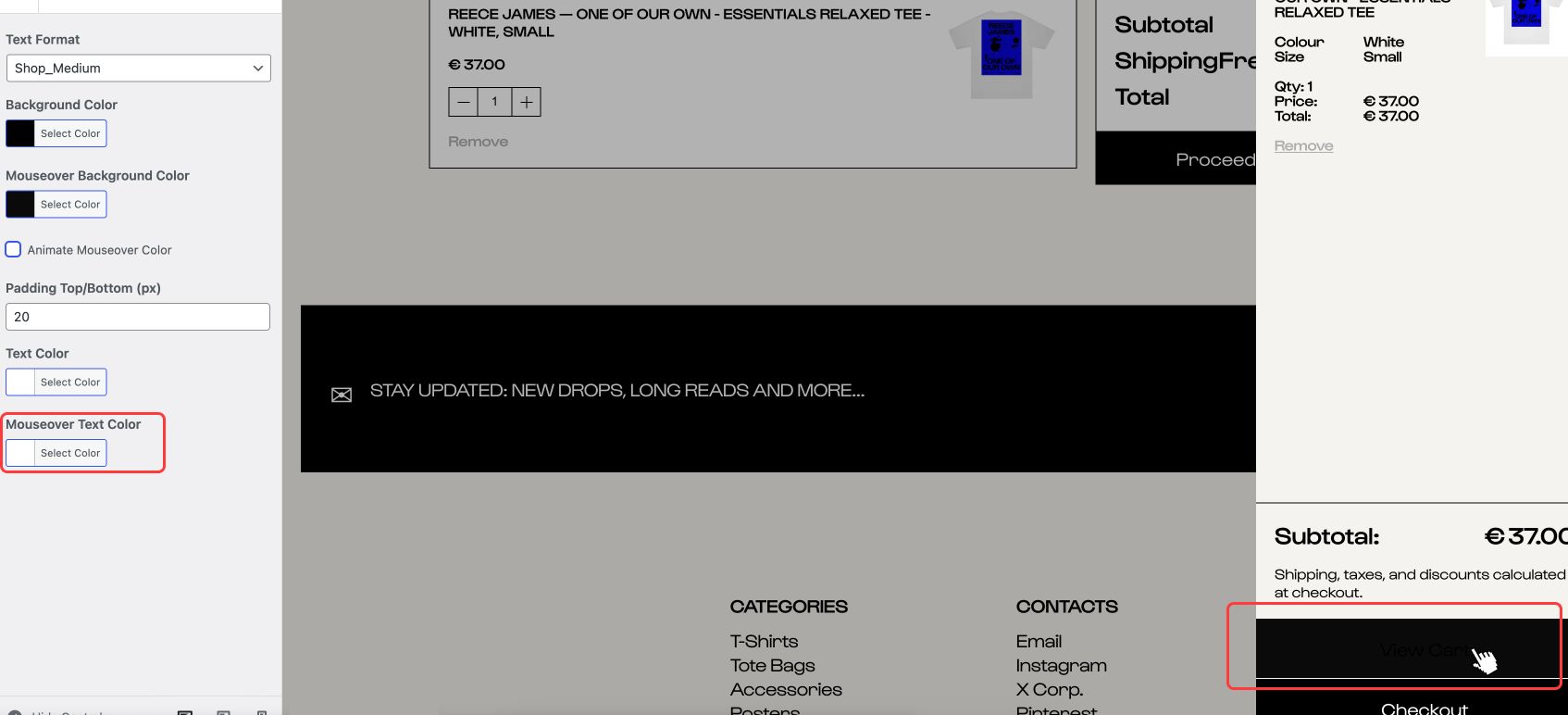
              IMG.jpg

              1 Reply Last reply
              0
              • arminunruhA
                arminunruhA
                arminunruh
                Global Moderator
                wrote on last edited by
                #7

                i think for this maybe u need to find settings in customize → woocommerce → side cart

                or sth

                1 Reply Last reply
                0
                • arminunruhA
                  arminunruhA
                  arminunruh
                  Global Moderator
                  wrote on last edited by
                  #8

                  or i think its rather: customize → woocommerce → buttons
                  mouseover text color

                  cause its not a link in a textelement, but its a button

                  1 Reply Last reply
                  0
                  • panteleyP
                    panteleyP
                    panteley
                    wrote on last edited by panteley
                    #9

                    @arminunruh

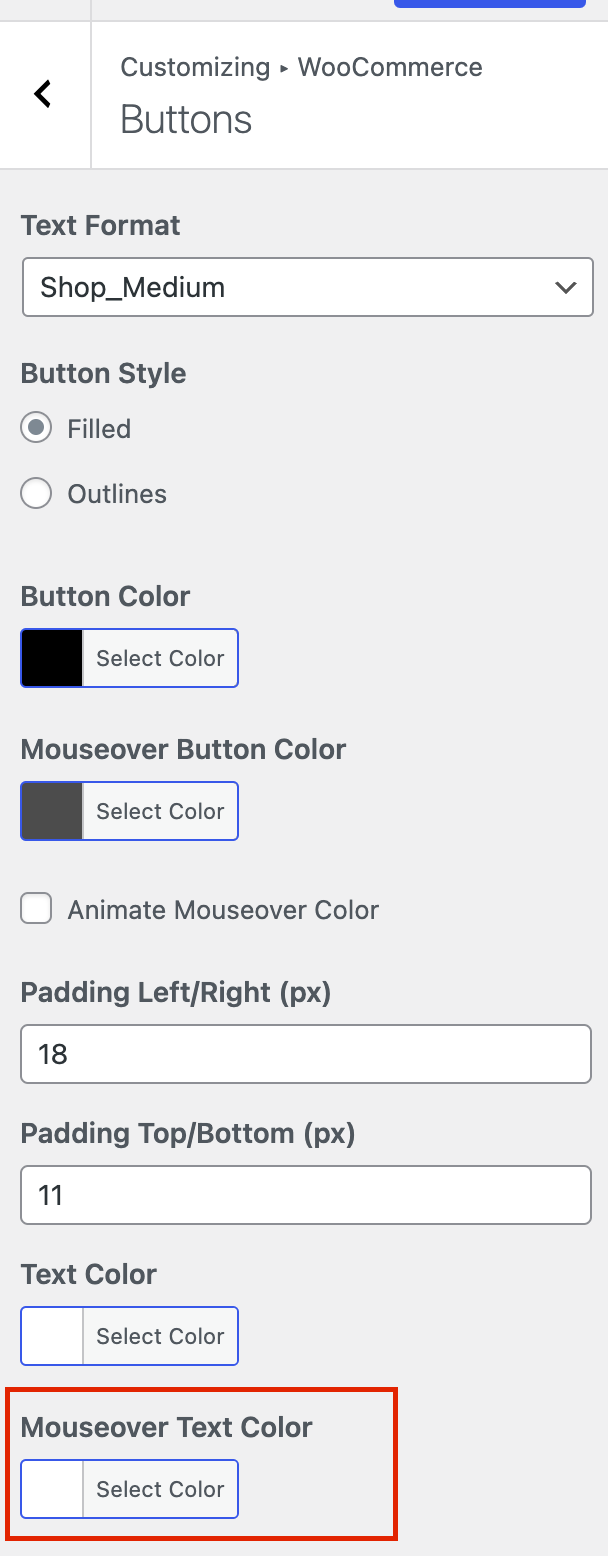
                    The screenshot it's exactly from: customize → woocommerce → buttons
                    mouseover text color

                    whatever color you set [in Mouseover Text Color], it doesn't apply in Side Cart & Cart button/s. While it only applies in Checkout last button.

                    1 Reply Last reply
                    0
                    • arminunruhA
                      arminunruhA
                      arminunruh
                      Global Moderator
                      wrote on last edited by
                      #10

                      ah

                      when u go to customize → woocommerce → side cart buttons

                      Screenshot 2024-11-23 at 16.04.22.png
                      Screenshot 2024-11-23 at 16.04.55.png

                      panteleyP 1 Reply Last reply
                      0
                      • arminunruhA arminunruh

                        ah

                        when u go to customize → woocommerce → side cart buttons
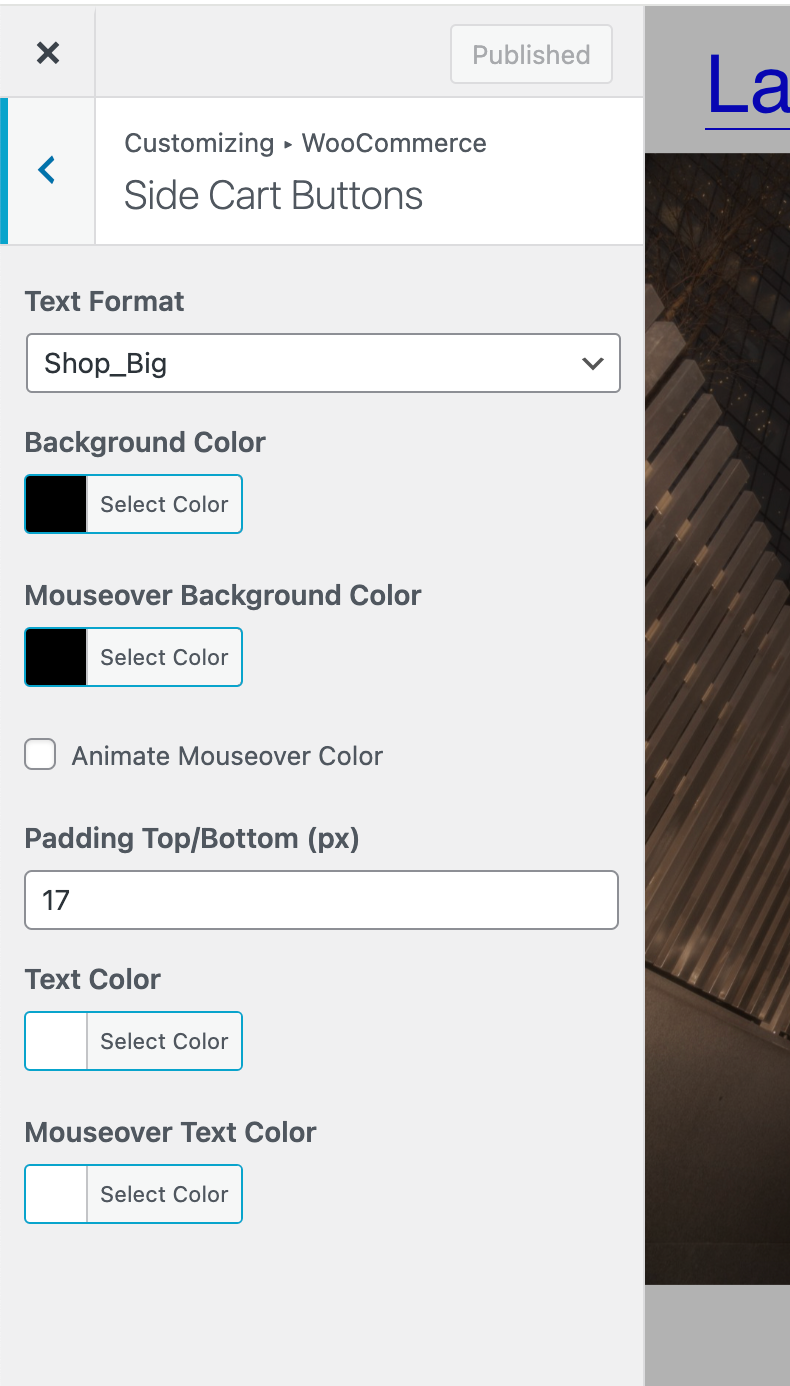
                        Screenshot 2024-11-23 at 16.04.22.png
                        Screenshot 2024-11-23 at 16.04.55.png

                        panteleyP
                        panteleyP
                        panteley
                        wrote on last edited by
                        #11

                        @arminunruh

                        'Mouseover Text Color', doesn't affect anything.

                        1 Reply Last reply
                        0

                        Hello! It looks like you're interested in this conversation, but you don't have an account yet.

                        Getting fed up of having to scroll through the same posts each visit? When you register for an account, you'll always come back to exactly where you were before, and choose to be notified of new replies (either via email, or push notification). You'll also be able to save bookmarks and upvote posts to show your appreciation to other community members.

                        With your input, this post could be even better 💗

                        Register Login
                        Reply
                        • Reply as topic
                        Log in to reply
                        • Oldest to Newest
                        • Newest to Oldest
                        • Most Votes


                        Online Users
                        A
                        Anna_S
                        Forgot your key, lost your files, need a previous Lay Theme or Addon version? Go to www.laykeymanager.com
                        laytheme.com
                        • Login

                        • Don't have an account? Register

                        • Login or register to search.
                        • First post
                          Last post
                        0
                        • Recent
                        • Tags
                        • Popular
                        • Users
                        • Search