Gridder: Column width
-
Hello Laythemer,
is it correct that the Gridder columns only have 2 widths: up to the phone breakpoint the column width is the window width divided by the specified number of columns and below the phone breakpoint the column width is 100%? And if that's correct: are there simple ways to adjust this behavior?Thanks for your feedback!
-
the columns get stacked under each other on mobile by default, because desktop layouts can be too sophisticated for a small mobile display. you can create a custom phone layout etc, depending on what you want to achieve.
-
yes very good answer @felix_rabe
you can create a custom phone layout:
https://laytheme.com/documentation/custom-phone-layouts.htmlif you want more layout capabilities for phone
-
I know that I can create my own phone layout manually. I had hoped that there would be a more granular adjustability analogous to the Bootstrap column classes (e.g. .col-sm-6 or .col-lg-3 etc.), which allow a very flexible breakpoint-specific setting of the column widths.
If I understand correctly, in Laytheme there is unfortunately only the preset number of columns and after the phone breakpoint the reduction to one column or an alternative phone layout to be created. Intermediate steps cannot be set. In my opinion, this is somewhat inconvenient. -
@Sebaster if you have that extensive skills in CSS and coding (which I just assume from your post) maybe a WordPress + Theme is not appropriate at all for your project? LayTheme is focused on bringing rich layout possibilities to people with less or no coding experience, while also offer a broad space for customization.
But what you want to achieve is something like a Tablet-Layout in between, right?
-
@Sebaster whats the use case?
i understand your concerns!i too think that tablet settings are important, so i added them for:
the elementgrid, thumbnailgrid elements. they have the "tablet" button:
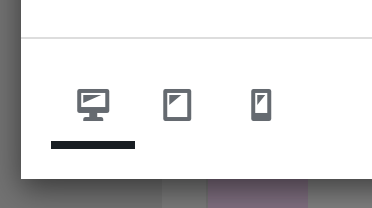
in here, you can change the amount of columns that a layout has for this element.
also, textformats can have a tablet fontsettingsi wasnt sure if we'd need more than that mh
do you think using the elementgrid element could help?
-
Hello Armin,
thank you for your feedback.
The use case is a free poster-like layout of text blocks and images that all have different column widths. It looks good on a desktop monitor, but not on a tablet because the desktop content is only scaled down 1:1 and all the blocks are actually too narrow.
As I understand the element grid feature, all elements inserted there have the same width - resulting from the number of columns. This means that layouts with different image and textblock widths are not possible there. In short: I would very much like to see a custom tablet option for the Gridder in addition to the custom phone layout option. -
oh i understand.
are you using the "place freely" method of placing elements?
https://laytheme.com/documentation/place-freely.html

Hello! It looks like you're interested in this conversation, but you don't have an account yet.
Getting fed up of having to scroll through the same posts each visit? When you register for an account, you'll always come back to exactly where you were before, and choose to be notified of new replies (either via email, or push notification). You'll also be able to save bookmarks and upvote posts to show your appreciation to other community members.
With your input, this post could be even better 💗
Register Login