Store notice: error when trying to disable it
-
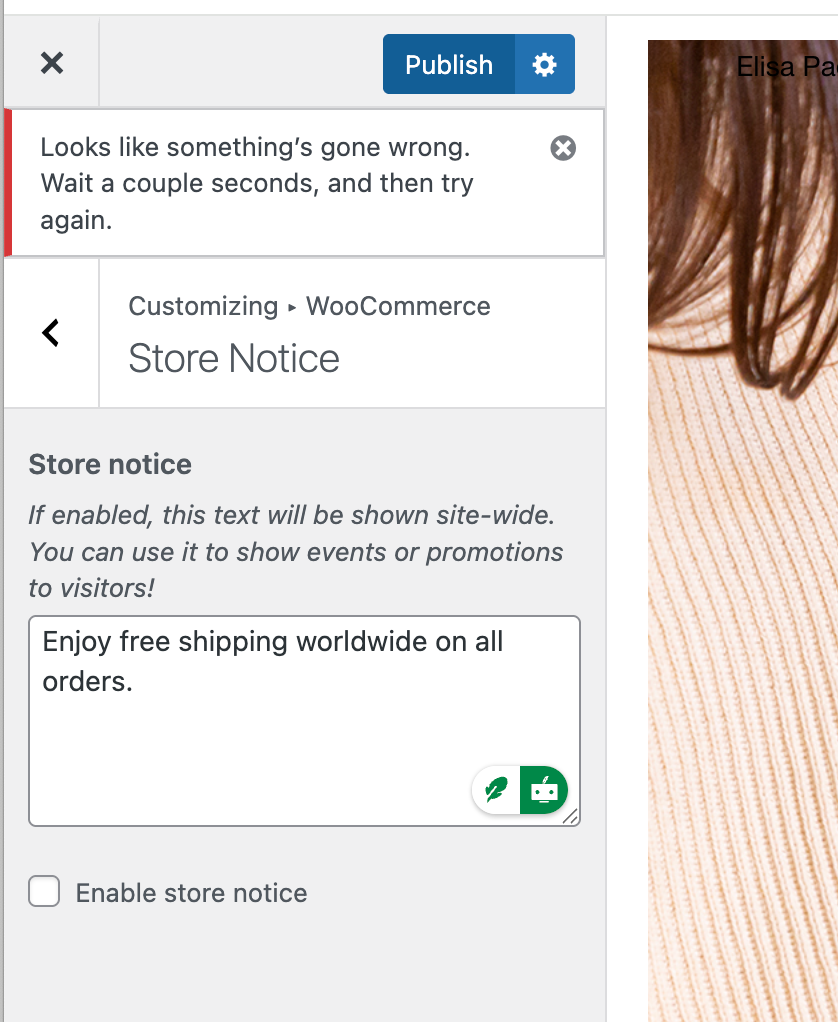
My store notice is active. When I try to modify it or even disable it, I get this message of error "Looks like something's gone wrong. Wait a couple seconds, and then try again." And even trying later, it is not working.
Thanks,
e -
hm so i was trying this but for me it works
can you send your website address, /wp-admin/ username and password and a link to this topic to info@laytheme.com?
-
hm so i was trying this but for me it works
can you send your website address, /wp-admin/ username and password and a link to this topic to info@laytheme.com?
@arminunruh said in Store notice: error when trying to disable it:
wp-admin/
Done, thanks in advance!
e -
the issue was the jetpack plugin. after disabling it, it worked.
please always check the blue box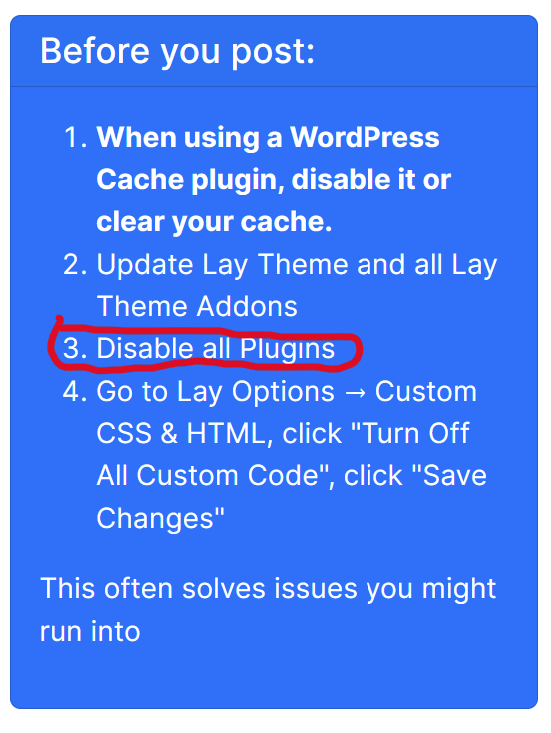

Hello! It looks like you're interested in this conversation, but you don't have an account yet.
Getting fed up of having to scroll through the same posts each visit? When you register for an account, you'll always come back to exactly where you were before, and choose to be notified of new replies (either via email, or push notification). You'll also be able to save bookmarks and upvote posts to show your appreciation to other community members.
With your input, this post could be even better 💗
Register Login