Ability to lock elements
-
This need has come up many times. It would be really great if it was possible to lock any element on the grid - images, text, shortcakes etc.
A simple right click with a "lock element" feature would be ideal. This helps prevent accidental changes to the site by clients who want to log in and manage content. This has happened to us a number of times, where we have had to then go in and try and restore it.
-
sure i will work on it
-
I think that’s a great idea! I’ve often had the same experience: clients start moving elements around in the gridder when they should only be updating content. Being able to lock an element — or even just lock its position while still allowing text edits — would be super helpful.
-
yes i will work on it!
im just working on the new table element now -
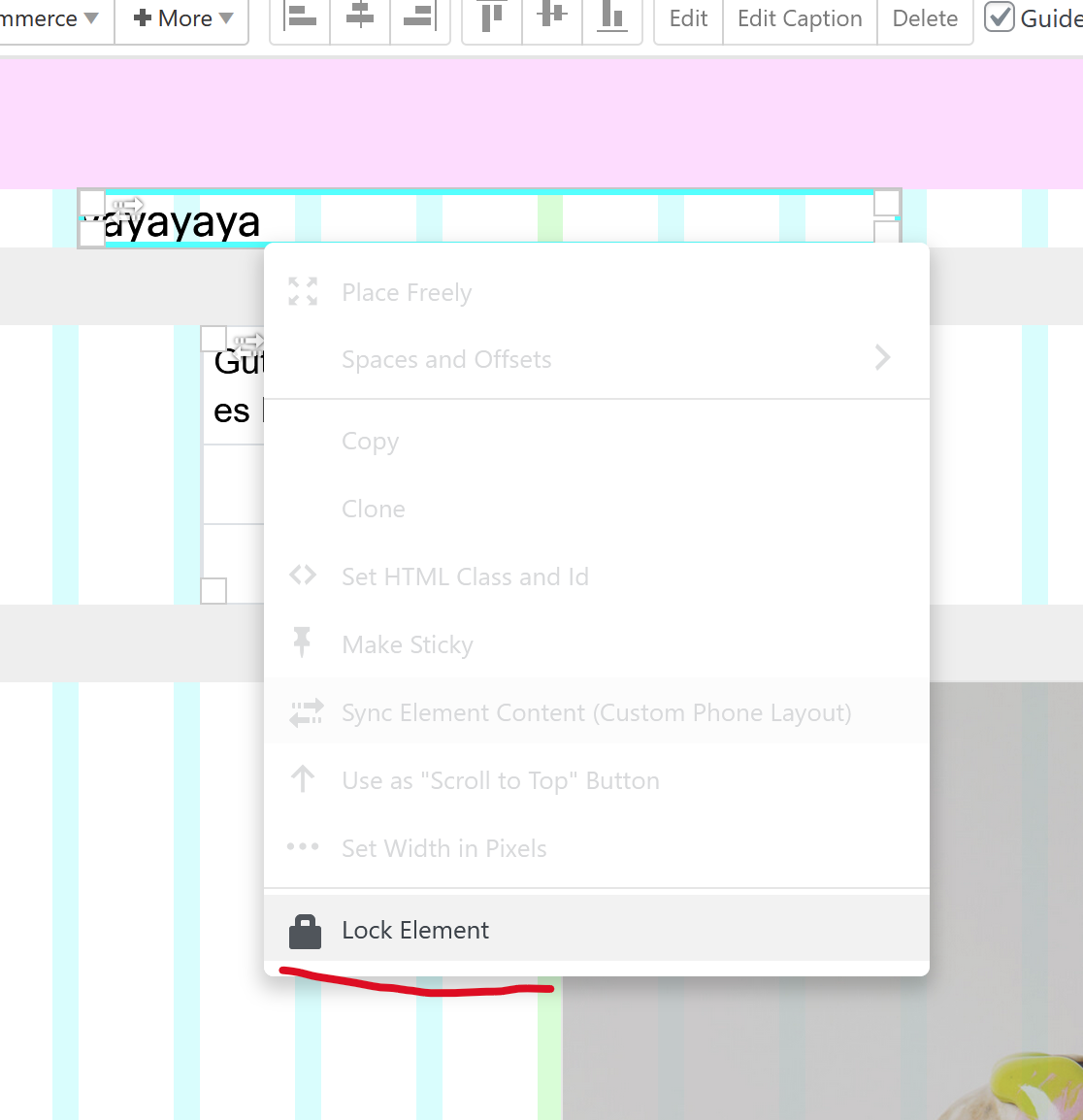
next update will have this!
-
great @arminunruh 💫
-
Amazing @arminunruh , will this allow the item to still be edited while its position is only locked? That's the ideal scenario as @michael_vvc mentioned
-
ah you wanted only the position to be locked? i misread that :DD.
yea that makes sense mmhok i will change it so its still editable.
we dont really need a locked element, where you cant edit it at all anymore no? -
I think both options are actually really useful. Locking it entirely prevents accidental editing/deleting which is a risk. While locking position only allows editing and prevents accidental movement/repositioning. Both would be great features. Could you have "Lock Position" and "Lock Element"?
-
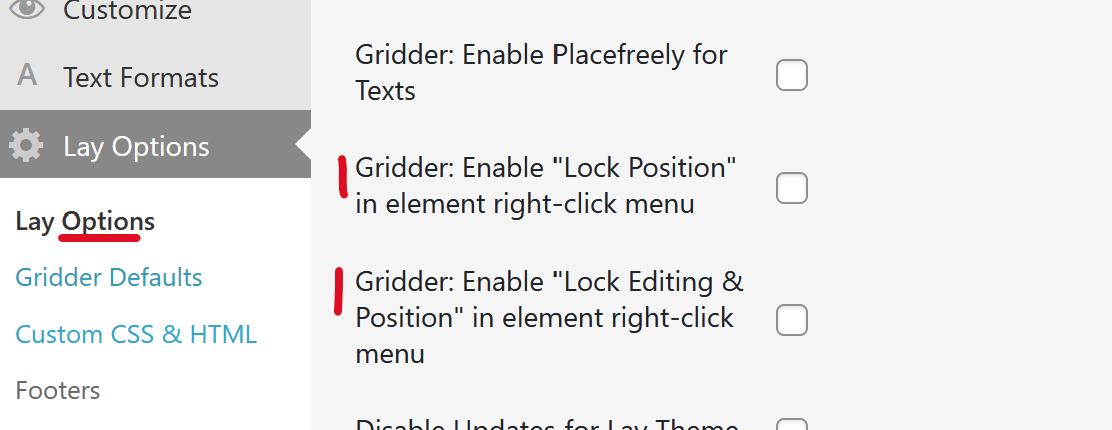
so i will do it like this. in lay options in the "other" section
we will have these 2 settings. enabling them will show these buttons in the gridder: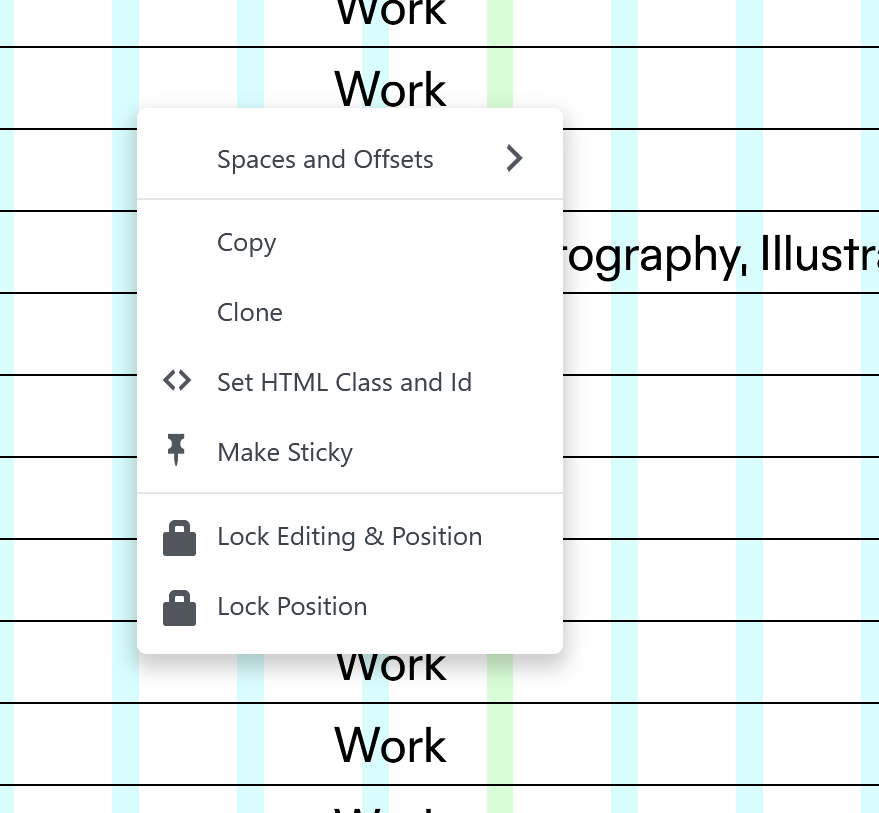
-
that's a great solution! thanks @arminunruh
-
Yeah this is great @arminunruh. A really nice feature addition. Thanks for taking that on board.
-
sure! the update is released now
-
@arminunruh This is working well. Would it be possible to add a little icon to those elements that are locked, so they can easily be seen on the page. Like a little padlock in the top right corner? Currently the only way to know is to manually try and move things which is time consuming if you have a page with a number of locked elements you are trying to manage.
-
sure its a great idea:
will be included with the next update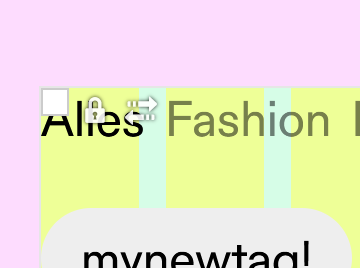
-
@arminunruh Just a little bug/annoyance with this. Once an element is locked, and you go back to the menu, the label should change to 'Unlock'. Right now it just shows a subtle tinted background to suggest it's locked, but remains labeled as 'Lock', as if it's not locked. It would make much more sense if the menu option changed to 'Unlock'.
-
yeah fair, the label should toggle to "Unlock" when the element is already locked.
and get the unlock icon!ill fix that in the next release — the tinted bg is too subtle on its own.

Hello! It looks like you're interested in this conversation, but you don't have an account yet.
Getting fed up of having to scroll through the same posts each visit? When you register for an account, you'll always come back to exactly where you were before, and choose to be notified of new replies (either via email, or push notification). You'll also be able to save bookmarks and upvote posts to show your appreciation to other community members.
With your input, this post could be even better 💗
Register Login