Pointer issues - cursor does not turn to pointer when hovering over menu and images
-
-
hello! do you have a link?
can you try restarting your mac?i have sometimes experienced this and i just had to restart my macbook and then it worked again
-
Hi Armin. Thank you for replying, I have only just seen this now, sorry about the delay.
Actually, it is an issue which has been going on for a while. Restarts don't help.
Here is a link:
-
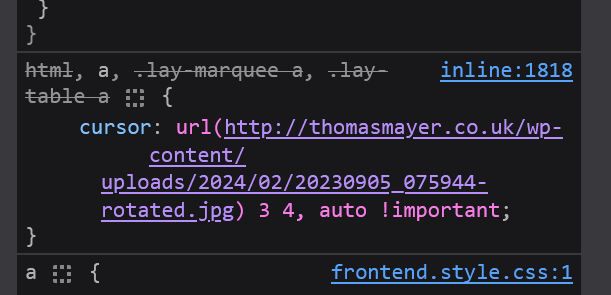
it seems that you set up a custom cursor. in customize -> cursor
however, the image for it seems to not exist anymore.
that is why the cursor is like that for linksyou can just go to customize -> cursor
and remove the image there -
Thank you Armin. I had a thought about that. Because I imported a page from another project a while back, which had a custom cursor.
Since there was actually no cursor in the custom cursor, I just added one and removed it. Bingo, has worked.
Thanks a lot! Happy new year to you.
-
thx happy new year to you too!!
-
-
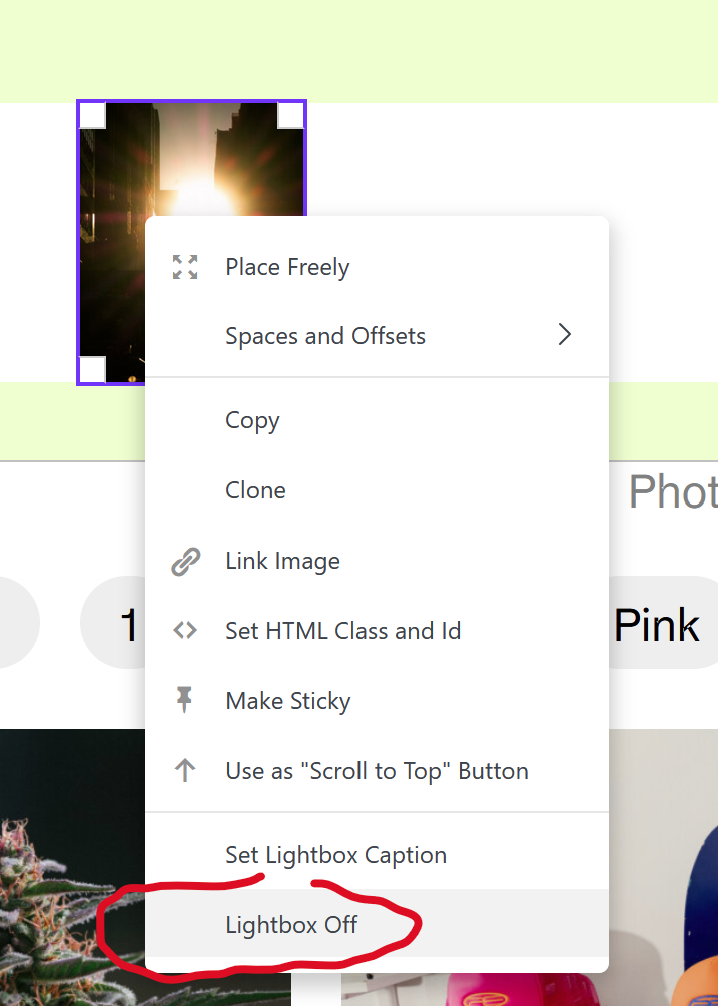
sure, just right click the image in the gridder and turn off lightbox
-

Hello! It looks like you're interested in this conversation, but you don't have an account yet.
Getting fed up of having to scroll through the same posts each visit? When you register for an account, you'll always come back to exactly where you were before, and choose to be notified of new replies (either via email, or push notification). You'll also be able to save bookmarks and upvote posts to show your appreciation to other community members.
With your input, this post could be even better 💗
Register Login