cart-collaterals sticky on cart page
-
Hello,
the description on the product page is on sticky ( body.single-product .lay-woocommerce-sticky .summary )
.cart-collaterals on the cart page works great with that too! Probably depends on the design but the instance layout seems to be the same.
.lay-woocommerce-cart-product-item-last-line is super on point.Best,
Maciej -
ah you mean its a code snippet you wanted to share if others want to do the same thing too? nice!
im a little confused though.
do you want help with making something sticky in your product page? -
-
ah you mean its a code snippet you wanted to share if others want to do the same thing too? nice!
im a little confused though.
do you want help with making something sticky in your product page?@arminunruh sorry, nevermind – had some laggy css or something.
do you have any idea why check out page input fields doubles?
-
hey!
did you use the correct setup for the checkout?
https://laytheme.com/documentation/shop-setup.html#preparation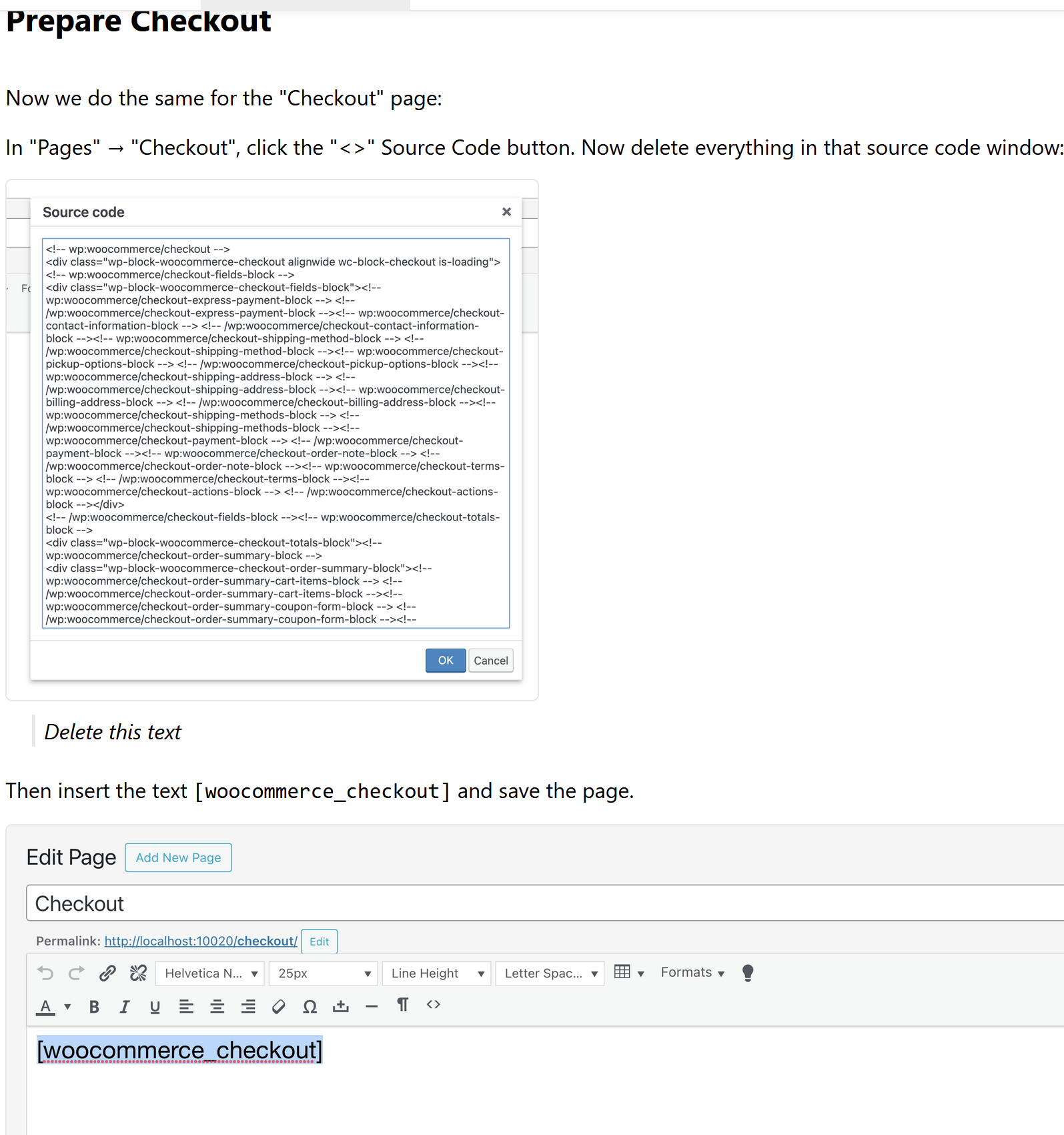
since a while, woocommerce inserts some custom cart code that doesnt work with all the lay theme styling and lay theme checkout customizer settings
-
hey!
did you use the correct setup for the checkout?
https://laytheme.com/documentation/shop-setup.html#preparationsince a while, woocommerce inserts some custom cart code that doesnt work with all the lay theme styling and lay theme checkout customizer settings
Correct, no extra code in that!
-
if u still have this issue:
do you have a link to your checkout?
because on my checkout, i cant replicate this issue -
if u still have this issue:
do you have a link to your checkout?
because on my checkout, i cant replicate this issue@arminunruh
Please, have a look. It is not browser specific (tried chrome and safari)https://polczynski.info/pl/sklep/?woo-share=gMFbk04jOowoNsZMPo0VwJt7XFOEnRuB


Hello! It looks like you're interested in this conversation, but you don't have an account yet.
Getting fed up of having to scroll through the same posts each visit? When you register for an account, you'll always come back to exactly where you were before, and choose to be notified of new replies (either via email, or push notification). You'll also be able to save bookmarks and upvote posts to show your appreciation to other community members.
With your input, this post could be even better 💗
Register Login