text when hover over image
-
hey. I saw this already, tried it out but dont get it :-)
The "moving text with mouse" worked, but I only want to hover over the image and want a text show up (plus link). When I enter the code you posted at the bottom there I cant see any effect.
and it looks like this:
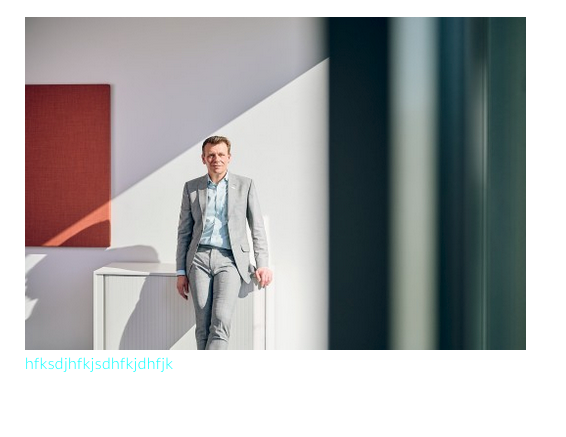
But maybe I´m to stupid, so can you tell me, what I have to do for having a text on mouse hover? (and how to set where its aligned)
thanks -
@arminunruh would be nice if you can help me with this. thanks.
-
hey!
ah so you want a text below the image to show up when you hover over the image?
how about this code:
https://laythemeforum.com/topic/11141/text-link-on-image-hover/6and sorry about the late reply, seems like i missed your reply here
-
hey no worries. I want a text over the image when hover with mouse over it. like on this site: https://www.juliasteinigeweg.de/work/
And if possible to align the text and change fontstyle. -
oh sorry, i just realized the code didn't work anymore.
this is the right css:
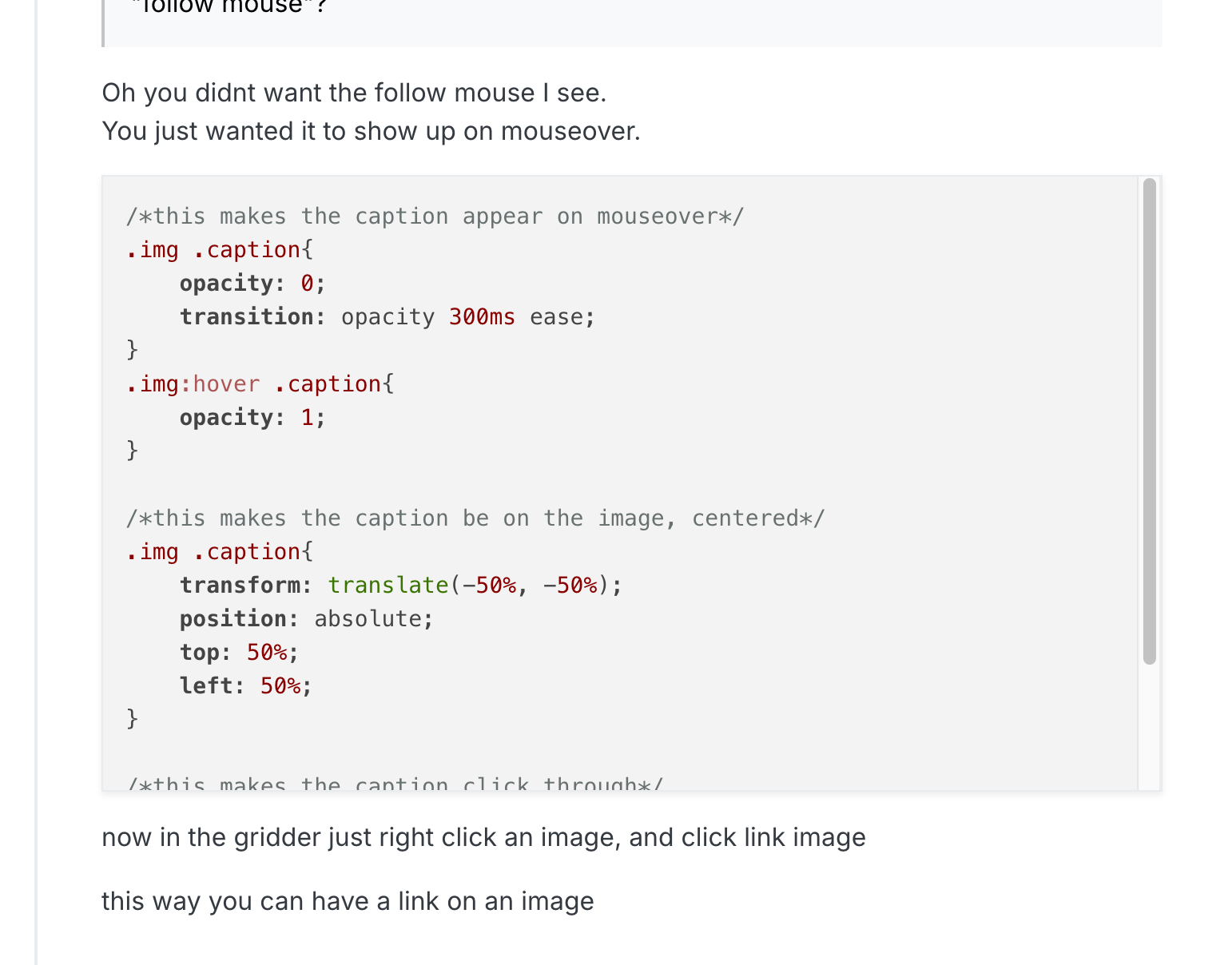
/*this makes the caption appear on mouseover*/ .type-img .caption{ opacity: 0; transition: opacity 300ms ease; } .type-img:hover .caption{ opacity: 1; } /*this makes the caption be on the image, centered*/ .type-img .caption{ transform: translate(-50%, -50%); position: absolute; top: 50%; left: 50%; } /*this makes the caption click through*/ .type-img .caption{ pointer-events: none; } -
if you want to set the position of the text differently for different images, use this CSS instead:
/*this makes the caption appear on mouseover*/
.type-img.mouseover-caption .caption{
    opacity: 0;
    transition: opacity 300ms ease;
}
.type-img.mouseover-caption:hover .caption{
    opacity: 1;
}

/*positions*/
.type-img.mouseover-caption.center-center .caption{
    transform: translate(-50%, -50%);
    position: absolute;
    top: 50%;
    left: 50%;
}
.type-img.mouseover-caption.top-left .caption{
    position: absolute;
    top: 20px;
    left: 20px;
}
.type-img.mouseover-caption.bottom-left .caption{
    position: absolute;
    bottom: 20px;
    left: 20px;
}
.type-img.mouseover-caption.top-right .caption{
    position: absolute;
    top: 20px;
    right: 20px;
    *{
        text-align: right!important;
    }
}
.type-img.mouseover-caption.bottom-right .caption{
    position: absolute;
    bottom: 20px;
    right: 20px;
    *{
        text-align: right!important;
    }
}

/*this makes the caption click through*/
.type-img.mouseover-caption .caption{
pointer-events: none;
}
then right click an image and click "set html class and id":
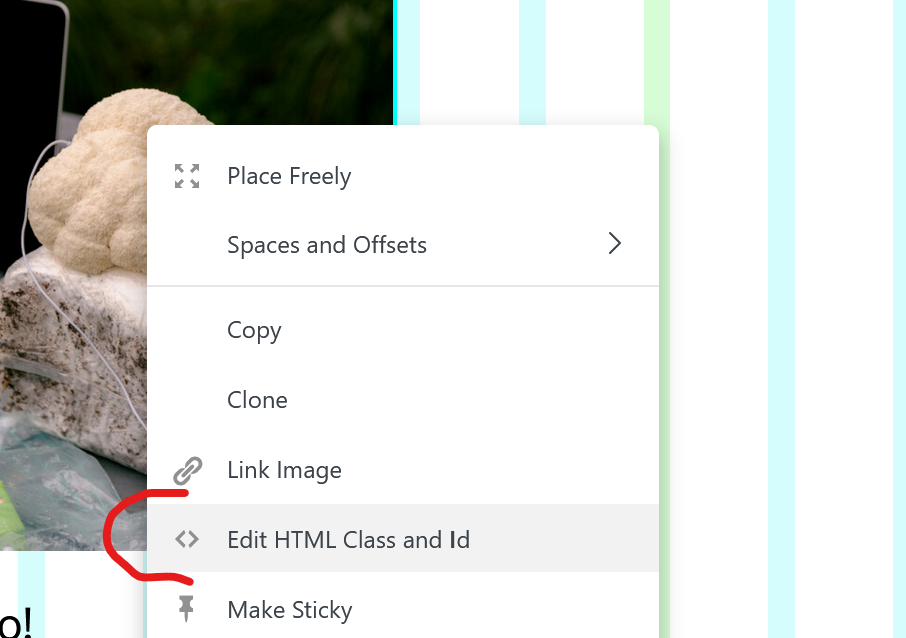
now enter:
mouseover-caption top-right
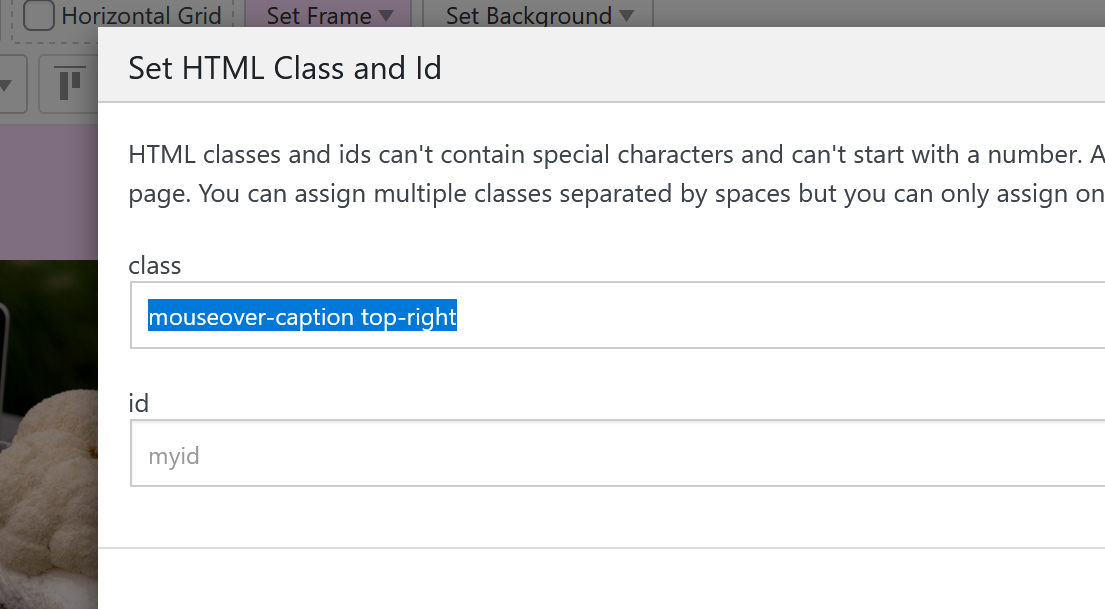
or
mouseover-caption top-left
mouseover-caption center-center
mouseover-caption bottom-left
mouseover-caption bottom-rightand the font size and font color you can edit when you edit the caption of the image. the caption will be the text thats on top of the image:
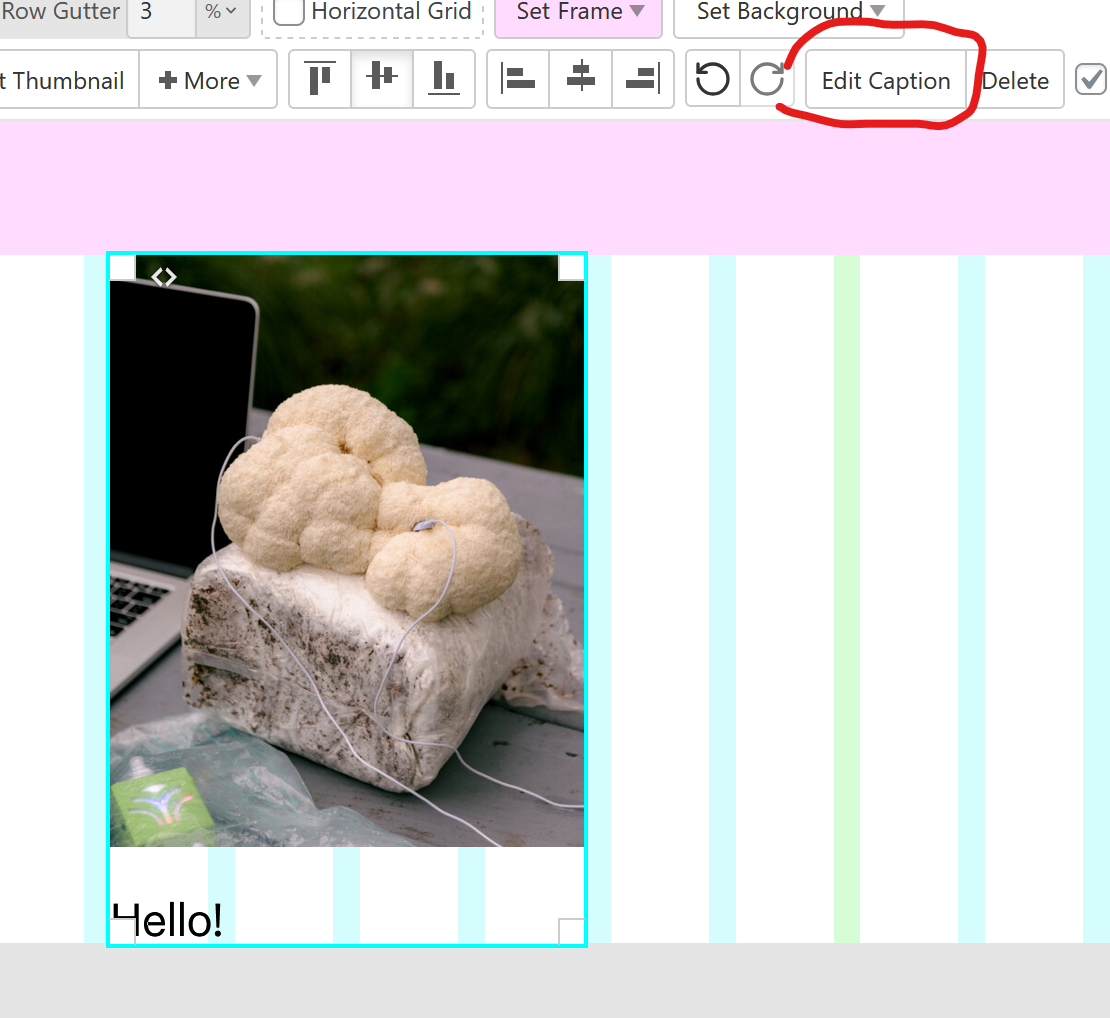
-
actually there is a new way to do this thats easier.
simply put text on the images using the new settings in the sidebar:
https://laytheme.com/documentation/gridder-elements.html#text-on-imageand use this CSS to make them appear on hover:
html.no-touchevents .lay-text-on-element-overlay{ opacity: 0; transition: opacity 300ms ease; } html.no-touchevents .col:hover .lay-text-on-element-overlay{ opacity: 1; } -
actually there is a new way to do this thats easier.
simply put text on the images using the new settings in the sidebar:
https://laytheme.com/documentation/gridder-elements.html#text-on-imageand use this CSS to make them appear on hover:
html.no-touchevents .lay-text-on-element-overlay{ opacity: 0; transition: opacity 300ms ease; } html.no-touchevents .col:hover .lay-text-on-element-overlay{ opacity: 1; }@arminunruh Thank you! I was looking for this feature. I cant implement the CSS though. Can you explain this a bit more detailed? Where do i have to put in the CSS? Just copy the code into "Edit Desktop CSS"? It doesnt work for me...
-
yes just put it here:
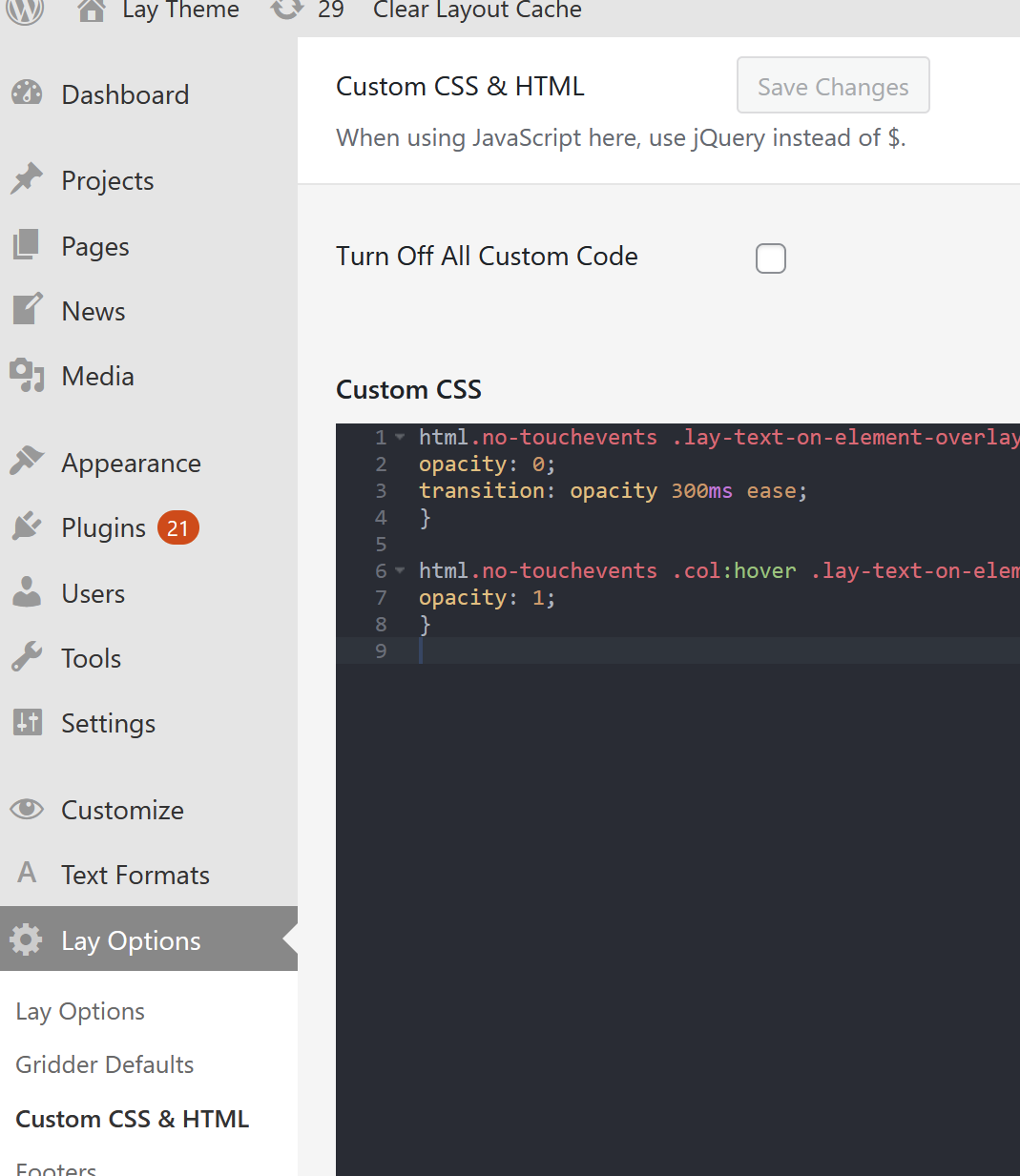
and then make sure you added the text on top of the image within the sidebar:
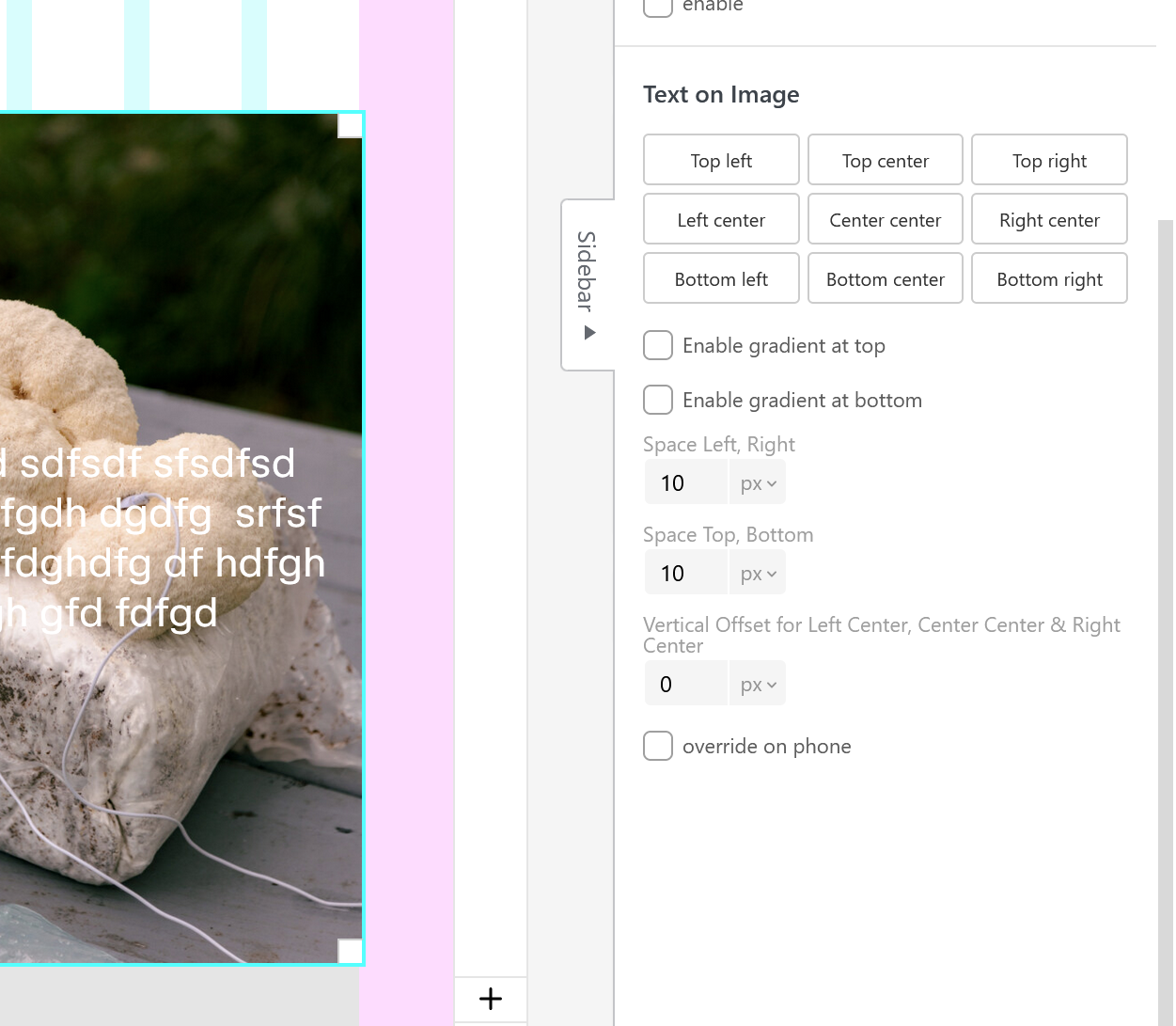
-
This post is deleted!
-
yes just put it here:
and then make sure you added the text on top of the image within the sidebar:
Thank you!!! Got it to work. :)
Is there a way to make the gradient color only appear with the text (for readability)?
And is there a way to display a second image (on the image) when i hover over it?
-
you'll need to use this CSS instead:
html.no-touchevents .lay-text-on-element-dark-gradient,
html.no-touchevents .lay-text-on-element-overlay{
opacity: 0;
transition: opacity 300ms ease;
}

html.no-touchevents .col:hover .lay-text-on-element-dark-gradient,
html.no-touchevents .col:hover .lay-text-on-element-overlay{
opacity: 1;
}
if you want this without the fade animation:
html.no-touchevents .lay-text-on-element-dark-gradient,
html.no-touchevents .lay-text-on-element-overlay{
opacity: 0;
}

html.no-touchevents .col:hover .lay-text-on-element-dark-gradient,
html.no-touchevents .col:hover .lay-text-on-element-overlay{
opacity: 1;
}
there is no mouseover image functionality for images and no easy way to do this with custom css, but i wrote it down as an idea

Hello! It looks like you're interested in this conversation, but you don't have an account yet.
Getting fed up of having to scroll through the same posts each visit? When you register for an account, you'll always come back to exactly where you were before, and choose to be notified of new replies (either via email, or push notification). You'll also be able to save bookmarks and upvote posts to show your appreciation to other community members.
With your input, this post could be even better 💗
Register Login