Skip to content
  • Recent
  • Tags
  • Popular
  • Users
  • Search
Skins
  • Light
  • Brite
  • Cerulean
  • Cosmo
  • Flatly
  • Journal
  • Litera
  • Lumen
  • Lux
  • Materia
  • Minty
  • Morph
  • Pulse
  • Sandstone
  • Simplex
  • Sketchy
  • Spacelab
  • United
  • Yeti
  • Zephyr
  • Dark
  • Cyborg
  • Darkly
  • Quartz
  • Slate
  • Solar
  • Superhero
  • Vapor

  • Default (No Skin)
  • No Skin
Collapse

Lay Theme Forum

  1. Home
  2. General Discussion
  3. Specific image hover size and position
Specific image hover size and position

Scheduled Pinned Locked Moved General Discussion
6 Posts 2 Posters 538 Views 3 Watching
  • Oldest to Newest
  • Newest to Oldest
  • Most Votes
Reply
  • Reply as topic
Log in to reply
This topic has been deleted. Only users with topic management privileges can see it.
  • E
    E
    emmapasteur
    wrote on last edited by
    #1

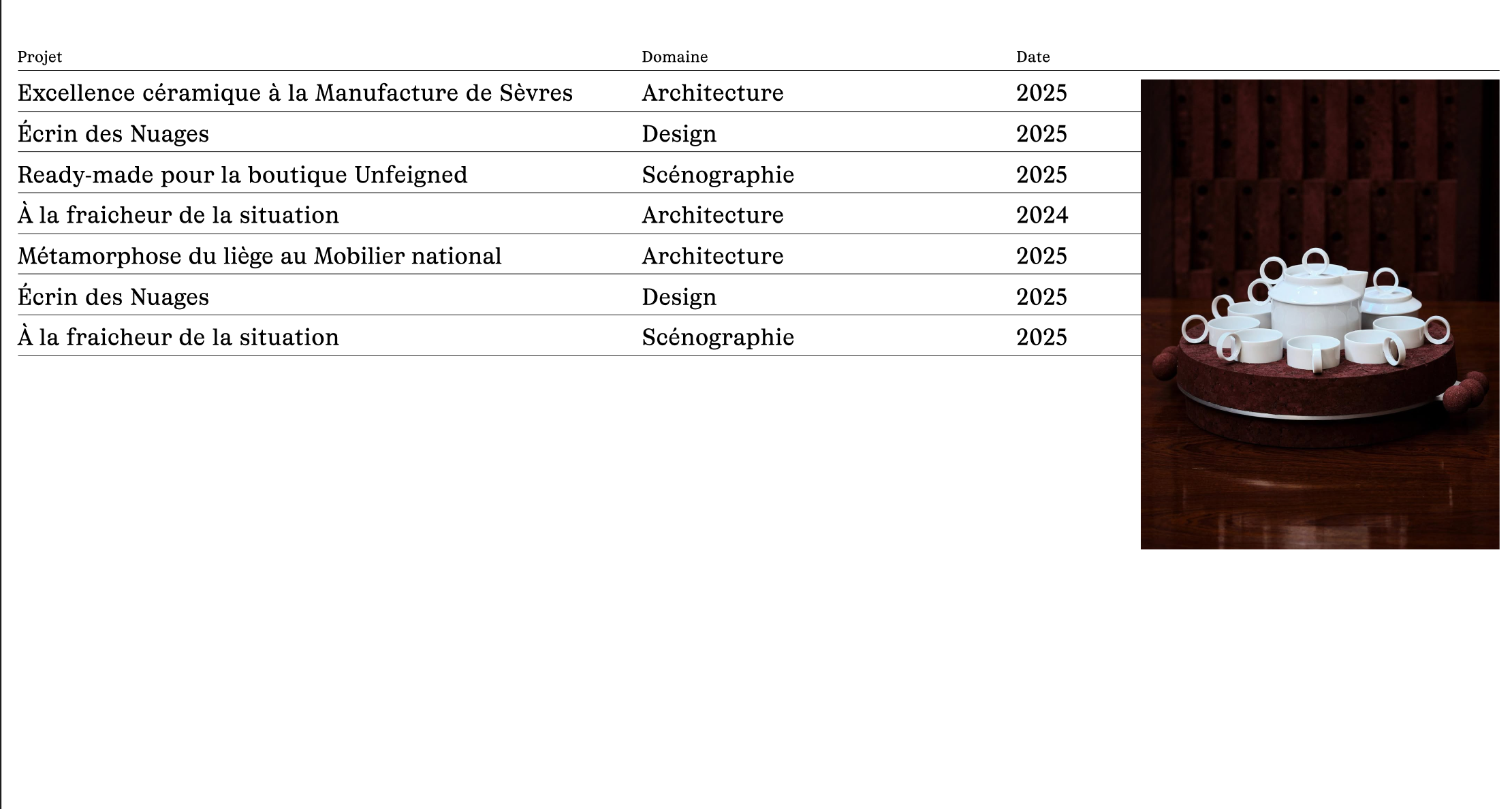
    I've added a hover image to my list, but I'd like to be able to control the size and position of the image.

    Here is the link to my page : https://anaisfernon.com/home-copy/?lay_preview=true&preview_post_id=171&preview_nonce=289f672cee&t=1779099505967

    I'd like them all to appear in the same spot, as shown in the photo below:
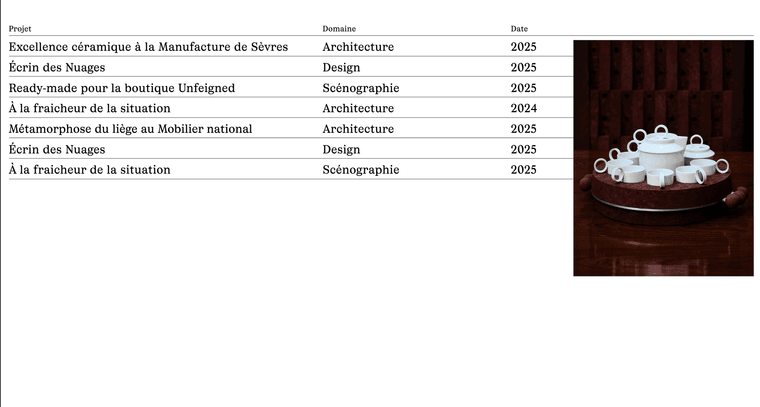
    Capture d’écran 2026-05-18 à 12.32.44.png ``

    Could you please help me finding a solution ? Thank you...

    1 Reply Last reply
    0
    • arminunruhA
      arminunruhA
      arminunruh
      Global Moderator
      wrote on last edited by
      #2

      hey! When creating an image hover link in a text or simply for an image, there are already settings to change the image hover position and type there.

      But unfortunately, those settings are still missing for the project index element.

      I'm writing this down as an idea.

      1 Reply Last reply
      0
      • E
        E
        emmapasteur
        wrote on last edited by
        #3

        Hey! Thank you for replying. I had the time to finally find a solution. Here is the code I used if someone is interested:

        .lay-imagehover-on-element .lay-image-responsive {
        width: clamp(150px, 20vw, 500px) !important;
        height: auto !important;
        position: fixed !important;
        top: 320px !important;
        right: 40px !important;
        transform: none !important;
        }

        1 Reply Last reply
        1
        • arminunruhA
          arminunruhA
          arminunruh
          Global Moderator
          wrote on last edited by
          #4

          wow, that's very clever. Well done!

          1 Reply Last reply
          0
          • arminunruhA
            arminunruhA
            arminunruh
            Global Moderator
            wrote on last edited by
            #5

            hey, so the project index element now has image hover settings too in its modal.

            1 Reply Last reply
            0
            • E
              E
              emmapasteur
              wrote on last edited by
              #6

              Perfect :)) thks have a nice day

              1 Reply Last reply
              0

              Hello! It looks like you're interested in this conversation, but you don't have an account yet.

              Getting fed up of having to scroll through the same posts each visit? When you register for an account, you'll always come back to exactly where you were before, and choose to be notified of new replies (either via email, or push notification). You'll also be able to save bookmarks and upvote posts to show your appreciation to other community members.

              With your input, this post could be even better 💗

              Register Login
              Reply
              • Reply as topic
              Log in to reply
              • Oldest to Newest
              • Newest to Oldest
              • Most Votes


              Online Users
              Forgot your key, lost your files, need a previous Lay Theme or Addon version? Go to www.laykeymanager.com
              laytheme.com
              • Login

              • Don't have an account? Register

              • Login or register to search.
              • First post
                Last post
              0
              • Recent
              • Tags
              • Popular
              • Users
              • Search
