Skip to content
  • Recent
  • Tags
  • Popular
  • Users
  • Search
Skins
  • Light
  • Brite
  • Cerulean
  • Cosmo
  • Flatly
  • Journal
  • Litera
  • Lumen
  • Lux
  • Materia
  • Minty
  • Morph
  • Pulse
  • Sandstone
  • Simplex
  • Sketchy
  • Spacelab
  • United
  • Yeti
  • Zephyr
  • Dark
  • Cyborg
  • Darkly
  • Quartz
  • Slate
  • Solar
  • Superhero
  • Vapor

  • Default (No Skin)
  • No Skin
Collapse

Lay Theme Forum

  1. Home
  2. General Discussion
  3. accordion custom icon on hover

accordion custom icon on hover

Scheduled Pinned Locked Moved General Discussion
9 Posts 2 Posters 583 Views 2 Watching
  • Oldest to Newest
  • Newest to Oldest
  • Most Votes
Reply
  • Reply as topic
Log in to reply
This topic has been deleted. Only users with topic management privileges can see it.
  • V
    V
    veitsons
    wrote on last edited by
    #1

    Dear @arminunruh and team,

    I would kindly ask to have a custom icon for the accordion element on title hover.

    This could be used as a (+/-) = READ MORE/LESS if the layout doesn't allow you to collapse a whole row.

    I hope you’ll be able to integrate this feature easily. Many thanks in advance!

    1 Reply Last reply
    0
    • arminunruhA
      arminunruhA
      arminunruh
      Global Moderator
      wrote on last edited by
      #2

      do u mean a custom icon should appear on hover?

      there is already a icon, it just doesnt change on hover
      so the request is that a icon can change on hover?

      do u have a design of the different states, like what will be shown on hover when sth is expanded, or collapsed and so on?

      1 Reply Last reply
      0
      • arminunruhA
        arminunruhA
        arminunruh
        Global Moderator
        wrote on last edited by arminunruh
        #3

        it may be easier if you would create a custom element with AI
        you can check out how to it here for lay theme

        https://www.skool.com/ai-website-building-workflows-8389

        1 Reply Last reply
        0
        • V
          V
          veitsons
          wrote on last edited by
          #4

          It would be great to have an element that works like collapsing rows, where some text and a “READ MORE” button are visible, and clicking it reveals the remaining text and changes the button to “READ LESS”. I’d like this function within a single element that can be placed next to an image in the same row.

          1 Reply Last reply
          0
          • V
            V
            veitsons
            wrote on last edited by
            #5

            What I mean is a text collapse in the same text element, not to the next row.

            1 Reply Last reply
            0
            • arminunruhA
              arminunruhA
              arminunruh
              Global Moderator
              wrote last edited by
              #6

              sorry about the late response!

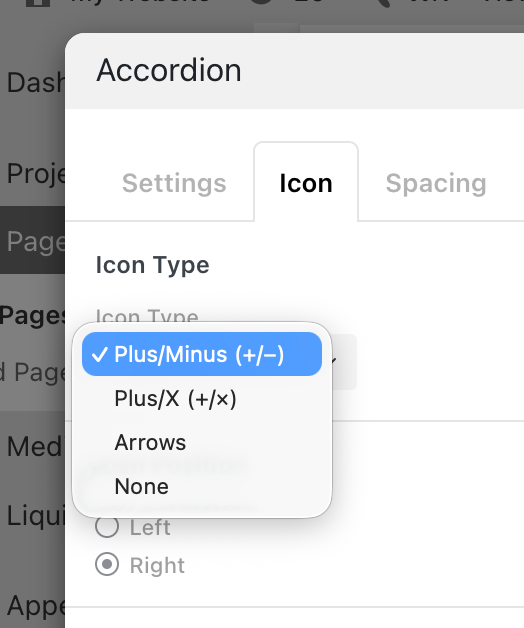
              grafik.png

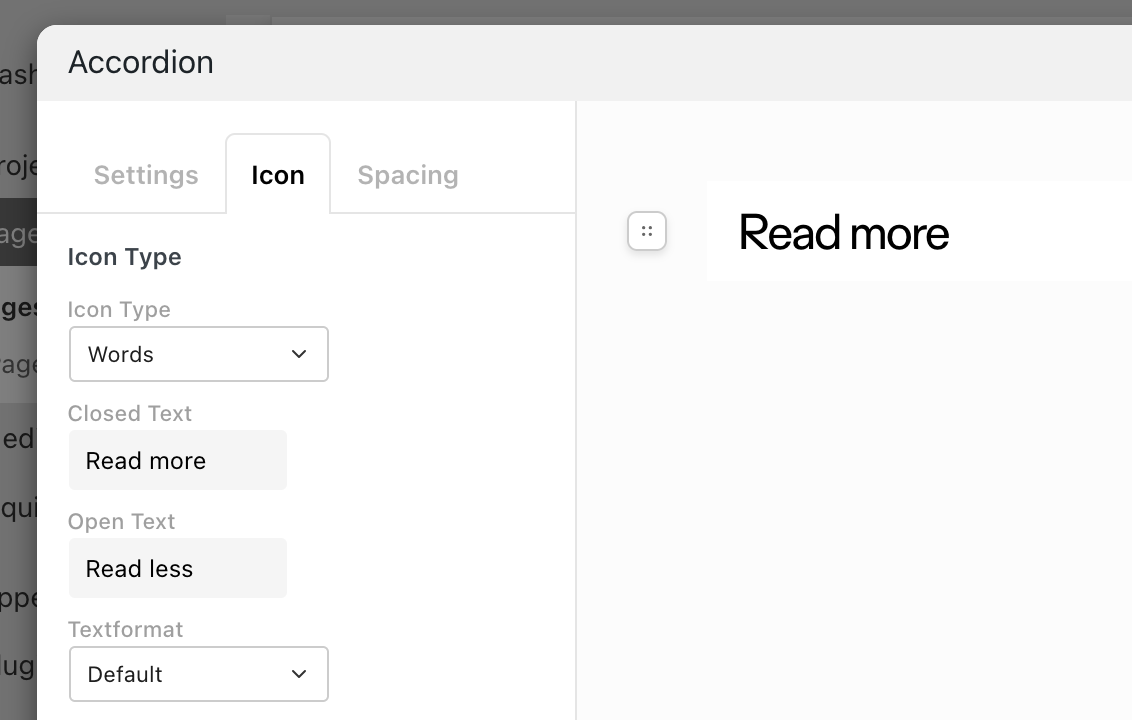
              i think here, we need "Words" as an icon type, and then basically its just the accordion element you need!
              and the 2 texts can be set by yourself and be "Read more" and "Read less"

              1 Reply Last reply
              0
              • arminunruhA
                arminunruhA
                arminunruh
                Global Moderator
                wrote last edited by
                #7

                grafik.png

                it will be like this

                1 Reply Last reply
                0
                • V
                  V
                  veitsons
                  wrote last edited by
                  #8

                  Yeah, great. And can we have the "icon/words" below the text? That it can be used as a fold out for READ MORE?

                  1 Reply Last reply
                  0
                  • arminunruhA
                    arminunruhA
                    arminunruh
                    Global Moderator
                    wrote last edited by
                    #9

                    hey there. I think it would probably be easier if you would let AI code this element for you.

                    https://laytheme.com/tutorials/ai-mode.html

                    Here is the tutorial about how to connect your Claude or ChatGPT subscription (if you have one) to your Lay Theme.

                    And then you can just tell it to create a custom element where you can enter text, click on "Read More", and then you can describe to it how exactly you want the element to behave.

                    Because, honestly, I think your idea is really good. I just didn't really get requests like that too often before. I have to work on quite a lot of other things right now, and I'm not sure if I would code this element for you. I'm not sure if people would actually use it a lot, but with the AI, you can make it so you get the exact thing you want.

                    1 Reply Last reply
                    0

                    Hello! It looks like you're interested in this conversation, but you don't have an account yet.

                    Getting fed up of having to scroll through the same posts each visit? When you register for an account, you'll always come back to exactly where you were before, and choose to be notified of new replies (either via email, or push notification). You'll also be able to save bookmarks and upvote posts to show your appreciation to other community members.

                    With your input, this post could be even better 💗

                    Register Login
                    Reply
                    • Reply as topic
                    Log in to reply
                    • Oldest to Newest
                    • Newest to Oldest
                    • Most Votes


                    Online Users
                    Forgot your key, lost your files, need a previous Lay Theme or Addon version? Go to www.laykeymanager.com
                    laytheme.com
                    • Login

                    • Don't have an account? Register

                    • Login or register to search.
                    • First post
                      Last post
                    0
                    • Recent
                    • Tags
                    • Popular
                    • Users
                    • Search