Title < br > break still visible in tab and Google results
-
Hi there,
I realized that the break < br > in title is still visible in the browser tab. Also in Google search results. Why is that?
Is there any chance to get in invisible?see it here: http://www.daniel-hyngar.de/
Cheers
Daniel -
Hi Daniel,
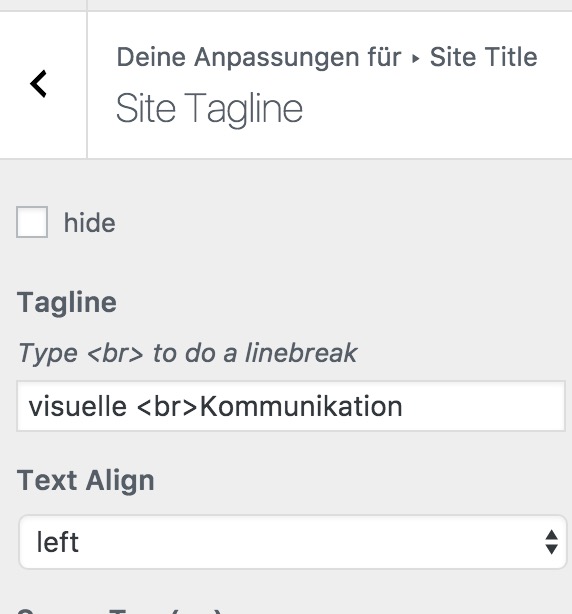
I have the feeling that you included the <br> yourself to make a break in the title.
For a second row in the title you can use this here:
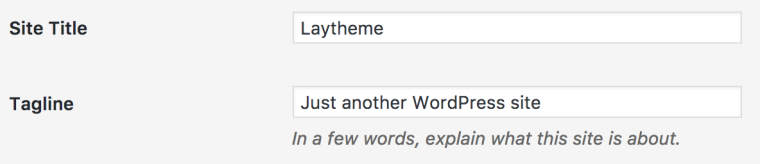
All the best!
Marius
-
-
:lifter_tone3:
-
-
-
Ah, I understood you solved the issue.
Scusi!
I would try to install the plugin YOAST. There you can define separately what will show up in Google.
Let me know if that worked well!
Best!
Marius
-
-
Perfect! Happy to hear!

Hello! It looks like you're interested in this conversation, but you don't have an account yet.
Getting fed up of having to scroll through the same posts each visit? When you register for an account, you'll always come back to exactly where you were before, and choose to be notified of new replies (either via email, or push notification). You'll also be able to save bookmarks and upvote posts to show your appreciation to other community members.
With your input, this post could be even better 💗
Register Login