Image layout on iPad
-
Hey guys,
I'm having a lot of trouble when looking at my website on an iPad.
www.petermarshall-photography.com
password: Jol1956p@When you click on the images on an iPad they have very little space at the top, and are not arranged on the page the way they appear on a laptop. It looks quite strange.
I though about using code to create some sort of top margin that specifically targets the ratio of an iPad screen like this:
@media all and (device-width: 768px) and (device-height: 1024px) and (orientation:portrait) {
.ipad-portrait { margin-top: 2cm; }
}
@media all and (device-width: 768px) and (device-height: 1024px) and (orientation:landscape) {
.ipad-landscape { margin-top: 2cm; }
}but I am not having any luck!
Any help would be really appreciated :))
-
-
Hey @mariusjopen
Sorry, I'm juggling so many passwords right now! The one you need is Fre1960a@
Thanks for looking into this for me!
-
Hey @mariusjopen , do you have any advice?
-
Hi @marshall
ok. I had a look also on an iPad.I cannot really see what you mean.
Can you provide us with screenshots and show what exactly you mean?
Thank you!
Marius
-
Hey @mariusjopen ,
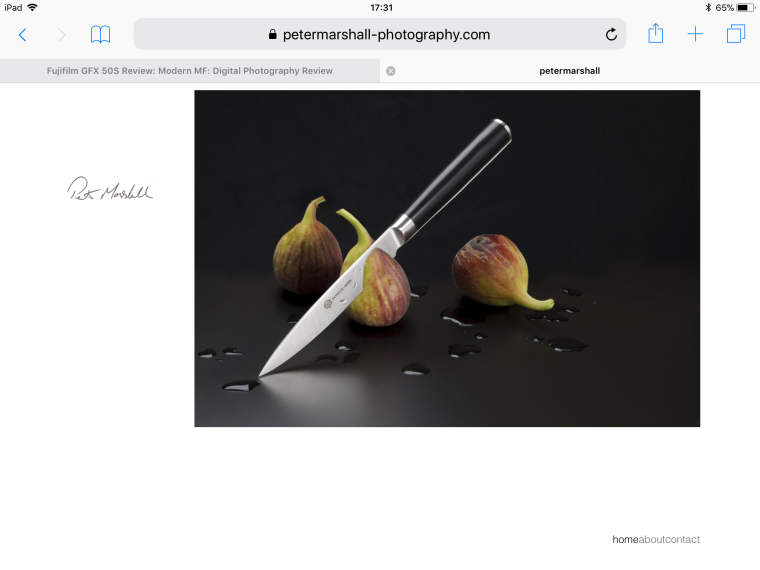
Here you go - this is how it is displayed on an iPad. As you can see, the image is very close to the top, with white space underneath. I like how the image is positioned on a computer/laptop screen (it has more space at the top), but really would like to shift it down when it is viewed on an iPad.
Thanks so much for your help!
-
Hi @marshall
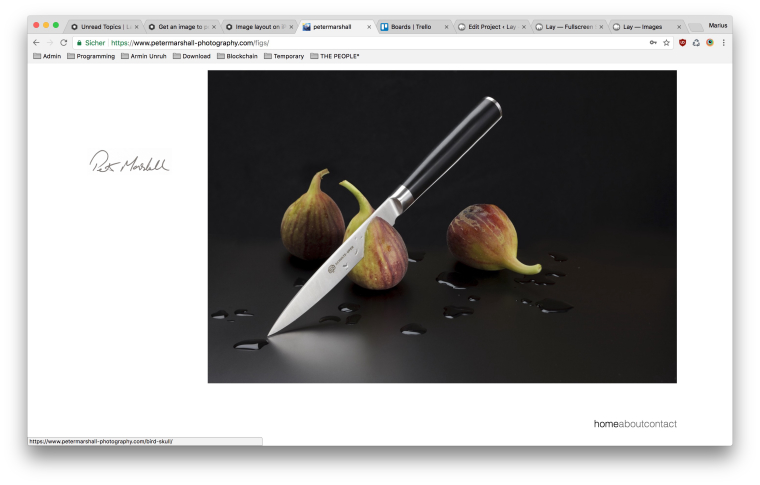
on my macbook the image is like in your iPad. On the very top of the screen.
Have a look:
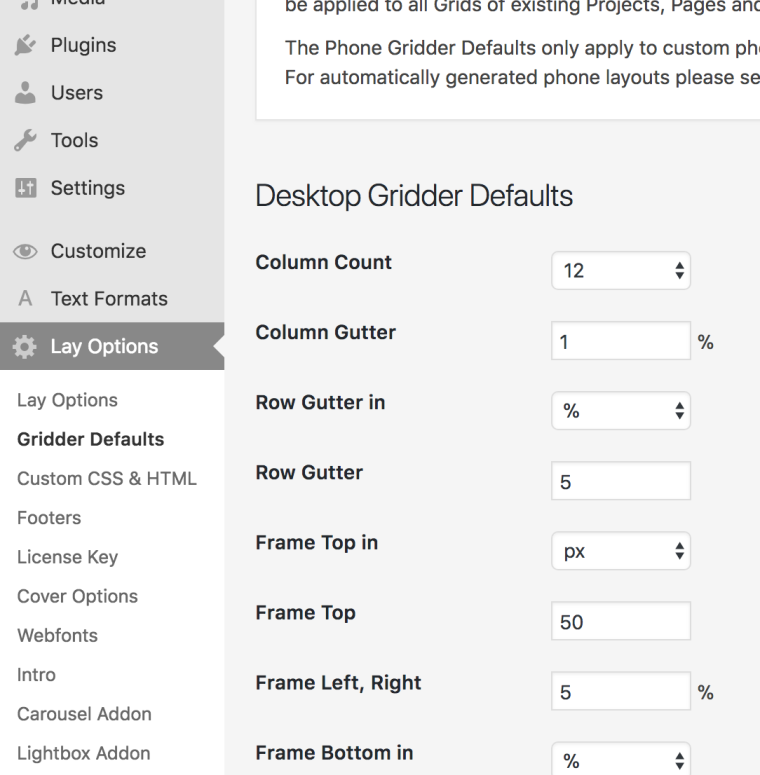
Here you can change the distance from the Gridder to the top:
TO only move it on the iPad you might need to use special mediaqueries. I cannot tell you now which ones you will need. But you can easily find out and test them.
You can just add them into the custom CSS.
Google: CSS media queries iPad sizeThen you can make specific CSS changes only for the iPad
All the best!
And good luck!Marius
-
-
Wonderful!

Hello! It looks like you're interested in this conversation, but you don't have an account yet.
Getting fed up of having to scroll through the same posts each visit? When you register for an account, you'll always come back to exactly where you were before, and choose to be notified of new replies (either via email, or push notification). You'll also be able to save bookmarks and upvote posts to show your appreciation to other community members.
With your input, this post could be even better 💗
Register Login