Skip to content
  • Recent
  • Tags
  • Popular
  • Users
  • Search
Skins
  • Light
  • Brite
  • Cerulean
  • Cosmo
  • Flatly
  • Journal
  • Litera
  • Lumen
  • Lux
  • Materia
  • Minty
  • Morph
  • Pulse
  • Sandstone
  • Simplex
  • Sketchy
  • Spacelab
  • United
  • Yeti
  • Zephyr
  • Dark
  • Cyborg
  • Darkly
  • Quartz
  • Slate
  • Solar
  • Superhero
  • Vapor

  • Default (No Skin)
  • No Skin
Collapse

Lay Theme Forum

  1. Home
  2. General Discussion
  3. Specifying javascript/html for individual pages

Specifying javascript/html for individual pages

Scheduled Pinned Locked Moved General Discussion
javascript
7 Posts 2 Posters 1.7k Views
  • Oldest to Newest
  • Newest to Oldest
  • Most Votes
Reply
  • Reply as topic
Log in to reply
This topic has been deleted. Only users with topic management privileges can see it.
  • daniD
    daniD
    dani
    wrote on last edited by dani
    #1

    Hi,

    I've read the instructions here : http://laytheme.com/documentation.html#custom-javascript

    I'm working on a site with heavy Javascript and CSS customization, so declaring the CSS and Javascript globally is really slowing down everything.

    Ideally it would be best to only include the CSS/JS on the relevant page, but the +HTML option seems to not work for CSS or JS
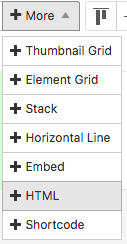
    0_1531331539081_Screen Shot 2018-07-11 at 7.51.46 PM.png

    I would like to specify some CSS and JS for each page and not have it load globally.

    The format you suggest is :

    <script>
    window.laytheme.on("newpageshown", function(layoutObj, type, obj){
    if(type == "project" && obj.id == 1){
    ...
    }
    });
    </script>

    Is there a way to

    1. use the +HTML to include page specific CSS/JS
    2. if not, a more direct formatting (without using if statements)

    something like what we use for page specific CSS
    .slug-home .class {}

    I've tried to send the slug as a variable, but doesn't work.

    Thanks for the help as usual,
    Daniel

    https://danielcampbell.ca

    1 Reply Last reply
    0
    • mariusjopenM
      mariusjopenM
      mariusjopen
      Global Moderator
      wrote on last edited by
      #2

      Dear @dani
      it works.
      Give it a test with an alert function:
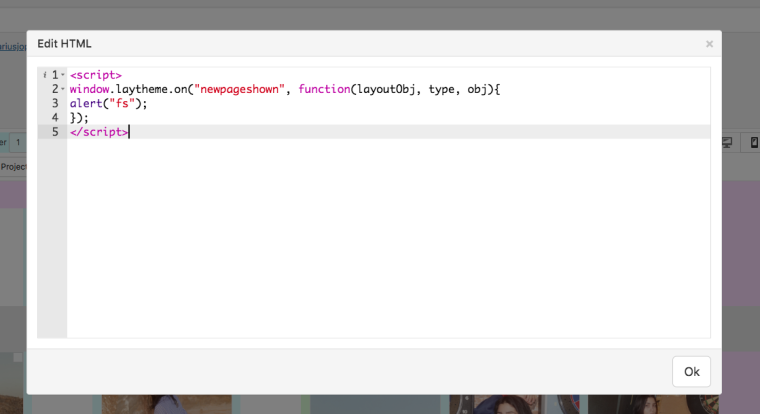
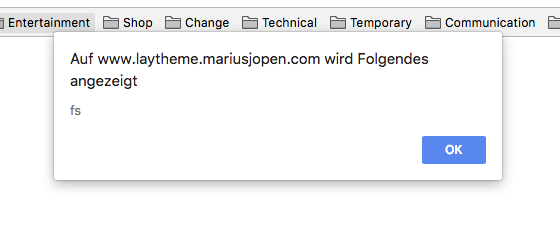
      0_1531404811922_Bildschirmfoto 2018-07-12 um 16.12.43.png

      0_1531404822318_Bildschirmfoto 2018-07-12 um 16.12.53.png

      Maybe your code is causing a problem.

      Best!

      Marius

      www.mariusjopen.world

      1 Reply Last reply
      0
      • daniD
        daniD
        dani
        wrote on last edited by dani
        #3

        Hi Marius,

        Thanks. The code I'm using works fine from 'Custom CSS & HTML'.

        When I copy/paste the exact code from Custom CSS & HTML' and put it directly on the page using +HTML it doesn't work anymore.

        The test you recommend works for me too, but the added code (using +HTML) isn't in the source. (search for your name in the source, nothing comes up)...

        http://visuel.org/test
        view-source:http://visuel.org/test

        Daniel

        https://danielcampbell.ca

        1 Reply Last reply
        0
        • daniD
          daniD
          dani
          wrote on last edited by dani
          #4

          there is definitely a bug somewhere

          when i visit http://visuel.org/clouds from this link it works fine (except when screen size is changed or console comes up... it disappears)

          but when the clouds page is accessed from the main page http://visuel.org (link at bottom of page), nothing shows up.

          i don't see the CSS or JS in the source either...

          please advise,
          thanks!

          https://danielcampbell.ca

          1 Reply Last reply
          1
          • mariusjopenM
            mariusjopenM
            mariusjopen
            Global Moderator
            wrote on last edited by
            #5

            Dear @dani

            try the plain jQuery like this:

            <script>
            console.log("AAA");
            </script>
            

            Let us know if this works for you.

            Best!

            Marius

            www.mariusjopen.world

            1 Reply Last reply
            0
            • daniD
              daniD
              dani
              wrote on last edited by dani
              #6

              hi marius,

              it's the same with or without :
              window.laytheme.on("newpageshown", function(layoutObj, type, obj){

              the new page only reads the js when accessed directly through the browser url bar, not linked from another page on the site (home page). That is the issue.

              I can send my login if you could have a closer look.

              Thank you,
              Daniel

              https://danielcampbell.ca

              1 Reply Last reply
              0
              • mariusjopenM
                mariusjopenM
                mariusjopen
                Global Moderator
                wrote on last edited by
                #7

                Dear @dani
                have a look on my test page:
                http://www.laytheme.mariusjopen.com/javascript

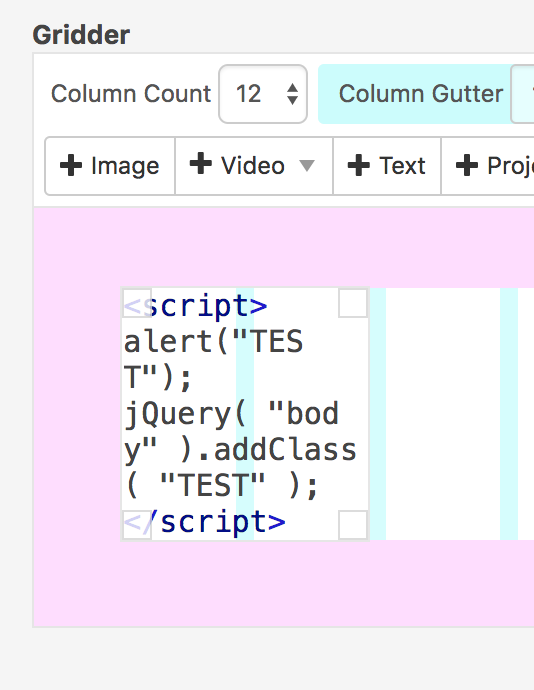
                This is the code which gets triggered

                <script>
                alert("TEST");
                jQuery( "body" ).addClass( "TEST" );
                </script>
                

                0_1532166521502_Bildschirmfoto 2018-07-21 um 11.48.33.png

                The function gets triggered if you open the page with URL or when you open it via another page.

                Best!

                Marius

                www.mariusjopen.world

                1 Reply Last reply
                0

                Hello! It looks like you're interested in this conversation, but you don't have an account yet.

                Getting fed up of having to scroll through the same posts each visit? When you register for an account, you'll always come back to exactly where you were before, and choose to be notified of new replies (either via email, or push notification). You'll also be able to save bookmarks and upvote posts to show your appreciation to other community members.

                With your input, this post could be even better 💗

                Register Login
                Reply
                • Reply as topic
                Log in to reply
                • Oldest to Newest
                • Newest to Oldest
                • Most Votes


                Online Users
                I
                itsbadjujuju
                Forgot your key, lost your files, need a previous Lay Theme or Addon version? Go to www.laykeymanager.com
                laytheme.com
                • Login

                • Don't have an account? Register

                • Login or register to search.
                • First post
                  Last post
                0
                • Recent
                • Tags
                • Popular
                • Users
                • Search
