How can I stop custom link items in the menu jumping to the VERY top of the page
-
Hello,
I'm having a little trouble with some CSS on a website I'm working on and wondered if anyone could help me please. I am a beginner so apologies if this is basic stuff, but I'm a little out of my depth.
I have a menu that uses custom links to jump to sections of a one page website. I do this with appearance>menus>add menu item>custom link> URL: #05 and then in the source code of the text box in gridder I add <a name="05">anchored item</a> .
However, when I click the menu item at the top and it jumps down the page to the anchor tag, the tagged item appears at the very top of the browser window. I would like to have a little padding between the top of the screen and the tagged item.
I understand from research (google) a good way to do this is the the ::before CSS selector.
for example:??::before {
display: block;
content: " ";
margin-top: -285px;
height: 285px;
visibility: hidden;
pointer-events: none;
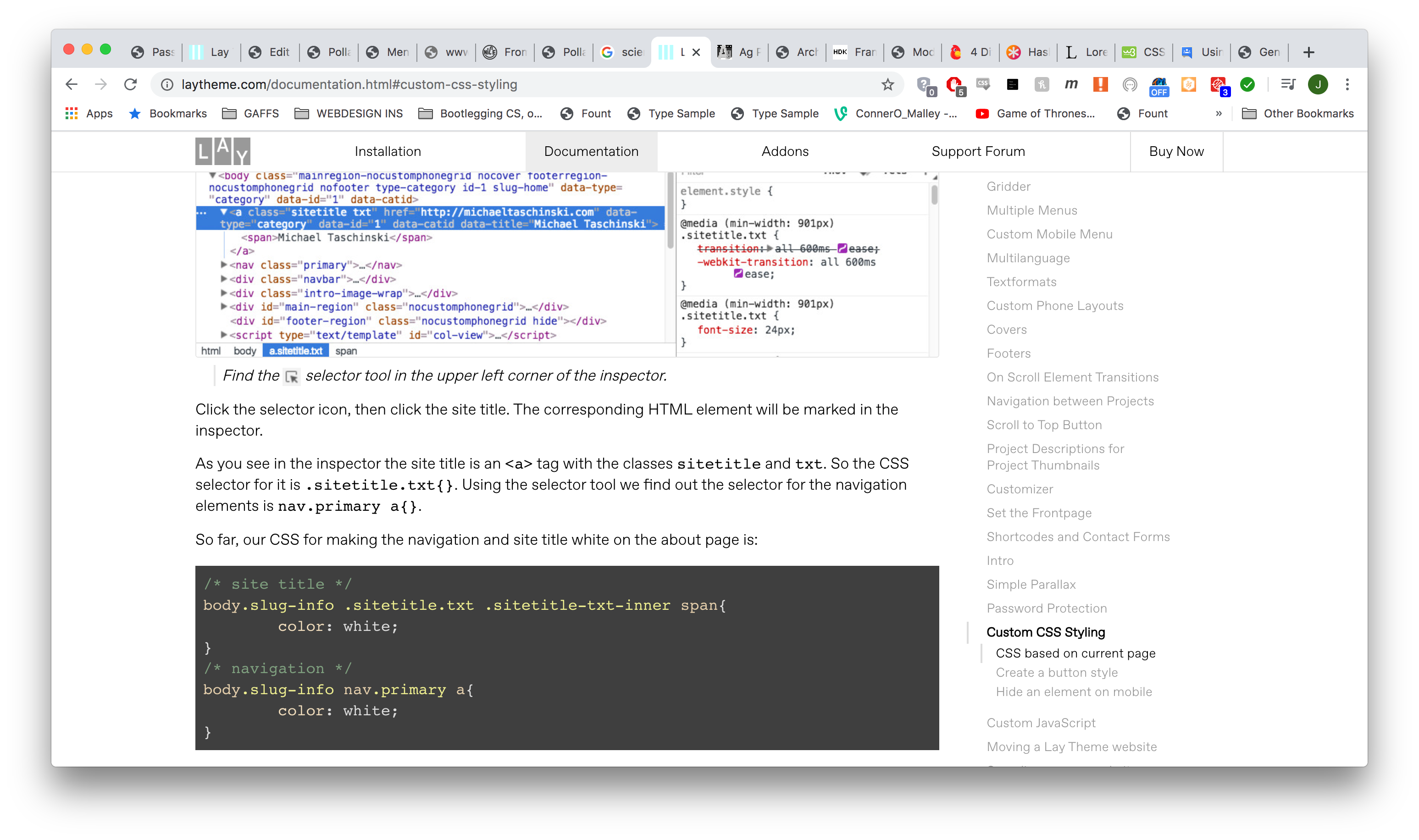
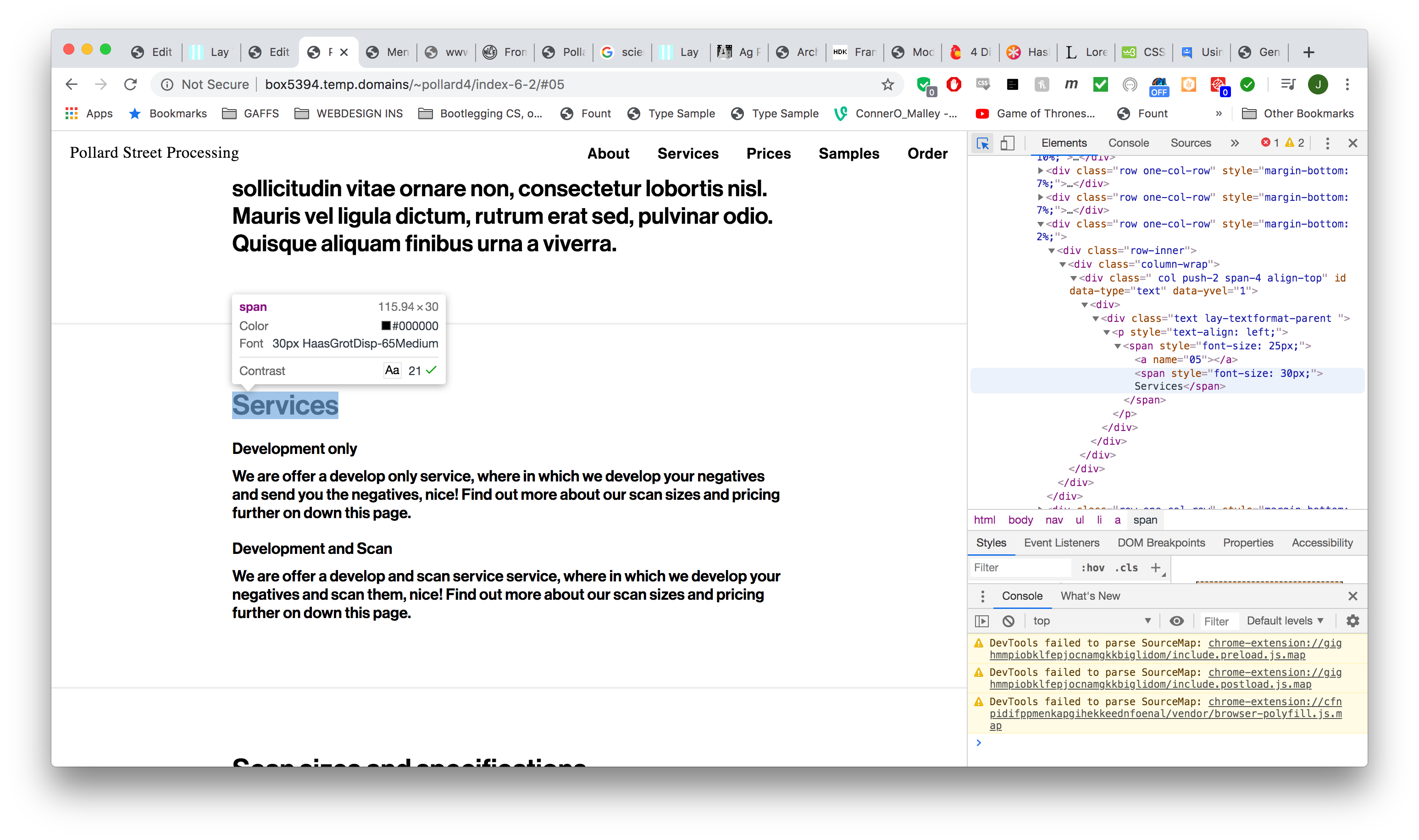
}However, when I try to find my anchored item with inspect element I can't see the a class of the item to attribute the CSS above to. Please see my screenshot attached (1) as opposed to how it looks on the Laytheme custom CSS documentation (2)
so as I don't know what the css selector for the item is, my code is looking like this:
body.slug-index-6-2 .WHATGOESHERE?::before {
display: block;
content: " ";
margin-top: -285px;
height: 285px;
visibility: hidden;
pointer-events: none;
}The webpage is accessable here: http://box5394.temp.domains/~pollard4/index-6-2
password : LayforumhelpId appriciate any help very much.
Thanks,
Jack image url)
-
Dear @J-KMB
you can give this element an extra class and add a padding-top with CUSTOM CSS to it.How did you make that the Scroll stops at the headline?
Best!
Marius -
-
Dear @J-KMB
Perfect! Glad to hear!
Many wishes!
Marius

Hello! It looks like you're interested in this conversation, but you don't have an account yet.
Getting fed up of having to scroll through the same posts each visit? When you register for an account, you'll always come back to exactly where you were before, and choose to be notified of new replies (either via email, or push notification). You'll also be able to save bookmarks and upvote posts to show your appreciation to other community members.
With your input, this post could be even better 💗
Register Login