Customize image overlap?
-
New user to Lay theme - The Stack feature for images is great, and I've figured out how to overlap using offsets – but I can't seem to figure out what is determining which image is in front. I'd really like the image lower down on the page to be under the image above – any suggestions?
-
Dear @nater321
If you could post a link to your website with the example issue that would be great as i can have a better look :)
Assuming that you know about the hierarchy 'within' the stack and you are able to change that order:
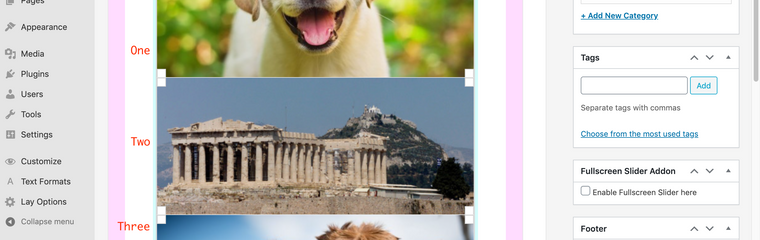
But also i believe the solution you are looking for is z-index, this tells your webpage which elements have hierarchy over others:
https://www.w3schools.com/cssref/pr_pos_z-index.asp
First you would need to target the image using CSS added to "Lay-options-Custom CSS & HTML"

Let me know your thoughts and best wishes
Sincerely
Richard

Hello! It looks like you're interested in this conversation, but you don't have an account yet.
Getting fed up of having to scroll through the same posts each visit? When you register for an account, you'll always come back to exactly where you were before, and choose to be notified of new replies (either via email, or push notification). You'll also be able to save bookmarks and upvote posts to show your appreciation to other community members.
With your input, this post could be even better 💗
Register Login