Thumbnail Grid Layout change
-
Hi,
currently I’m using the thumbnail grid with 1 thumbnail per column.
Now I would like to add an option to my page layout, that changes the Thumbnail Grid „Layout Type“.
Like a „view all projects at a glance / Index“ button.
Example:
In default mode it would be
„Top aligned“
1 Column
1% Column Gutter
8% Row GutterAfter the „Click“ it would be
„Masonry“
4 Columns
1% Column Gutter
8% Row GutterIs this possible?
Best,
A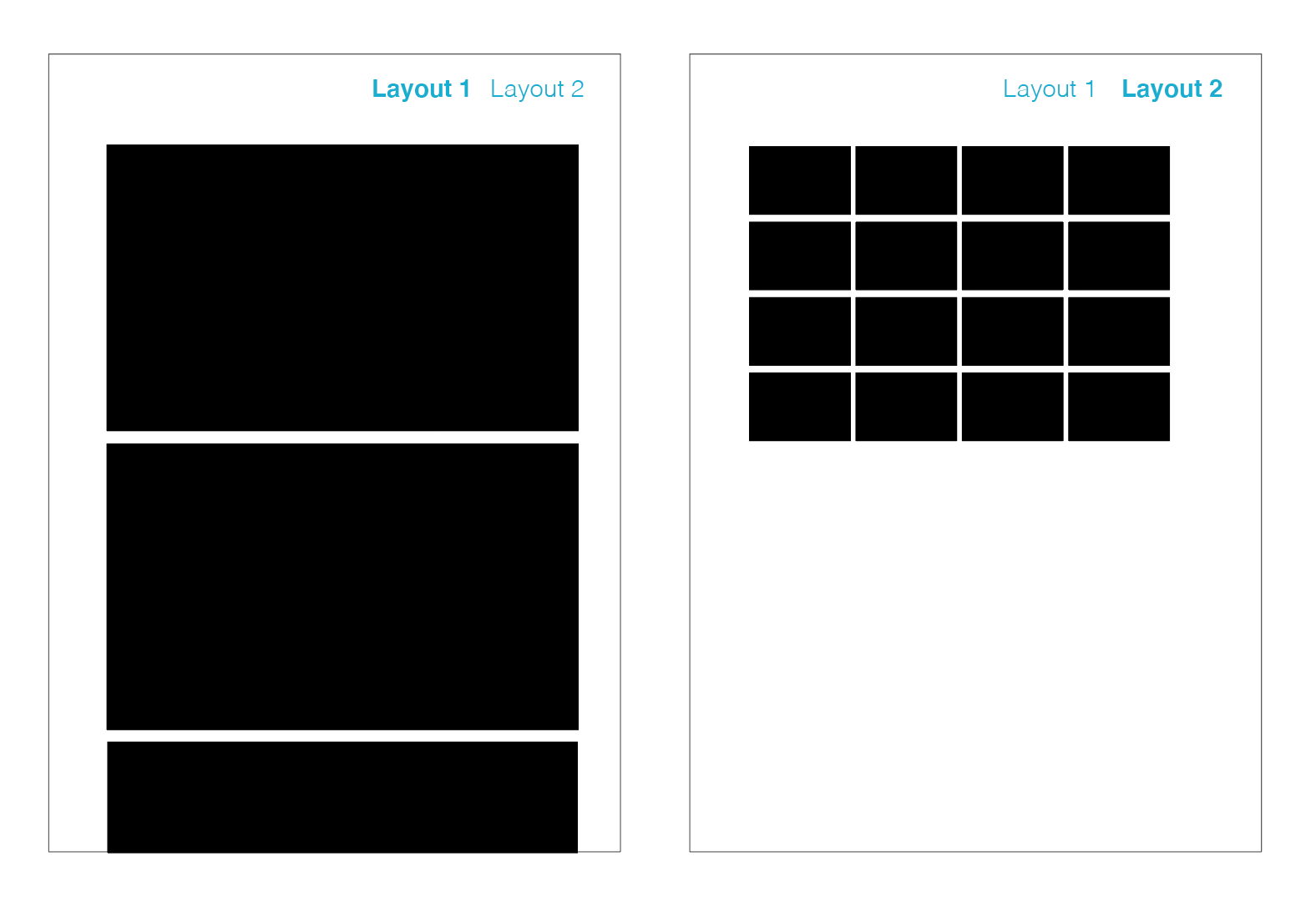
-
Hi,
currently I’m using the thumbnail grid with 1 thumbnail per column.
Now I would like to add an option to my page layout, that changes the Thumbnail Grid „Layout Type“.
Like a „view all projects at a glance / Index“ button.
Example:
In default mode it would be
„Top aligned“
1 Column
1% Column Gutter
8% Row GutterAfter the „Click“ it would be
„Masonry“
4 Columns
1% Column Gutter
8% Row GutterIs this possible?
Best,
A@XLD hey, great idea. all the information for the thumbnail grid is stored in the data-config attribute. changig its values leads to a different appearance on your website.
in this example i changed the desktop columns to be 8 and then attach this value back into the data-config attribute. in your case this would be 4 columns for layout two.
 // Get the thumbnail grid
  const thumbnail = document.querySelector('.thumbs-collection-region');

  // Get the current value of the data-config attribute
  const dataConfig = JSON.parse(thumbnail.getAttribute('data-config'));

  // Update the colCount property of the desktop object
  dataConfig.desktop.colCount = 8;

  // Convert the updated object back to a JSON string
  const newDataConfig = JSON.stringify(dataConfig);

  // Set the updated value of the data-config attribute
  thumbnail.setAttribute('data-config', newDataConfig);
there is one thing however, i could not figure out either. if i wrap this code in a click event ( e. g. if i click on a button ), the code gets updated correctly but on the page itself nothing changes. i guess i am missing something here for updating the css?
maybe someone will read this old post and come up with an idea.
-
changig its values leads to a different appearance on your website.
ah i didnt know :)
try this after u have changed the data-config value:
jQuery(window).trigger('window_width_changed'); -
and its probably easiest to just create a new page with some other thumbnailgrid

Hello! It looks like you're interested in this conversation, but you don't have an account yet.
Getting fed up of having to scroll through the same posts each visit? When you register for an account, you'll always come back to exactly where you were before, and choose to be notified of new replies (either via email, or push notification). You'll also be able to save bookmarks and upvote posts to show your appreciation to other community members.
With your input, this post could be even better 💗
Register Login