Audio in the background video
-
Hello, Thanks for Laytheme. I want to have the audio of my background video (for the homepage). Please tell me how it's possible to put on the sound ! My website is : http://hitohadakan.com/
Many thanks. -
Hey!
Can you please update your website to the latest lay theme?
Please enter this js into "Lay Options" -> "Custom CSS & HTML" -> "Custom <head> content"<script> Frontend.GlobalEvents.on("newpageshown", function(layoutObj, type, obj){ if(type == "page" && obj.id == 66){ jQuery("#cover-region .background-video").attr('muted', false).attr("volume", 0.5); } }); </script>Hmm I think this js should work. Right now it doesn't work for me when I try it on your website. Does your video have sound at all?
-
Hey Charlotte, I guess this hasn't worked yet.
I purposely removed the sound of row background videos because I think it is viewed as bad practice to play sounds when a user visits your website.Ok please take a look here http://laythemeforum.com/topic/725/use-a-video-as-page-background/6
You can try to insert your video like that. But for the html remove " muted="" "
Also you would need to remove your current row background video from the row on your homepage. I hope that works for you!
-
Hello Charlotte!
Lay theme 1.98 is now available. With that you can mute or unmute a row video background!
Just right click on the row -> "set video background" and then uncheck "mute". :)
-
-
no since a few years this is a limitation set by browsers which cant be overriden
-
Hello Charlotte!
Lay theme 1.98 is now available. With that you can mute or unmute a row video background!
Just right click on the row -> "set video background" and then uncheck "mute". :)
@arminunruh Hey Armin, I am trying to do the same thing, activate the audio for a row background video. I have the latest version of lay theme and this checkbox for »mute« doesn’t show …
-
sure
videos cant autoplay when they are not muted.
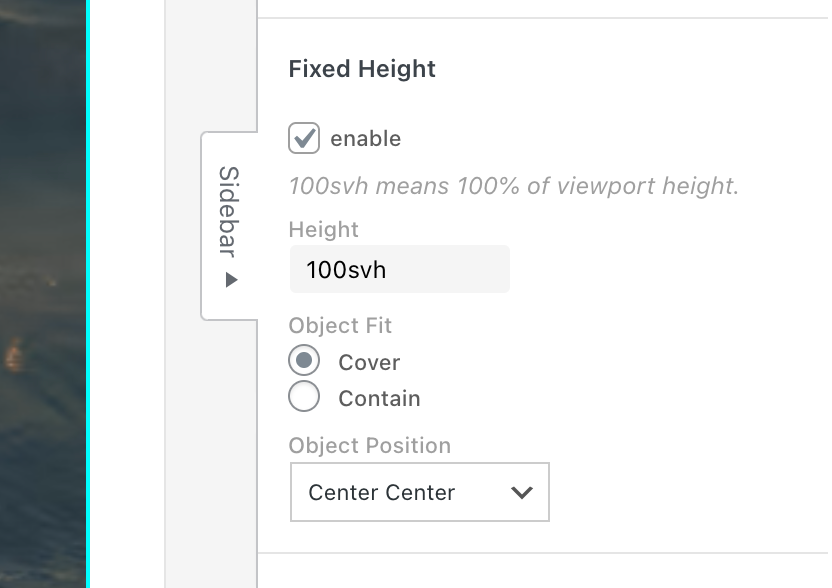
row background videos are meant to be autoplayed, and since they are in the background, they are not even like clickableif you simply want a video that is for example browser height, you could insert a .mp4 video in +Video → +mp4 video. and then just use the fixed height setting in the sidebar:
-
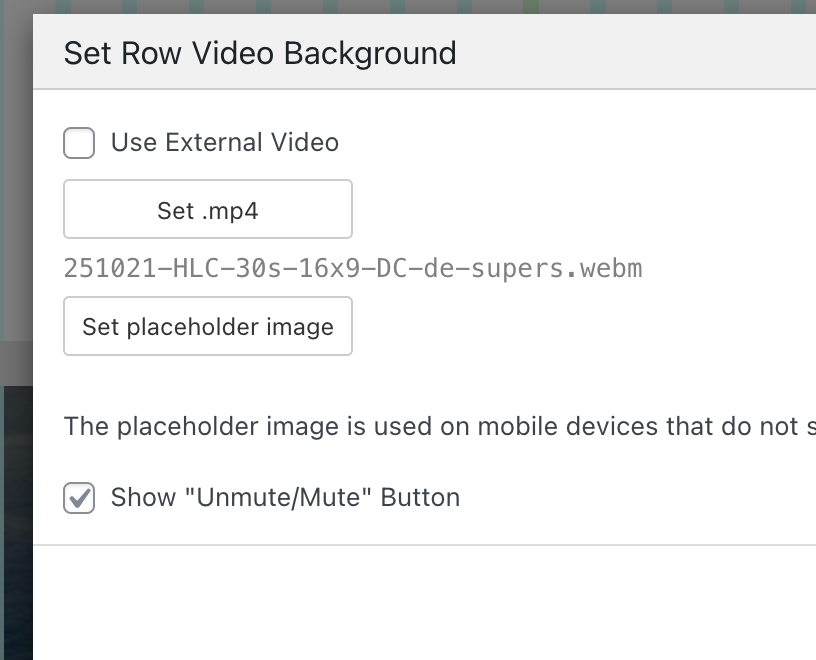
but next update will include the checkbox for showing the unmute button for row background videos, i think this is a good solution:

Hello! It looks like you're interested in this conversation, but you don't have an account yet.
Getting fed up of having to scroll through the same posts each visit? When you register for an account, you'll always come back to exactly where you were before, and choose to be notified of new replies (either via email, or push notification). You'll also be able to save bookmarks and upvote posts to show your appreciation to other community members.
With your input, this post could be even better 💗
Register Login