Migrate/Copy Page Content to Project
-
Hi there,
I've foolishly created and placed all my content on pages but now want to use some of the features that are specific to projects. Is there any way to transform pages to projects? Copy/paste between them doesn't work, and I've also not found any other way.
Have I missed something?
Thanks!
-
Dear @plhrmnn
You will be able to move content from a page to project via its JSON.
At the top-right of the screen should be "Screen Options"
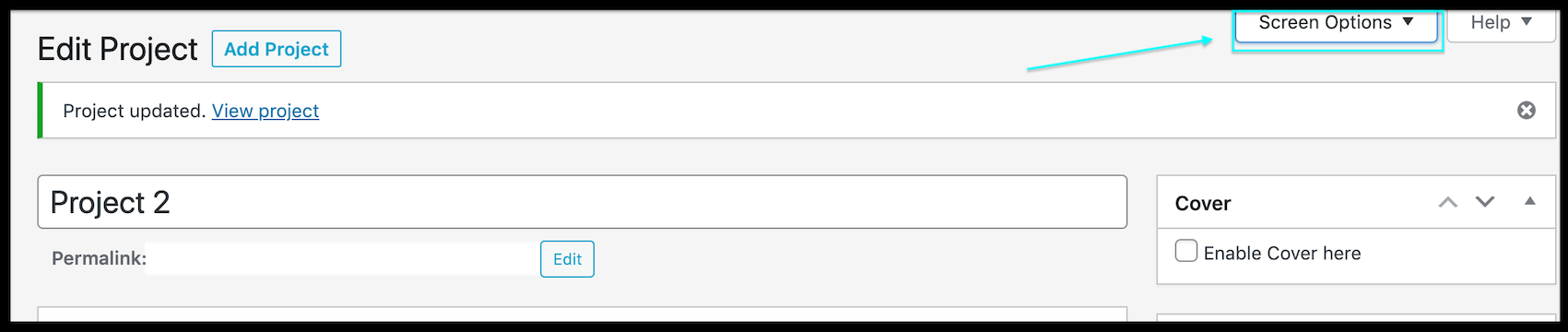
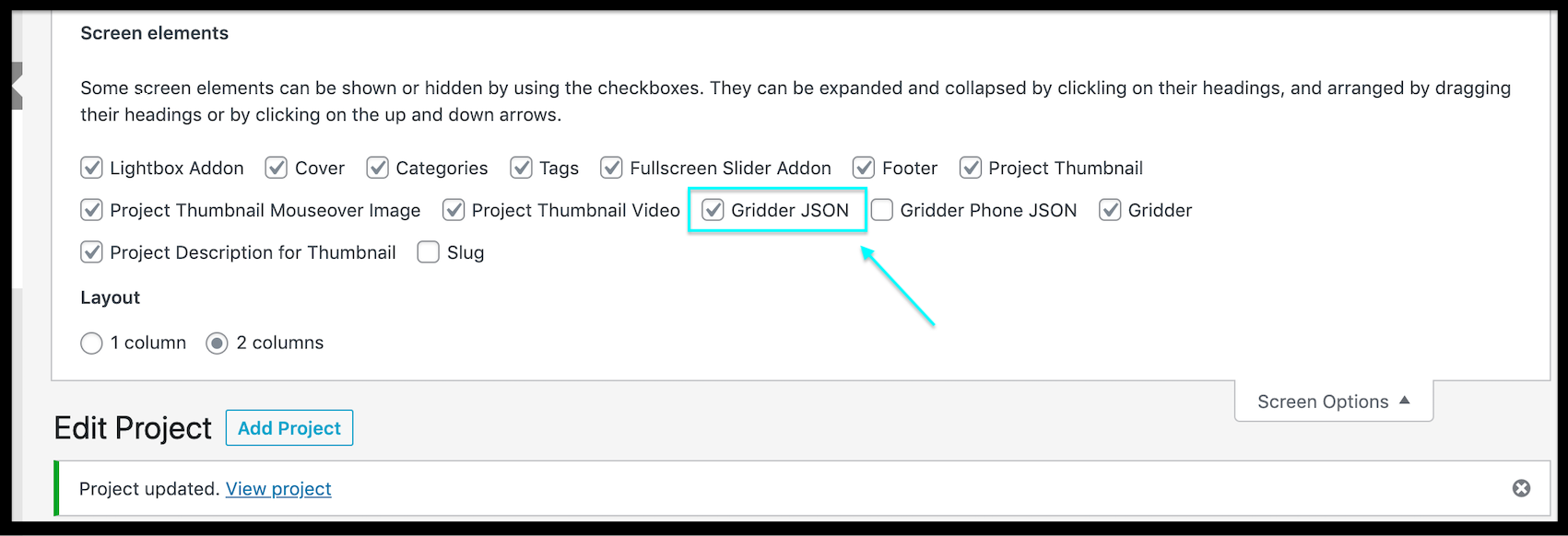
From there you can select "Gridder JSON" (also mobile JSON for custom mobile layouts):
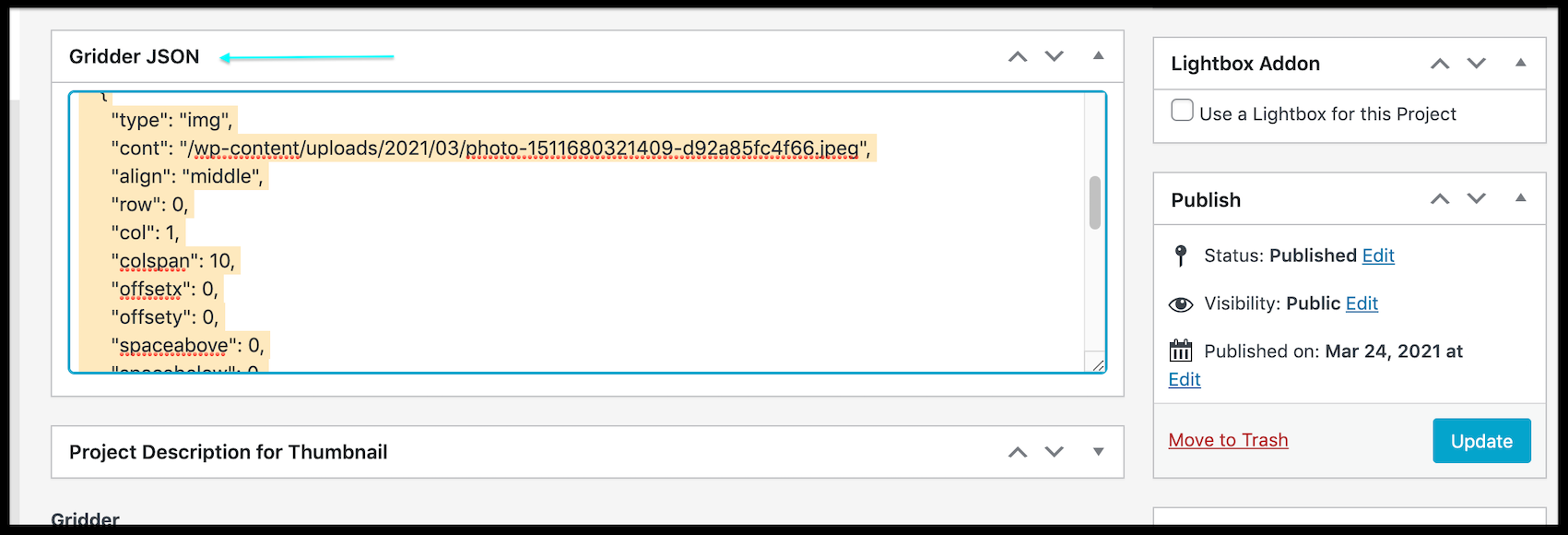
From there you can 'copy' your Gridder's JSON content and 'paste' into the empty JSON area on a new Page or Project. Remember to always click 'Update" when making changes.
Hope this helps and have a wonderful day 🌻
Richard
-
Hi folks!
I wanted to ask if there is a reason why "Screen options", specifically Gridder JSON, is not available for Categories? I made a layout I would like all categories to follow, is there no way to copy it to the other categories?
-
wordpress just doesnt have this
in chrome press command + shift + i
or in any way open the browser inspector
now command + f
to searchenter "category_gridder_json"
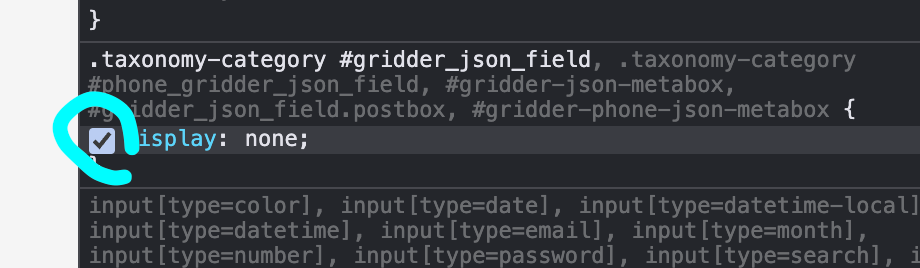
find this:
now below it, uncheck this checkmark:
-
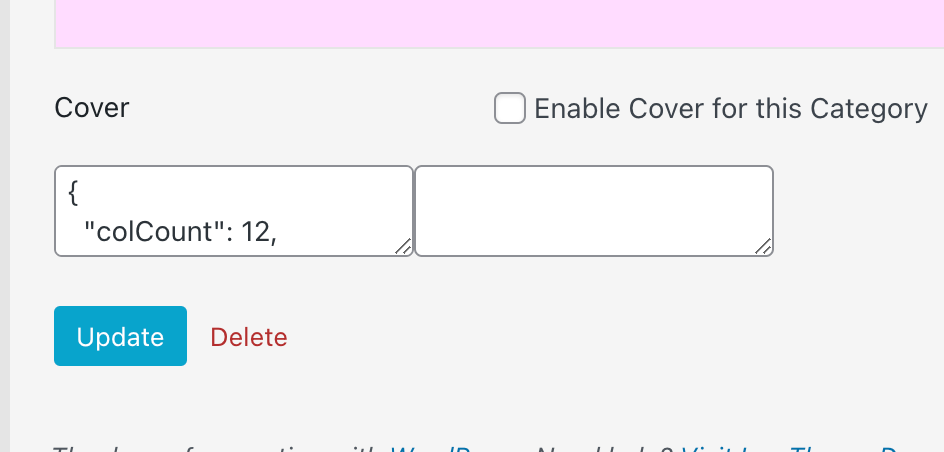
u will see this textfield. it contains the json
-
@arminunruh Worked like a charm, thank you!
-
 A arminunruh referenced this topic on

Hello! It looks like you're interested in this conversation, but you don't have an account yet.
Getting fed up of having to scroll through the same posts each visit? When you register for an account, you'll always come back to exactly where you were before, and choose to be notified of new replies (either via email, or push notification). You'll also be able to save bookmarks and upvote posts to show your appreciation to other community members.
With your input, this post could be even better 💗
Register Login